


READY TO SELL digital cameras ONLINE?
Get a store built for you in 5 days, plus training and support to help you start, run, and grow your Alternative business.

Learn to choose a camera buyer, source and test stock, price the full order, write clearer listings, pack safely and meet UK selling duties.

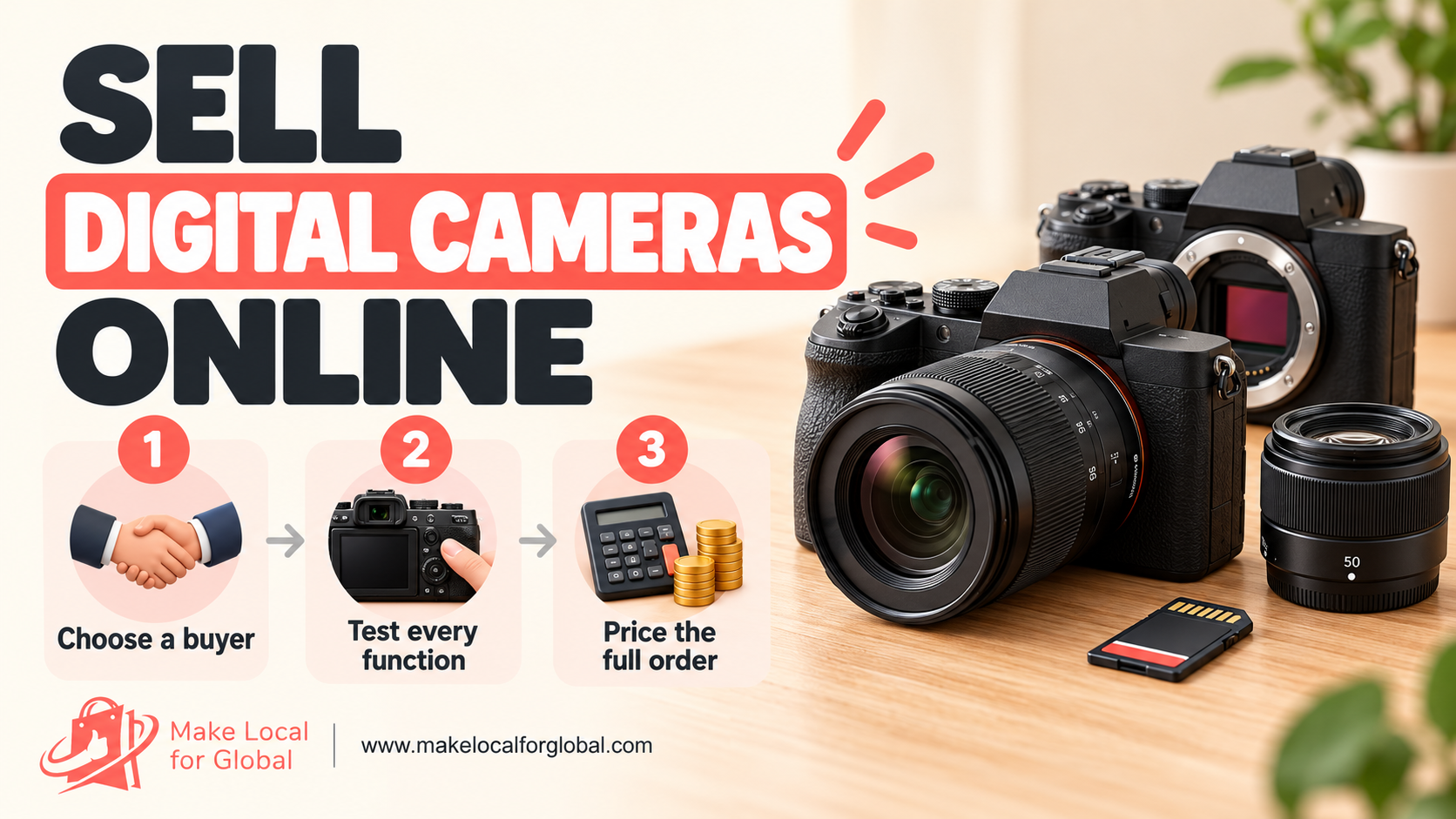
Selling digital cameras online can work as a focused specialist shop, a refurbished-camera business or a small test alongside an existing store. The strongest starting point is rarely a wall of models. It is a clear buyer, a camera range you can describe accurately and a repeatable process for checking every unit before money changes hands.
A camera listing has to answer more than “how many megapixels?” Buyers need to know the exact body, lens mount, kit contents, condition, battery, tested functions and delivery terms. This article sets out a practical route from choosing a niche to sourcing, inspecting, pricing, listing and shipping stock in the UK.
The examples use hypothetical figures and a UK trading context. Your costs, tax position, consumer duties and carrier rules depend on your business model and the route you sell through.
A first-time camera buyer has different questions from a wildlife photographer replacing a telephoto kit. A parent buying a family camera wants straightforward controls, dependable autofocus, a charger and a clear return route. A travel buyer may care about carry weight, battery availability and a lens that covers everyday scenes. A creator may compare video limits, microphone input, stabilisation and clean audio options.
Write one short buyer profile before you contact suppliers. Include the person’s use, likely budget band, confidence level and what they already own. “Beginner wildlife photographer who needs a light setup and wants to photograph birds at a local reserve” gives you a better stock filter than “people who like photography”.
Then record the questions that buyer asks before purchase. For a beginner, that may be whether the lens is included, what memory card fits, whether a charger is in the box and how the camera differs from a phone. For an experienced user, it may be mount compatibility, autofocus behaviour, sensor format, battery health and whether the body has been repaired.
These questions become the structure of your range and product pages. If you cannot answer them from the maker’s manual, your own test or a reliable supplier record, do not turn a guess into a sales claim.
Pick one of three useful routes for an initial test. You could sell simple compact cameras for everyday carry, bridge cameras for buyers who want a long built-in zoom, or used mirrorless kits for people who want to change lenses. A fourth route is specialist refurbished bodies, but this requires stronger inspection records, parts knowledge and a plan for returns.
Do not stock all formats at once just to appear broad. Every mount adds compatibility questions. Every model adds a different battery, charger, firmware history, menu system and set of faults to recognise. Begin with one family of products that you can inspect and support consistently.
Ask a few likely buyers to compare two real offers. Show the model, exact kit contents, condition notes, sample photographs and delivery cost. Ask what they still need to know and which detail would stop them buying. A pause or question is useful evidence. It tells you what the listing or product range has not made clear yet.
Review search phrases from your own site search, marketplace autocomplete and customer messages. Record wording such as “used mirrorless camera with lens”, “compact camera for travel” or a specific model plus “charger included”. Treat these as clues about buyer language, not proof of demand or a promise that a search phrase will bring sales.
Camera categories make a useful first filter, though the model and included lens matter more than the label alone. A bridge camera has a fixed lens, so the buyer avoids building a lens kit. Its trade-off may be a smaller sensor or less flexibility than an interchangeable-lens body. Check the exact model specification before describing reach or low-light performance.
Compact cameras are easy to carry and simple to explain. Their appeal depends on the particular sensor, lens range, autofocus, screen, battery and connectivity. Do not call an older compact “pocket sized” without checking its actual dimensions and the buyer’s likely expectations.
Mirrorless cameras and DSLRs let buyers select from compatible lenses. That flexibility brings more decisions: body only or kit, lens mount, crop format, autofocus coverage and the cost of future lenses. For a starter offer, a tested body with one named standard lens may be easier to buy than a body with vague “accessories included” wording.
Action cameras and instant-print models can be separate categories with distinct support needs. Waterproof claims, mounting accessories, removable batteries, app support and film or paper availability all need model-level checks. Reserve these for a later range when buyer research points to a clear use for them.
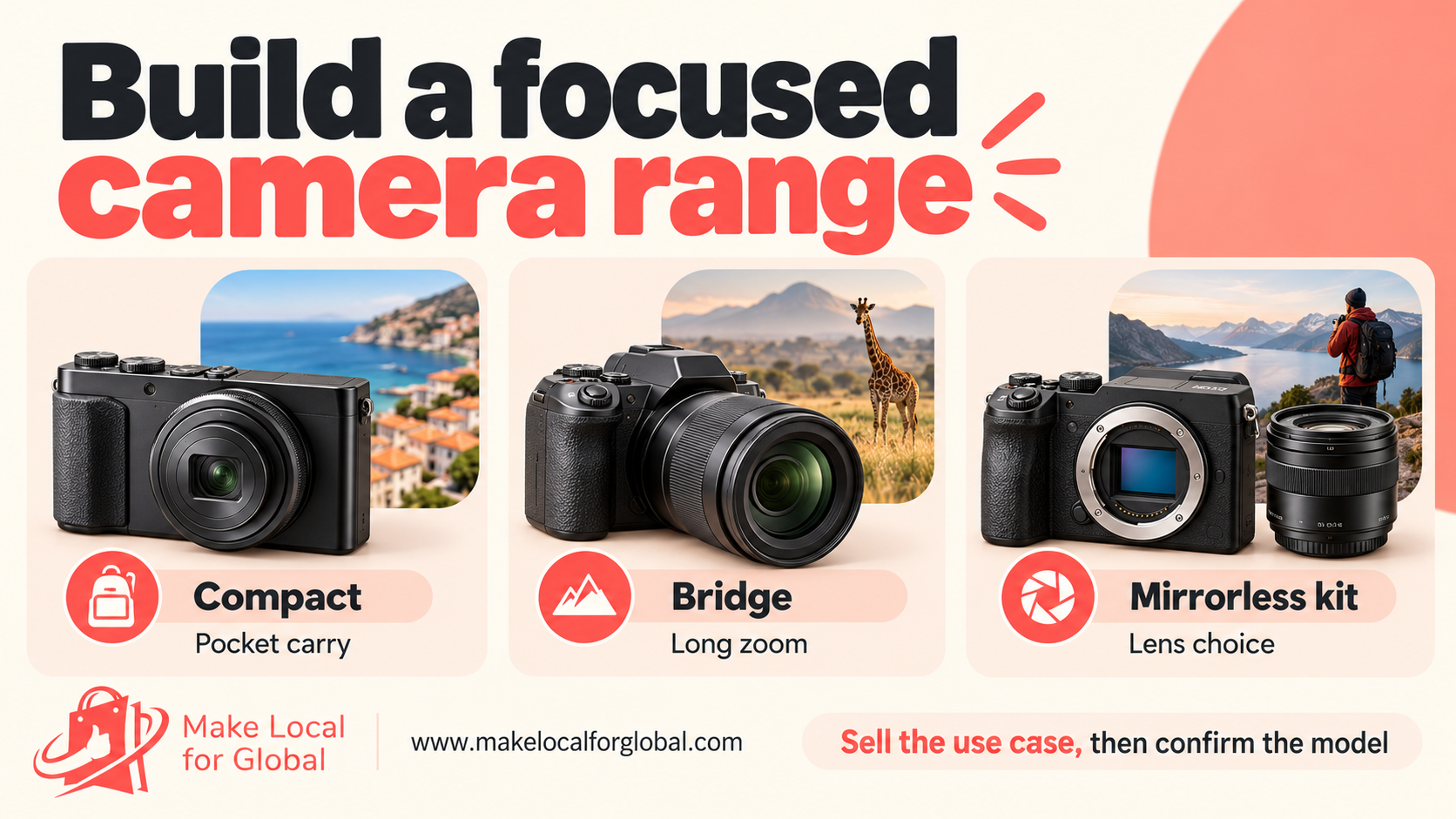
A compact opening range can contain three offers aimed at the same buyer. An entry offer might be a tested used compact with battery, charger and a basic strap. The core offer could be a mirrorless kit with one compatible standard lens. A specialist offer could add a second lens or a body feature that matters to a defined user, such as weather-sealing specified by the maker.
These are examples of offer structure, not claims about a particular model’s performance. Use the manufacturer’s own manual or support page for dimensions, supported formats, ports, lens compatibility and stated features. A product name alone does not reveal the exact regional variant or the contents of a used kit.
Set a rule for every offer: one buyer, one main use, a defined kit list and a clear condition grade. “Starter camera kit” could mean a body, one lens, one battery and a charger. A memory card, camera bag, spare battery or software licence is part of the offer only when you list it. Use a contents list and photograph each item together.
Separate new, open-box, refurbished and second-hand stock in your records and on product pages. A new camera from a UK distributor has a different history from a used private purchase or an overseas import. An “open box” label does not tell a buyer whether the goods were used, whether parts are missing or which warranty applies. Explain the facts you can prove.
Accessory bundles can raise the usefulness of the offer, but only when the parts match. A camera kit might include a compatible memory card, strap and padded pouch. A creator bundle might include a compact tripod after you verify the camera’s mounting thread and the tripod’s load rating. A spare battery must be the correct type and in suitable condition; do not put a generic cell into a bundle based on appearance alone.
Keep a compatibility sheet for every camera family. Record the body names, lens mount, sensor format, battery model, charger, memory-card type and accessory limits. If third-party lenses or adapters are involved, record the exact model pairing and the functions you checked. Manufacturer support pages explain compatibility only for the named products; a similar-looking mount is not proof that autofocus or stabilisation will work.
For example, Sony’s published support guidance distinguishes lens compatibility across particular bodies and mounts. Link to its lens compatibility advice when documenting a Sony range, then consult the exact model’s current manual before you publish a compatibility claim.
A bundle works when it answers a practical question: “What do I need to start taking photographs?” It becomes confusing when unrelated extras are added to make the price look larger. List the brand and model of every higher-value component, the condition of used accessories and the reason each item is included.
Offer a clear choice between camera only, a tested camera kit and a useful bundle. Keep the price step between them visible. This helps a buyer decide whether the additional lens, card or bag is worth paying for instead of leaving them to guess which pieces are included.
Avoid including a card with an unverified speed claim, a battery with no provenance or a lens with haze that is described as “good for beginners”. Accessories can create more support work than the camera itself. Test the full bundle as one order and record the result under the stock number.
Camera stock ties up money and can become harder to sell as models age, accessories go missing or batteries lose capacity. A small demand test lets you learn which buyer questions matter before you place a large order. The test needs a real offer and a clear response measure, not a broad post that asks whether people “like photography”.
Choose two products that solve a similar problem, such as a travel compact and a small mirrorless kit. Build a simple comparison page with the exact model, included items, condition, delivery window and an honest price estimate. Ask people to join a notification list, request a quote or answer one specific question about the offer. Do not take payment for stock you do not have or cannot supply under the stated terms.
Record the number of qualified enquiries, the product each person chose, the questions they asked and the point at which they stopped. A visitor who asks about lens compatibility has a different need from someone who leaves after seeing the postage charge. Keep enquiry notes factual and avoid treating a click as a sale.
Run a low-cost content test around one camera problem. A short post could show how to check whether a lens is included in a used kit. Another could compare a fixed-lens bridge camera with an interchangeable-lens starter kit. Include a clear next step that helps a reader act, such as viewing a tested product listing or joining a stock alert.
Before buying, set a stop rule. For example, you might require several real enquiries from the intended buyer and a positive margin after all known variable costs. Define the number and the margin before the test starts. Changing the rule after seeing weak results can turn a useful test into a reason to buy unwanted stock.
For a direct shop, clear photographs and a useful product page matter. If you need to plan the customer journey or compare fulfilment models, the MLFG free business apps page provides a verified starting point for practical planning tools.
Possible stock sources include authorised distributors, camera refurbishers, trade-in programmes, business liquidations and private purchases. Each route carries different evidence, grading, warranty and return terms. Before you buy, ask the supplier to confirm the exact model and regional variant, the condition standard, included components, serial-number record, ownership history where available, testing method and process for faulty stock.
Ask for a sample invoice and a written description of the grading system. “Grade A” is a supplier label, not a shared industry standard. Get the definitions in writing: body wear, screen marks, sensor faults, battery status, missing accessories and any repair history. If the supplier’s grade has no measurable meaning, create your own inspection grade after the stock arrives.
Calculate the landed cost before agreeing a purchase. The unit price is only one input. Add freight to you, import charges where relevant, inspection time, replacement accessories, cleaning materials, repair work and the cost of units that fail testing. Ask if the supplier accepts returns for a mismatch between the sample and the delivered batch. Keep emails, invoices and shipment records with the stock file.
For used bodies, request photographs of the exact stock or a sample of the batch that shows realistic wear. Check the supplier’s return window, payment terms and responsibility for damage in transit. A low-cost mixed lot can contain models your customers do not want, missing chargers, damaged screens or batteries that no longer perform reliably. Price the risk before it arrives.
Never rely on an online seller’s account of shutter count as a complete condition report. Nikon’s shutter count guidance explains that a total count cannot be known accurately through all available methods and does not guarantee future life. If you include a shutter figure, record how it was obtained, the camera model, the reading date and the limit of that information. Do not promise remaining actuations.
Ask for proof of repair parts and service records when buying refurbished stock. Record who completed the work and which tests followed it. If a camera has been modified, liquid damaged or repaired with uncertain parts, treat it as a separate risk. Do not pass on a supplier’s unsupported claim as your own test result.
Estimate the hours needed to inspect, photograph and list the whole order. If your first lot contains twenty different models, each may need another battery type, lens check and product-page specification. A batch of a few repeat units gives you a chance to measure inspection time and return issues before you add more variations.
Ask the supplier to ship in a way that protects the equipment and keeps order contents traceable. Photograph the outer packaging before opening a damaged parcel. Match each camera to its invoice line and stock number as soon as it arrives. Store serial information securely for your records and share only the identifiers that help a buyer verify the exact item.
If stock comes from outside the UK, check who is the importer and who owns the product compliance and waste duties. Do not assume an overseas seller’s description makes you a reseller with no other obligations. A private-label or commercial import route differs from buying second-hand equipment from a UK business. Get professional advice if your role is unclear.
Create one written test sheet and use it for every unit. Record the stock number, exact model, serial reference, arrival date, test date, firmware shown by the menu, accessories received, battery used, each test result and any fault. A repeatable sheet helps a second person follow the same checks and gives your listing a clear basis.
Start with the exterior. Look for cracks, dents, loose ports, damaged hot shoes, corrosion, sticky residue and signs of liquid entry. Check the battery compartment, card doors, lens-release mechanism, tripod socket, screen hinges, EVF and eyecup. A cosmetic mark may be acceptable when shown in a close-up. A loose or damaged control needs diagnosis before sale.
Inspect the lens mount without touching the sensor. Look for bent contacts, debris, impact damage or a mount that does not lock securely. Check the body cap and lens cap are present. Do not place tools, cloth or fingers against the sensor. If the sensor seems dirty, follow the model’s own manual or use a qualified service provider; avoid improvised cleaning methods.
Power on with a compatible, known-good battery. Check that the battery latches, charges through the stated method and shows a plausible charge level. A camera can work during a short inspection and still have a weak battery. If you do not have a battery-health measurement supported by that model, describe what you tested and avoid claiming a remaining runtime.
Use a formatted card of the right type and test image capture, playback, zoom in review, delete, menu navigation and file transfer if the camera supports it. Test the shutter at several settings, the focus modes you plan to list, the flash where built in, the self-timer, the main dials, buttons, touch screen and stabilisation settings. Test video record and playback if you intend to promote video use.
Take sample images with a compatible lens at different focus distances and exposures. Review files at a useful size for banding, lines, stuck pixels, focus errors or a warning that repeats across frames. A dark speck that shifts with the lens may be dirt on a lens surface; a mark in the same sensor position across images calls for further investigation. Do not diagnose a fault from a single compressed preview.
If a lens is included, inspect front and rear glass under sensible light. Note scratches, fungus-like growth, haze, impact damage and loose rings. Test the aperture, zoom, focus ring, autofocus and image stabilisation if present. A lens may mount successfully yet fail to communicate or focus properly on a particular body. Record the exact pairing and test outcome.
Check Wi-Fi, Bluetooth, GPS or app features only when you can reset the camera and remove personal links. Do not retain previous owners’ images or account details. Format the card, restore settings where possible and confirm that no paired device or private file remains. If you encounter private content, do not browse or copy it; follow a written process to stop the test and clear the storage safely.
Grade cosmetics separately from operation. One simple scale could be “very good”, “good” and “well used”, with a photo and a short definition for each grade. The grade never replaces a fault list. “Good condition” is too vague when the screen has a deep scratch or the battery door is cracked.
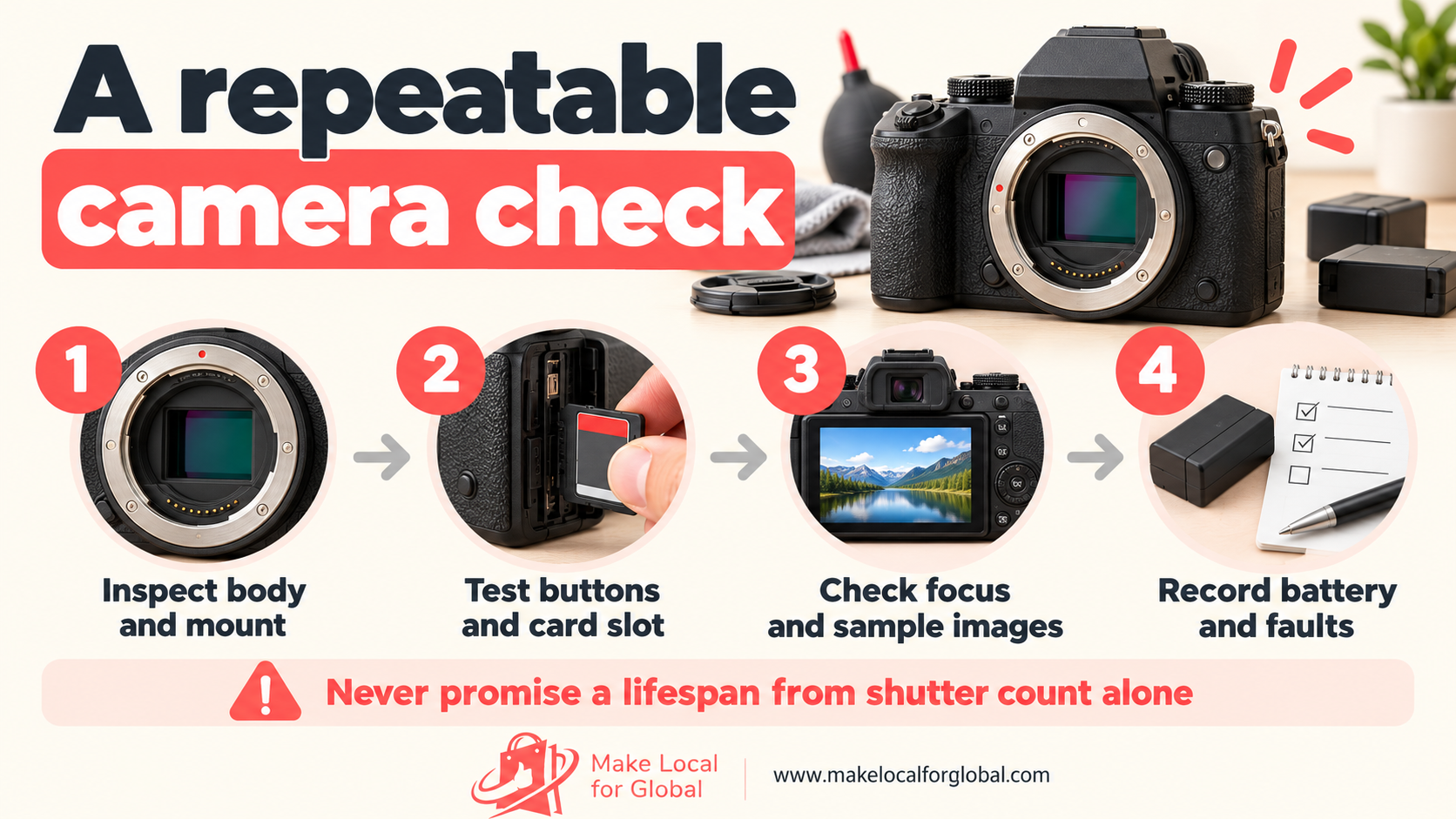
A shutter count can help some buyers compare used bodies, yet it is not a health certificate. Counts may be unavailable, read incorrectly or fail to represent every type of shutter operation. Maker “tested to” figures describe a test rating for specified models; they are not a guarantee that a particular used unit will last to that number.
If you show a count, state it as a reading, not as a lifespan promise. A clear note might say: “Reading returned by [named method] on [date]; the camera’s actual total may differ. No remaining-life estimate is made.” If the source of the number is uncertain, leave it out and describe your functional tests instead.
Start from the price a buyer can compare for that exact model and kit, then subtract every cost that comes with making the sale. Check current listings for the same body, lens, condition, accessories and warranty. Asking prices show what sellers hope to receive, not completed sales. Use completed sales data where a channel provides it, and compare like with like.
The example below assumes a used mirrorless body and standard lens sold for £329. It uses a hypothetical marketplace and payment fee of 12 per cent of the sale price, a £16.45 returns and repair reserve equal to five per cent of sale price, and no VAT added. Replace every figure with your actual agreement and tax treatment.
| Cost line | Illustrative amount | How it is set |
|---|---|---|
| Camera and lens purchase | £160.00 | Supplier invoice for one tested kit |
| Inbound shipping | £8.00 | Allocated share of delivery to you |
| Inspection and consumables | £12.00 | Labour allowance and test supplies |
| Packing materials | £7.00 | Protective box, padding and tape |
| Outbound delivery | £9.00 | Illustrative tracked service cost |
| Marketplace and payment fees | £39.48 | 12% × £329 sale price |
| Returns and repair reserve | £16.45 | 5% × £329 sale price |
| Customer acquisition allowance | £8.00 | Example paid promotion cost |
| Total variable costs | £259.93 | Sum of the lines above |
| Contribution before fixed costs and tax | £69.07 | £329.00 − £259.93 |
Illustration only. Figures exclude VAT, fixed overhead, income or corporation tax, owner pay and any repair not covered by the reserve. Add the actual fee basis and local tax treatment before setting a live price.
This contribution is not net profit. It must cover software, storage, insurance, accountancy, rent, unsold stock, refunds above the reserve and the time spent running the shop. If your business is VAT registered or the stock qualifies for a special VAT treatment, ask an accountant or HMRC for advice and calculate on the correct basis.
Run a second calculation at a lower achieved sale price. A camera that looks profitable at £329 may leave little room after a negotiated discount or paid promotion. Write a minimum acceptable price before a buyer makes an offer. If the price falls below it, decline the offer or change the sourcing cost next time.
Price each grade and kit on its own evidence. A used body with battery, charger and a tested lens has a different value from body only with a weak battery. A clean premium grade cannot carry the same price as a camera with a screen mark when your market data does not support it or the condition is unclear. Do not bundle a repair allowance into “miscellaneous” and forget to track how often repairs occur.
Check the calculation again when a fee plan, delivery tariff, supplier quote or return rate changes. Record the date and the assumptions. This prevents an old price from quietly absorbing a new payment fee or a higher cost for tracked delivery.
If you are shaping a camera offer and need help turning the product, customer and order costs into a clear shop plan, talk through your next step with the Make Local for Global team.
Put the exact camera model and kit in the title. “Used mirrorless camera” is too broad if the item is a body-only unit from one mount family. A more useful title names the maker, model, included lens, condition grade and a verified feature that the target buyer searches for. Keep the title readable instead of stacking every possible keyword.
Start the description with what the buyer receives and who the kit suits. Follow with a factual specification list: model, sensor format where confirmed, mount, included lens and focal range, battery and charger, card format, screen or viewfinder type, ports, dimensions, weight, connectivity, firmware version if checked and warranty or return terms. Link to the maker’s manual for complete specifications rather than copying a page that may describe another regional version.
For a second-hand item, add a separate condition section. State the grade definition, visible marks, faults, replaced parts, test date and functions you did not test. Mention the shutter-count method only if you have a meaningful reading, then state that it does not predict future life. “Tested” needs a list of the tests, not just a badge.
Make the kit contents explicit in a checkable list. For example: camera body, one named lens, one compatible battery, one charger, body cap, front lens cap and strap. State that a memory card or bag is not included if buyers might expect one. Photograph the actual items from the order; a generic maker photo can mislead someone about the lens, accessories or condition.
Describe compatibility at the level you have tested. Name the body mount, lens mount and adapter model. Say whether autofocus, stabilisation and aperture control were checked. A lens fitting is only one part of compatibility. Do not describe an adapter as fully compatible if you tested only manual focus or did not test it at all.
Include sample images made with the camera and lens where possible. Tell the reader which sample was taken with the exact item, and name any settings that help them interpret it. A clean sample can show that image capture works; it does not prove that every shooting mode, port or accessory works. Include a close-up of each cosmetic mark and a photo of the complete kit laid out together.
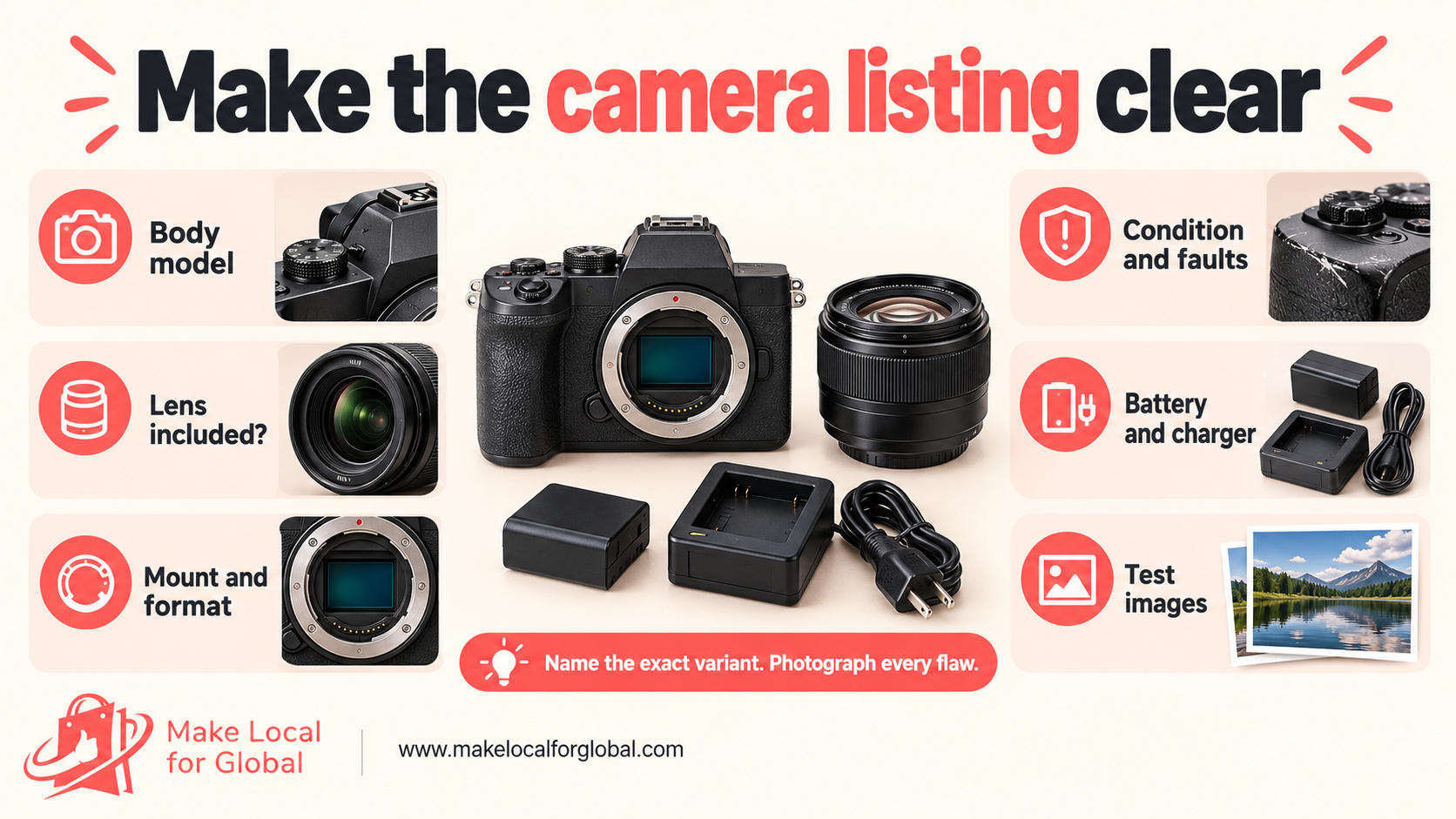
Set up one bright, neutral background and keep the camera angle similar across listings. Photograph the front, back, top, base, screen, viewfinder, battery bay, card doors, lens mount and each accessory. Add close-ups for wear. Avoid filters that hide scratches or change the camera’s apparent colour.
Include a lens photo from the front and rear, plus a view of the barrel and any marks. Show the card door open and the charger with its cable. For a used camera, a photo of the menu and a sample image can support your test notes. Remove personal images and information before photographing the screen.
Use the first image for an uncluttered view of the actual camera. Later images can explain the kit or show a labelled diagram, but do not let a graphic replace the real product evidence. Give each image a concise descriptive alternative text in WordPress, such as “Used mirrorless body and included standard zoom lens” rather than a string of search terms.
Write for a reader who has not used that model. Explain unfamiliar terms in one sentence. If you use “APS-C”, say it is the sensor format named by the maker. If you state that a lens offers a certain field of view, explain which camera format and lens setting you mean. Avoid treating resolution as the only quality measure.
A marketplace can help you reach buyers already searching for a specific model. It may have category rules, seller fees, listing limits, condition fields and return settings that change over time. Check the current terms and fee calculation before you list, then include the fee in your cost sheet. A marketplace sale still needs an accurate description and a sound returns process.
Your own online shop gives you more control over product education, bundles, repeat purchases and customer records. It takes work to attract visitors and to answer product questions. A specialist camera shop or local collection model may suit higher-value equipment where buyers want to inspect it, though you need a safe handover process and a clear record of what was sold.
Do not use the same stock listing everywhere without checking the channel format. One site may need a concise title and fixed condition grade. Your own shop may support a comparison chart and detailed test notes. Keep one approved product record as the source for model name, kit contents, condition, price, stock location and compatibility facts so listings do not drift apart.
Use buyer questions to shape content. A short video might show how to tell a body-only offer from a kit. A comparison page can explain fixed-lens and interchangeable-lens choices. A product email can remind a buyer what memory card type a named model accepts, with a link to the manufacturer’s manual. Make claims that you can demonstrate or source.
Build a simple route from search to decision: a buyer reads a useful answer, compares the relevant cameras, sees the exact contents and condition, then asks a question or buys. The MLFG business app directory is a live internal resource for exploring planning tools; the site’s contact page is the direct route for a question about support.
Before packing, match the camera, lens, battery and accessories to the order record. Photograph the kit laid out beside its stock number, then remove the memory card and confirm that no prior owner’s images remain. Use a body cap when shipping the body without a lens. Fit the front and rear lens caps, and protect a detachable lens separately so the mount is not carrying an impact load.
Use a snug inner box with clean padding around every side. Prevent the camera from shifting; do not let a battery, charger or lens knock against the body. Put the inner box in an outer carton with cushioning around it. The parcel needs to withstand handling and a drop without pressure on the screen, lens barrel or control dials.
Check your chosen carrier’s current rules for lithium batteries, the destination and the service type before dispatch. Rules can depend on battery condition, whether the battery is fitted, whether spare batteries are included and the route. Never send a swollen, damaged or suspect battery. Do not rely on an old packing note for a new carrier service.
Keep proof of dispatch and use delivery tracking appropriate to the order value. Photograph the packed parcel and retain the serial reference in your sales record. Send the buyer a packing list, delivery estimate and a clear contact route for questions. If the camera is returned, compare it with the recorded serial, accessories and condition before you decide the next step.
Set a quarantine area for incoming returns. Do not add a returned camera straight back to available stock. Check the body, lens, card slot, battery, accessories and the reported fault; record what you find. A return can reveal an unclear listing, a weak battery, a packing problem or a product fault that affects other units from the same batch.
Packaging practices used for other specialist equipment can be useful, though camera bodies need support around the lens mount, screen and glass. See the MLFG article on selling camping gear online for a related example of matching packaging and delivery detail to the product being shipped.
UK obligations depend on what you sell, how it was made or imported, your role in the supply chain and where the buyer lives. This section is a starting checklist, not legal or tax advice. Check the current rules for Great Britain and Northern Ireland, the product and your business before you accept stock or open a store.
Commercially resold second-hand products must be safe. The Office for Product Safety and Standards advises sellers and buyers to check relevant recalls, instructions and product changes. Review the official second-hand product safety advice and check current product alerts when a model or accessory raises a safety concern. A camera with battery swelling, exposed wiring or signs of liquid damage needs to be removed from sale until assessed.
For new electrical stock supplied in Great Britain, identify the exact equipment in scope and the role your business takes. The Electrical Equipment (Safety) Regulations guidance sets out requirements for manufacturers, importers and distributors. The equipment’s voltage, components and supply arrangement matter. A camera body, a mains charger and a separately supplied adapter may need different checks. Read the product documentation rather than applying one broad assumption to every item.
If you sell electrical and electronic equipment, the UK WEEE rules may require a route for customers to dispose of an old equivalent item. The government’s retailer and distributor guidance says the online route applies to internet, mail-order and telephone sales, and online retailers must publish customer information about the take-back arrangement. It describes a free take-back service or membership of the Distributor Take Back Scheme. Read the full guidance and confirm which route fits your business.
Making electrical equipment under your own brand or placing imported products on the UK market can create producer duties. Do not assume that a supplier’s compliance statement covers your role. Ask for relevant technical records, product identity and traceability, and take professional advice on producer registration, waste obligations and market-specific requirements before you import or private-label camera equipment.
Replacement batteries add their own rules for supply, take-back, labelling, storage and shipping. Check the current battery guidance for your business size and sales route. Keep batteries away from heat and damage; isolate any unit that is swollen, leaking or unusually hot. Use only suitable chargers and do not resell a cell with an uncertain history as safe or fully working.
Online sales to UK consumers bring cancellation and refund duties. GOV.UK explains that distance-sale customers can notify you within 14 days of receipt that they want to cancel, then have another 14 days to return the goods. The rules for faulty or misdescribed items apply separately. Read the current returns and refunds guidance before writing your policy. A blanket “no returns on used cameras” message does not replace statutory rights.
Keep product descriptions honest about wear, battery performance, included items and test limits. If a buyer sees a fault before buying, record the disclosure in the product page or order notes. A marked-down price does not remove the need to describe the item accurately. Provide instructions or a maker manual link when safe operation depends on correct use.
For overseas buyers, check import duties, returns, electrical compliance, battery shipping and consumer rules in the destination country before offering delivery. A UK listing does not automatically meet another market’s requirements. Start with a small number of supported destinations and review the full route cost before you advertise worldwide shipping.
Assign a stock number to every camera and every lens. Keep one record that links purchase invoice, supplier notes, serial reference, inspection sheet, listing, sale, parcel and return. Store this information with access controls and a retention period that fits your records duties. Do not copy a customer’s private image files into your business records.
Use a stock status that staff can understand: received, awaiting inspection, ready to list, reserved, sold, return check or repair hold. The shop quantity must match the shelf. If two buyers can order the only unit at once, the second buyer may face a cancellation and your stock record is not working.
Prepare short answers for repeated questions. Keep an approved note for card compatibility, lens mount, battery type, charger, warranty, condition grades and dispatch times. Link to the manual for complete model details. If a question reveals a gap in the page, update the page for future buyers rather than leaving the answer hidden in a private message.
Review return reasons by model and supplier. A high number of “not as described” returns may point to unclear photos, missing kit pieces or a condition grade that means something different to the buyer. A battery complaint might call for a better test and a more careful description. Pause new purchases from a batch if faults point to a recurring safety or quality problem.
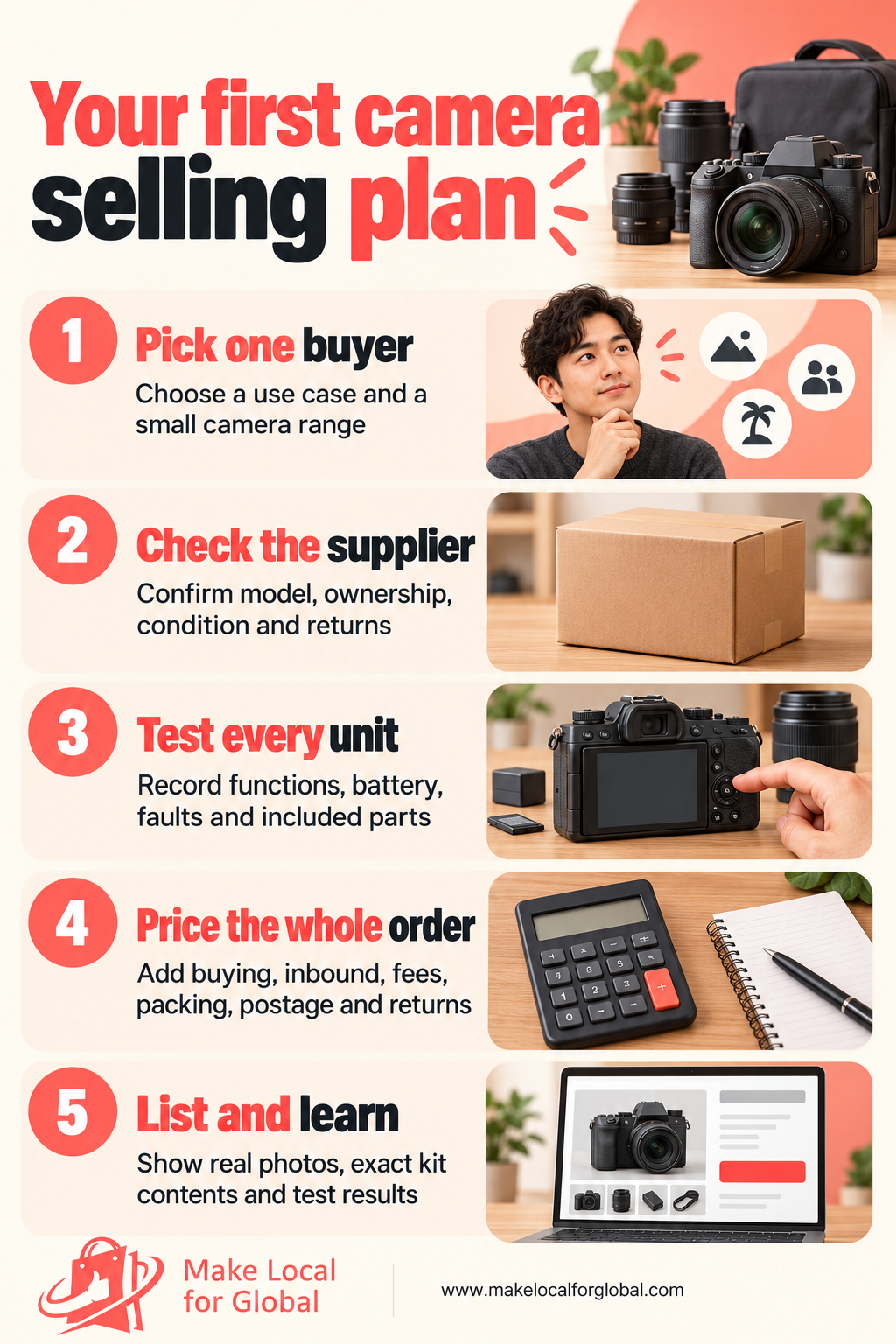
Days 1 to 7: choose one buyer and research the offer. Write the buyer profile, compare three product types and select a narrow camera family. Record questions from five likely buyers or real enquiries. Check manufacturer manuals, model compatibility and current competitor listings for the exact variants you plan to source. Set your purchase limit and a minimum contribution before ordering stock.
Days 8 to 14: confirm a supplier and test sample stock. Ask for the grading definition, sample invoice, return terms, serial traceability and a small trial lot. Create your test sheet and record inspection time for each unit. Photograph faults and kit contents. Reject any camera with an unexplained fault, unsafe battery or missing record that stops you from describing it accurately.
Days 15 to 21: prepare listings and delivery. Write one complete product page, calculate its contribution at a realistic sale price, check the buyer journey on a phone and run a packed-parcel test with the same packaging you plan to use. Confirm carrier battery rules, returns wording and any electrical take-back information your business needs. Add a second offer only if the first page and test process work.
Days 22 to 30: run a small sales test and review evidence. Publish the selected listings, share one useful buyer-focused post and reply to product questions using your approved notes. Track views, qualified enquiries, purchases, fee cost, packing time, delivery exceptions and return reasons. At the end of the month, decide whether to reorder, revise the offer, improve the product page or stop that product line. Use the numbers you recorded, not a general feeling that the idea ought to work.
It can be, when the purchase price leaves room for inspection labour, accessories, fees, packing, delivery, returns and tax. Calculate the contribution for the exact camera and kit you intend to sell. The example above is hypothetical and does not predict your result. A lower supplier price does not help if the unit has faults or sits unsold.
Choose a small group that serves one clear buyer and that you can test consistently. A repeat model family may simplify battery, charger and lens questions. Compact, bridge and mirrorless cameras each suit different use cases; compare demand and support needs before you choose one rather than assuming one category will be simplest for every shop.
Publish your own plain definitions and use the same scale for every listing. Separate cosmetic wear from operating faults, list each defect and show close-up photos. “Good” or “very good” needs a description that a buyer can apply to the actual camera. A grade does not replace a test record.
No. A count may be unavailable or inaccurate, and it cannot predict the remaining life of one used camera. If you publish a reading, state how and when it was obtained and say that it is not a lifespan estimate. Describe the functional tests you completed and disclose any repair history you can verify.
Yes, if the title and description state body only and the image caption makes the display purpose clear. The main photograph should not imply that an unlisted lens or accessory is included. A separate photo of the exact items in the order reduces confusion.
A compatible battery and charger are practical starting items, followed by a strap, a suitable card or a padded case. Check the exact battery, card format, camera mount and accessory quality first. Name the brand and model of higher-value accessories and show the whole bundle in one photograph.
A blanket no-returns policy does not remove consumer rights. Online buyers have a limited cancellation period, and faulty or misdescribed goods bring separate rights. Read current GOV.UK guidance and set out the steps for contacting you, returning the parcel and receiving a refund.
Stop using, charging, packing or selling it. Keep it away from heat and from other batteries, then follow local battery safety guidance and ask a qualified waste or battery handler how to store and dispose of it. Check the carrier’s current rules before shipping any replacement battery; never send a damaged cell.
There is no single camera-seller licence that fits every route. General business, consumer, tax, product safety, electrical waste, battery and import requirements may apply. The answer depends on your product, role and location. Check current official guidance or speak with a qualified adviser before buying or importing commercial stock.
A clear product range, useful images and an honest testing process give buyers the information they need to decide. If you are planning a small online shop and want to talk through your next step, contact Make Local for Global.
Start with one buyer and a small number of units. Check each camera, document the kit, price every cost and learn from the questions and returns that follow. That gives you a sound basis for deciding what to stock next.
PREFERRED SOURCE
Like what you’re reading? Add Make Local for Global as a preferred source on Google to see more of our articles when you search.




Build your online presence without having to figure out everything yourself.

