
READY TO SELL digital keyboards ONLINE?
Get a store built for you in 5 days, plus training and support to help you start, run, and grow your Alternative business.

Plan a digital keyboard shop with model checks, UK compliance, landed costs, clear product pages, safer delivery and a measured first launch.

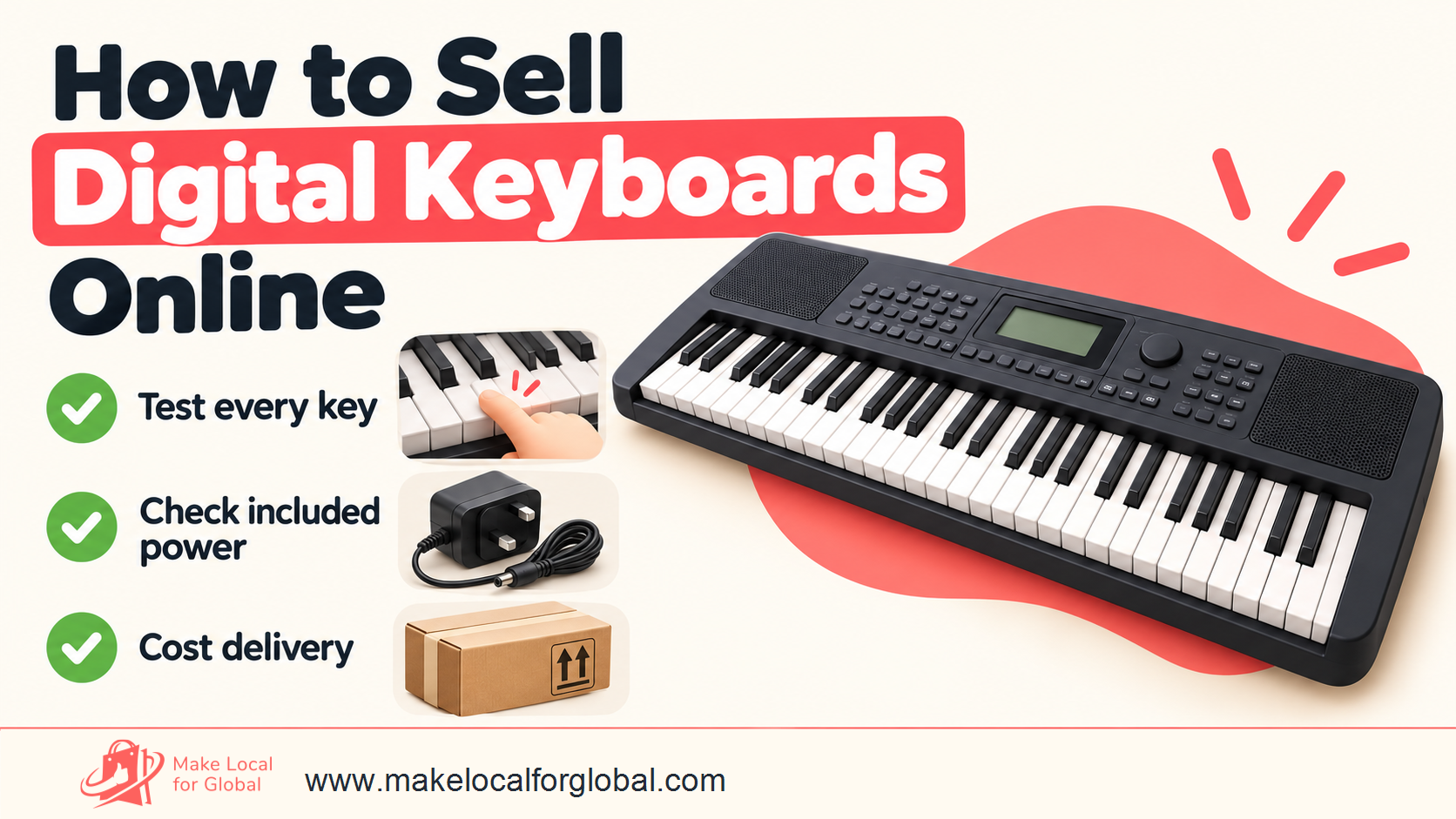
A digital keyboard can look like a simple boxed instrument, yet the sale depends on details a beginner cannot judge from one product photo. Key action, built-in speakers, power supply, learning tools, connections, package contents and delivery all affect whether it suits its buyer. A seller who checks those points can build a smaller, clearer range and reduce avoidable returns.
This article focuses on portable electronic arranger keyboards and entry-level home keyboards. It explains how to choose a buyer, compare products, inspect samples, cost an order and prepare a UK online launch. Digital pianos, synthesizers and MIDI controllers are related products, though their functions and buyer questions differ. If you plan to sell a full-size weighted instrument, see our separate guide to selling digital pianos online.
Give buyers a useful way to compare exact models, package contents and delivery details.
A first range should answer a recognisable need. A parent buying an instrument for a child, an adult testing a new hobby, a music tutor needing practice instruments and a gigging player looking for a portable backup each compare different details.
Parents may value a manageable size, clear controls, a headphone socket, a music rest and a package that states whether the power adaptor is included. Adult beginners may ask about touch response, lesson features and whether the sound can be practised quietly. Tutors may care about durability, easy operation and consistent availability across several units. A performer may look for audio outputs, a pedal input, fast access to sounds and a suitable carrying case.
Write down one buyer and one purchase situation. For example: “An adult beginner wants a 61-key instrument for evening practice in a small flat.” That sentence helps decide which products deserve a sample. It guides photos, product details and search content. If you cannot explain why a buyer would choose one model over a common alternative, your initial range may be too broad.
Ask what a customer might discover only after opening the box. The keyboard might need an adaptor that is not included. It may use mini keys when the buyer expected full-size keys. The speakers may be too quiet for a classroom. An advertised USB connection might send MIDI data but not audio. These mismatches can create complaints even when the instrument works as stated.
List the five likeliest misunderstandings before choosing inventory. Use them as your product-page checklist. Clear information at the point of purchase gives a buyer a better chance of selecting the right instrument.
Use customer conversations, search suggestions, music-teacher groups and product questions to find repeated needs. Ask people what they have tried, what was confusing and what they need to do with the next instrument. Avoid leading questions such as “Would you buy this?” A more useful question is “What would you need to compare before choosing one?”
Record the exact phrases people use. If beginners keep asking whether a stand, headphones or adaptor comes with the keyboard, those questions belong near the top of your listings. If teachers ask whether several models have the same key count and connections, a comparison table could save them time.
Do not treat social likes or survey promises as sales evidence. A small test can be a landing page, an email sign-up for a named launch, or a limited batch from a supplier that allows small orders. Record visits, enquiries, reservations and paid orders separately. Do not take payment until stock, delivery timing and fulfilment are confirmed.

An arranger keyboard usually combines keys, built-in sounds, speakers, rhythms or accompaniment functions, and controls for changing performance settings. Some models include lesson features, recording or USB connections. They can suit home practice, casual playing and basic accompaniment, depending on their exact features.
Do not assume every model has the same speaker output, touch response, recording options or connections. Compare the exact model number and regional specification. A manufacturer's official product page or manual is stronger evidence than a supplier's copied description.
Some compact home keyboards favour a simple layout, a particular sound set or portability. Key size can vary. A 61-key instrument may have full-size keys; another compact unit might use mini keys. State the actual key dimensions or the manufacturer's named key format rather than relying on a generic product label.
Battery operation can help a player move the instrument between rooms, but buyers need to know whether batteries are supplied, how many are needed and whether speaker output changes during battery use. If a power supply is sold separately, state its exact compatible model and voltage requirements. Do not tell the buyer to use a generic adaptor unless the manufacturer supports it.
Digital pianos are often selected to practise piano repertoire. Many have 88 keys and a weighted or hammer-style action, though specifications vary. Our digital piano selling article covers that category in more depth. The presence of a piano sound does not make a light-action arranger a weighted digital piano.
A synthesizer is usually selected for sound design or performance control; its synthesis features differ by model. A MIDI controller sends performance information to compatible equipment or software and may have no built-in sounds or speakers. Customers looking for a plug-and-play instrument may be disappointed if a controller needs a computer, software and separate audio equipment.
Use a category table in your planning to prevent titles that draw the wrong search intent or promise the wrong use.
| Product type | Typical buyer question | Listing detail to verify |
|---|---|---|
| Arranger keyboard | Can I play and practise without extra audio gear? | Speakers, touch response, accompaniment and power |
| Compact home keyboard | Will it fit my space and hands? | Key size, dimensions, key count and power options |
| Digital piano | Does the action suit piano practice? | Key action, pedal support, cabinet and sound engine |
| Synthesizer | Can I shape and save the sounds I need? | Sound engine, controls, storage and outputs |
| MIDI controller | What else must I connect? | USB/MIDI type, software needs, power and audio path |
A keyboard with hundreds of tones does not automatically suit more buyers than a simpler model. A first-time player may prefer obvious controls and built-in speakers. A teacher may care more about headphones, a music rest and consistency across several units. A performer could value an audio output and pedal socket over a long list of rhythms.
For instance, Yamaha’s official PSR-E383 product information describes touch response, built-in voices, lesson functions and a USB connection. Casio’s official CT-S1 user guide lists 61 keys, adjustable touch response, 64-note maximum polyphony, a pedal jack and its power options. These are model-specific examples, not promises that every portable keyboard includes those features. Check the exact model and version before using a specification in your listing: Yamaha PSR-E383 and Casio CT-S1 manual.
A small range is easier to explain, photograph, test and replenish. Begin with a few models that serve different needs rather than many that appear nearly identical. You might compare a simple home instrument, a 61-key arranger with learning functions and a more capable model for a player who needs extra control or connections.
Before adding a model, write a one-sentence reason for its place in the range. “This is the lowest-cost full-size-key option with built-in speakers” is more useful than “This is our budget choice” if you have checked the first claim. If two models answer the same need at a similar delivered price, keep the one with stronger supplier records, clearer specifications or more dependable replenishment.
A buyer may want the keyboard alone, or a ready-to-start bundle with stand, headphones, sustain pedal and power adaptor. Bundling can help when each part is compatible and identified. It can create support work when a pedal has the wrong polarity, a stand does not fit or headphones arrive with an unexpected connector.
Name every package part and its model or compatibility. A “starter set” should not imply a stool, stand, adaptor or headphones unless those items are in the box. State whether each item is included, optional or sold separately on every product page and in the basket summary.
Create bundle options only after you know the box size, shipping weight, supplier availability and replacement cost of each accessory. A buyer may prefer to choose a stand separately; another may value one checked package. Test both options with real product questions before carrying extra bundle inventory.
A practical range can have entry, core and advanced choices, but the names should reflect real differences. Show what changes as the price increases: key count, touch response, speaker configuration, sounds, lesson tools, connections, power options or included accessories. Do not rely on “best” or “premium” labels without an observable reason.
Keep the ladder coherent. A higher-priced keyboard should have a clear role, such as supporting more connections or better practice control. If a feature is not important to your buyer, it may not justify the extra cost. Product pages should help shoppers compare value, not just price.
Before switching a sample on, compare it with the supplier order and official product information. Record the full model name, finish, serial or batch details where available, carton condition, included accessories and manual language. Photograph the unopened carton and contents as they arrive.
Check the keyboard for cracks, scuffs, loose controls, uneven key gaps, dust under the keys and damage around ports. Confirm that the supplied adaptor matches the item identification and instructions. Do not energise equipment if the adaptor, cable or casing appears damaged. Ask the supplier for a replacement or further evidence before sale.
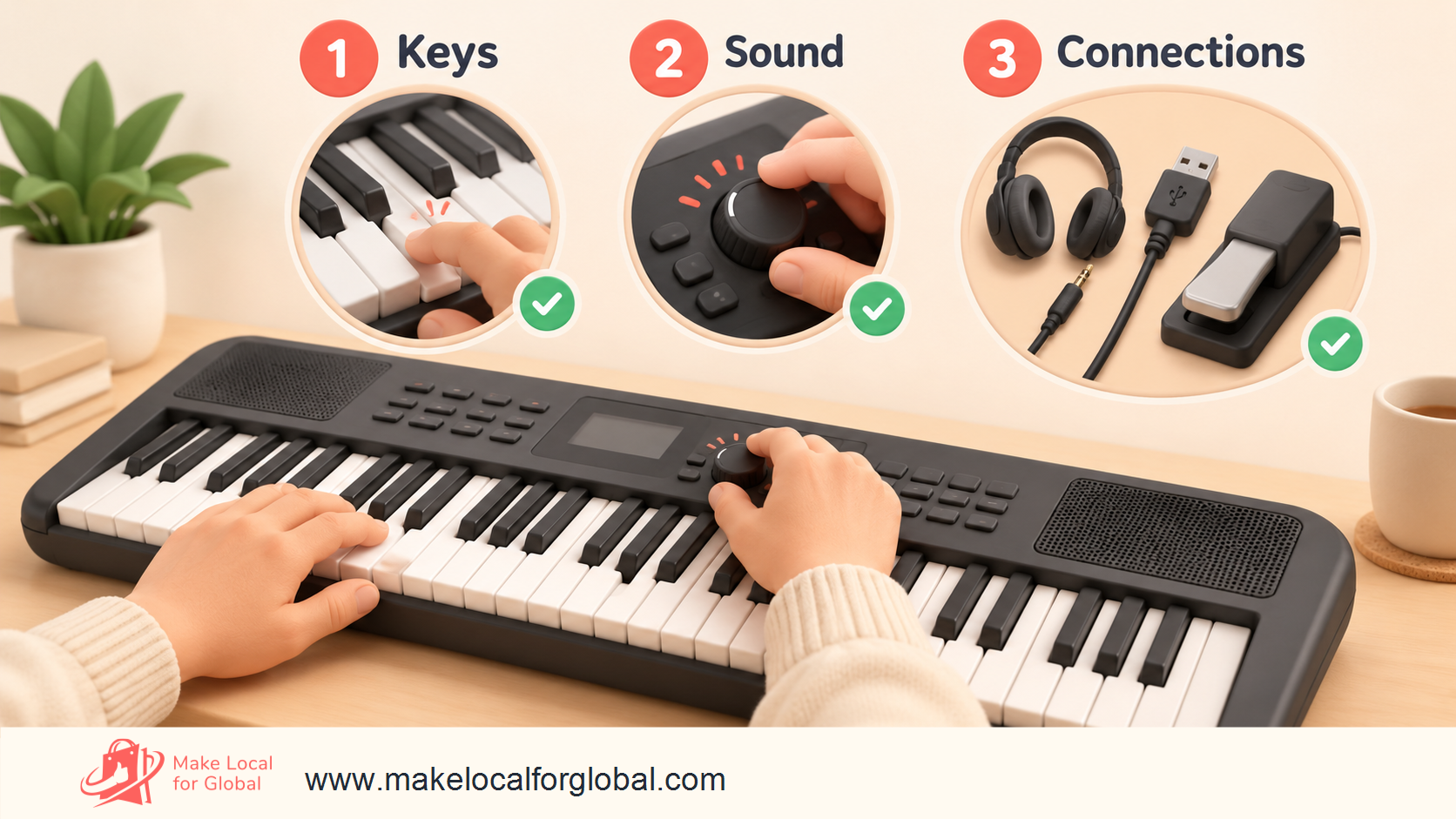
Connect the instrument exactly as the manual instructs. Set a low, safe volume. Play every key in order, first softly and then with more force if the model supports touch response. Listen for missed notes, repeated triggering, rattles and uneven volume. Test black and white keys across the full range and check each returns to its resting position.
If the model includes touch response, compare the sound from a light press with a firmer press. Do not describe velocity response if the model has none. Check any split, layer or transpose functions you plan to mention, then restore the default settings before documenting the result.
Listen through the speakers at low and moderate volume. A short, known phrase across low and high notes can reveal distortion, buzzing or an uneven speaker. Use headphones that match the specified connection and verify sound routes correctly. Check the volume control and any button or dial you list as a selling point.
If the keyboard offers rhythms, accompaniment or lesson modes, test a small representative set and confirm the function behaves as the manual says. A long sound list does not need to be auditioned in full, but every feature named prominently in your store should be checked on that model.
Record every port and socket from the manufacturer's diagram. Check the headphone/output socket, sustain pedal input, audio input, USB ports or MIDI sockets only where present. Connect a suitable cable and confirm its function with compatible equipment. Do not promise that USB carries audio based only on the presence of a USB port. The manual may distinguish MIDI data, audio transfer, device power and file transfer.
Test the supplied power adaptor against its labelled input and output details and the manufacturer's instructions. For battery-powered models, check the battery size and count, polarity markings and whether batteries are included. Record which items were tested and which depend on compatible computer or app. Do not imply an app is included if it is a separate download or subscription.
A useful record includes the test date, model, serial or batch, key test, speaker and headphone checks, control checks, ports tested, adaptor details, accessories present and any supplier issue. Keep photos of labels and carton condition. When a future delivery arrives, compare it with the approved sample rather than assuming every factory batch is identical.
Use a simple outcome: pass, hold for supplier evidence, or reject. Do not place a held model in saleable stock until the question is answered. A consistent record helps you respond clearly when a buyer reports a fault or a supplier changes a component.
A specialist instrument distributor may have product training, domestic returns handling and clearer stock information. A manufacturer or authorised dealer can provide model documents and a route to genuine replacement parts. A wholesaler may offer broader choice or small quantities. An overseas factory can offer private-label options and a larger minimum order.
Each route changes the seller’s work. A domestic supplier may reduce import steps but have a narrower selection. A direct importer may have more control over a label and package, yet may take on product-compliance, documentation, customs and after-sales tasks. Dropshipping can remove local stockholding but gives the seller less control over inspection, packing and delivery updates.
For an initial test, compare the whole arrangement, not only the quoted unit price. Ask what happens if an instrument arrives damaged, a model is discontinued or a replacement adaptor is required. Record who pays sample freight and return shipping.
Request the exact model number, current datasheet, manual, Declaration of Conformity where relevant, technical file availability, applicable safety and EMC evidence, RoHS information, manufacturer identity, batch or serial identification, warranty route, replacement-part availability and written confirmation of what is in each box.
Ask whether the supplier has changed the adaptor, board, key assembly, firmware or packaging since the sample was made. A product can keep a similar listing name after a component or bundle changes. Ask for a written notice process for revisions. Keep invoices and supplier correspondence attached to the model record.
Do not accept a generic certificate that does not identify a matching product, model family or responsible organisation. If a document is difficult to interpret, seek advice from a product-compliance specialist or Trading Standards before placing stock on the UK market.
Get the minimum order, sample price, production lead time, dispatch window, delivery responsibility, payment schedule, carton dimensions, gross weight and spare-parts terms in writing. Check whether the supplier sells the same model under more than one brand and what rights you have to use its product images or manuals.
Ask how defects are reported and what evidence is needed for a credit or replacement. Confirm whether replacement parts can be sent separately and the usual response time. A small seller needs a support route that works for one faulty unit, not only for a container-sized order.
The rules that apply depend on the product, the way it is supplied and where your business sits in the chain. A retailer buying from a UK wholesaler has a different role from a UK business importing a keyboard from outside the UK or selling it under its own brand. Northern Ireland has separate rules in some areas. Check current guidance for each jurisdiction and product model.
For Great Britain, the Electrical Equipment (Safety) Regulations 2016 guidance explains obligations for electrical equipment and importer duties. The UK continues to recognise CE marking for many regulated product sectors in Great Britain alongside UKCA under the 2024 amendments. Requirements vary by product regulation, and NI needs separate review. Check the current UKCA and CE marking guidance rather than applying a blanket rule.
A mains-powered keyboard and its adaptor can raise electrical safety, electromagnetic compatibility and restricted-substance requirements. Ask a competent supplier which regulations apply to the exact product and adaptor. The EMC guidance for Great Britain covers equipment liable to create electromagnetic disturbance. The RoHS guidance sets out duties for economic operators and supporting technical records.
A CE or UKCA mark in a product photo is not a substitute for traceable documentation. An importer may have duties to retain a declaration, make sure required technical documents can be produced, check labels and identify itself on the product or package. If you sell under your own brand, obligations can be broader. Have the exact model, region, adaptor and records reviewed before import.
UK WEEE rules can apply to businesses that place electrical and electronic equipment on the UK market, including some importers and own-brand sellers. The GOV.UK producer responsibility guidance explains registration routes and thresholds. A keyboard that includes batteries may raise separate battery producer duties for the business first placing those batteries on the UK market. Retailers and distributors can have take-back duties depending on how much portable battery weight they supply. See current battery producer and retailer take-back guidance.
Do not assume a small first order automatically removes all obligations. Determine whether you are the producer under relevant definitions, what equipment or batteries count, your annual quantities and whether your compliance scheme can meet duties. Save the written conclusion with your model and supplier file. This section is a starting point for checks, not individual legal advice.
Use instructions and warnings in the correct language for the destination market. Explain power requirements, supported adaptors, battery use, safe placement, ventilation where the manual specifies it, volume and hearing care, and any age-related warning from the manufacturer. Do not invent safety claims. Keep an accessible support page with the manual or a link to the manufacturer's current document where permitted.
Your per-order economics may include the keyboard, accessories, inbound freight, insurance, customs charges where relevant, inspection time, packaging, payment fees, marketplace fees, outbound delivery, expected returns, damaged-carton handling and customer acquisition. Separate fixed business costs from costs that change with each order. A product can appear to carry a healthy markup yet leave little contribution after delivery and selling fees.
Here is an illustrative calculation for one keyboard. The numbers are examples only and are not supplier quotes. Replace each figure with a written quote, live fee schedule and your measured parcel cost. The example excludes VAT, income tax, corporation tax and fixed overheads. If your VAT position changes input or output figures, model that with an accountant.
| Cost or receipt | Example | Notes |
|---|---|---|
| Selling price paid by customer | £179.00 | Illustrative, before any VAT treatment adjustment |
| Keyboard landed unit cost | £82.00 | Product plus allocated inbound freight and duty |
| Accessory and protective packing | £8.50 | Carton reinforcement and included accessory |
| Payment and marketplace fees | £15.50 | Example percentage and fixed fees combined |
| Outbound tracked delivery | £11.00 | Confirm parcel dimensions, weight and service |
| Returns and damage allowance | £6.00 | Planning allowance, not a forecast |
| Advertising cost attributed to order | £12.00 | Illustrative test allocation |
| Contribution before fixed costs and tax | £44.00 | £179 − £82 − £8.50 − £15.50 − £11 − £6 − £12 |
The £44 is not net profit. It has not paid for your time, payment disputes, storage, website, insurance, accounting or other fixed costs. The return allowance is a planning line; the actual return rate may be higher or lower. If a bulky parcel attracts a surcharge or redelivery charge, contribution changes. If the customer pays delivery separately, show that receipt and the related shipping cost as separate rows.
A keyboard’s length, carton size and weight affect the available courier service. Measure the complete retail carton, then repeat with the outer shipping carton and protective materials. Ask carriers for chargeable-weight rules and oversize limits. Do not rely on the bare instrument weight.
Run a packing trial with the real item. Include the adaptor, music rest, stand or other bundle parts and see whether they move inside the parcel. Photograph the packaging before sealing. Get a current delivery quote for the postcodes you intend to serve, including remote-area surcharges and compensation limits for musical equipment.
Recalculate the example if delivery rises by £5, the marketplace fee changes, an accessory must be replaced, or paid traffic costs twice as much. Check contribution at the price customers will actually pay, not only the price before discounts. If the product only works under one optimistic scenario, look for a different model, supplier or delivery arrangement before ordering more stock.
For sellers comparing wholesale and retailer costs, the Margin Lab can help structure a margin check. Enter your own cost and selling assumptions; the result depends on your figures.
Include landed stock, accessories, payment fees, parcel costs and a realistic returns allowance.

Price should reflect the whole package and service you can reliably provide. A more expensive keyboard may make sense if it has a feature your buyer values, such as useful connections, a suitable learning feature, or an included accessory. If customers cannot see that difference, the higher price can look arbitrary.
Use comparable items carefully. Compare the exact model, key size, adaptor, finish, package contents, warranty route and delivery charge. A displayed price may be a limited offer or exclude an item you intend to include. Keep a dated comparison record for planning, but do not copy a competitor’s wording or imply that a short price check proves demand.
For new instruments, identify the seller, manufacturer warranty terms, who handles a claim and what evidence the customer needs. Do not say “full warranty” without the written conditions. A manufacturer’s commercial warranty does not remove the customer’s statutory rights against the seller.
If you sell used or graded stock, show the condition, marks, missing items and functional-test result for that individual unit. Do not use one generic “excellent” label for instruments with different wear. State whether a manual or original packaging is missing and how the instrument was tested.
A useful title might include the maker, exact model, key count, instrument category and one verified feature. For example: “Brand Model 61-Key Portable Arranger Keyboard with Touch Response and Built-in Speakers”. Use this format only if that model has each stated feature. Put the model number where a buyer can copy it into a search or support request.
Start with an accurate sentence about the instrument and its intended use. Then show key count and size, touch response, sounds or accompaniment, built-in speakers, headphone connection, power source, dimensions, weight, box contents, warranty route and delivery conditions. Publish only specifications verified for that exact model.
Use an “included” list separate from “compatible accessories”. If the adaptor, stand, pedal or headphones are optional, say so beside the price and in the basket. State whether a cable is needed to connect to a computer or mobile device and whether it is supplied.
A concise comparison table helps buyers compare models. Use rows that influence the purchase: key format, touch response, speakers, headphones, pedal, USB or MIDI, power and included items. Avoid vague ratings such as “excellent connectivity”. Name the connection type and explain what it supports.
A short definition beside a technical term can prevent a misleading assumption. “Touch response” explains whether sound can change with playing force. “Polyphony” describes how many notes can sound at once before earlier notes may be cut off; the experience depends on the part and other sounds. “USB to Host” can connect to a computer or device for a function specified by the maker; it does not mean every model transfers audio.
If you use “full-size keys”, make sure the description matches the manufacturer’s measurements or named specification. If a keyboard has mini keys, show a hand or ruler for scale and state key dimensions. Photograph the actual keybed rather than using a generic product image.
Show the front, side and control panel, plus close views of the ports, power label and included items. Use a ruler or known-size object only if it helps the buyer understand scale. A bundle photo should show every included component. Do not place optional products in a hero image without labelling them “sold separately”.
For a used instrument, show actual condition and serial identification without exposing private customer details. A sample photo should not stand in for a different finish or revised control layout. Keep an image record tied to the exact SKU.
Create a short FAQ on each category page for questions that affect selection: Does it have built-in speakers? Does touch response work? Is the adaptor included? Can I connect headphones? Can I use a sustain pedal? Does USB send MIDI, audio or both? Is a stand included? Does it work with a named phone or computer?
Answer only from the manual or your own verified tests. If the answer differs by model, link to its specification. A single site-wide answer that assumes every keyboard is the same can mislead shoppers.
A dedicated website can give you control over product explanations, bundles, buyer questions and email capture. A marketplace may already have shoppers searching for an instrument, though its fees, listing rules, returns workflow and product-data format need review. A specialist music shop or local partnership could let buyers try an instrument before purchase, but it brings its own margins and operating terms.
Compare channels using actual workload: listing requirements, commission and payment costs, customer data access, advertising options, returns process, delivery labels, seller protection and rules for electrical equipment. Do not assume a marketplace costs less merely on the strength of skipping website setup.
Use one stock code for every model, finish, bundle and condition. Keep maker, model number, key count, power adaptor, box contents, dimensions, weight and supplier in structured fields. Track the source document and date checked. Use product variants only when shoppers can identify the choice and the fulfilment team can pick the right item.
Link to a clear category page for arranger keyboards, home keyboards or MIDI controllers. Avoid merging unlike instruments into one filter called “keyboard” without extra detail. Add comparisons when there are enough verified products to make them useful.
Connect the page to related content where the link helps a reader decide. A buyer comparing instruments may benefit from the digital piano selling guide. A founder working out a retail price may need the Margin Lab app. A seller checking demand before a stock commitment can use the Business Idea Stress Test. Place links beside relevant advice rather than repeating them as a keyword list.
The instrument should not slide inside its carton. Use the manufacturer’s fitted inserts where intact and suitable. Place loose adaptors and cables so they cannot press against keys, screens or the finish during transit. If you add an outer carton, leave protective space around the retail box and secure the corners.
Do not tape over product labels, serials or warnings. Use a parcel size that does not crush the music rest or controls. Check whether the carrier accepts the dimensions and whether compensation covers the route. For high-value shipments, consider a signature or delivery photo if the service supports it.
Compare collection, drop-off and tracked services using the packed parcel. Check the estimate, compensation terms, weekend handling, remote postcode surcharges and failed-delivery procedure. State whether the order is dispatched in one parcel or several, especially if the stand or stool ships separately.
Give customers a realistic dispatch estimate based on stock location and carrier collection. Send tracking when available. If a supplier delay changes the delivery date, contact the buyer with options. Do not mark a parcel dispatched before the carrier has it.
Keep physical units separate by exact model and condition. Record receipts, sample holds, saleable stock, returns and damaged units. When a unit has an electrical fault or missing accessory, quarantine it and record batch details before checking other units from the same delivery.
A reorder rule can use average weekly orders and supplier lead time, but include variation in dispatch and delivery. A long lead time or seasonal demand can justify a buffer; base it on cash limits and evidence, not a generic rule. Review slow stock before adding more models.
For online sales to UK consumers, distance-selling rules can give customers a 14-day period to cancel after receiving most goods, followed by another 14 days to return them after telling the seller. Required information and refund rules apply, and exceptions exist for some categories or circumstances. Read current GOV.UK distance-selling guidance and returns and refund guidance and set your process accordingly.
State who pays return delivery where law permits that allocation, the return address, how to report damage and what packaging to retain. Do not describe a hygiene seal or software activation exception unless it applies. Do not set a policy that removes statutory rights.
Ask for the order number, model, serial or batch, a description of the issue and a short video only where appropriate and proportionate. Check power, adaptor, volume, headphone routing and reset instructions against the manual. Do not ask a customer to open the casing or carry out an unsafe repair.
If the issue appears to be a fault, follow the legal remedy and warranty process. Record whether the item is repaired, replaced, refunded or sent to the maker. If several buyers report the same fault, pause sales of the relevant stock and investigate the batch with the supplier.
Use plain return codes: wrong expectation, missing accessory, delivery damage, no power, key fault, sound issue, compatibility or changed mind. Review these codes monthly. If “adaptor not included” repeats, move that fact nearer the top of the page. If cartons arrive damaged, change the packing method or carrier. If buyers expect weighted action, refine category labels and comparisons.
A useful category page can explain how arranger keyboards differ from digital pianos and controllers, what a beginner should compare and how to check box contents. Link to individual products with clear labels. Avoid creating thin pages that repeat one sentence with a model name swapped in.
Useful topics include “61-key arranger keyboard vs digital piano”, “what comes in a beginner keyboard package”, “how to choose keyboard keys for home practice”, “what does USB to Host do on a keyboard?” and “how to pack an electronic keyboard for delivery”. Verify each technical answer using the maker’s manual and keep model scope clear.
A product comparison should show the date checked and exact model numbers. Do not publish a “best” list based on specifications alone. Explain which use each instrument supports and where its limits matter.
Track which queries bring visits, which product pages receive questions, what share of visitors add a keyboard to the basket and where customers leave checkout. Track paid campaign cost separately from gross sales. Compare visitors who read delivery and package details with those who do not only if analytics consent and data collection are set up appropriately.
Use actual support questions to improve content. If a page gets impressions but few relevant clicks, review whether its title matches product and audience. If it gets clicks but few orders, inspect price, availability, bundle clarity, delivery and trust details. Search positions and revenue can change; do not promise a fixed result from SEO edits.
At the end of the week, keep only models that have a clear buyer, a documented specification and a plausible delivered price. Note the missing evidence.
Do not turn an unanswered compliance or adaptor question into an assumption. Hold the model until evidence is clear.
Ask the reviewer to describe what they expect to receive. If their expectation differs from your test or package list, revise the page and image labels.
Decide what to reorder based on paid demand and support outcomes. A product with many clicks and no orders may need clearer information, a different package or a pause. A few early orders do not prove long-term demand, so track results over a suitable period before expanding.

The name “keyboard” can refer to instruments with speakers and sounds, a weighted piano, a synthesizer or a controller that relies on external software. Use the exact category in product titles and explain the equipment required.
A neighbouring model can have a different key count, touch response, power supply or USB function. Verify the exact code and manual. Keep evidence with the listing record and review it after supplier changes.
A picture that shows a stand, adaptor, headphones and pedal can imply they are included. Identify each item in the image and product detail. Show box contents beside the main instrument.
A markup over wholesale cost can omit freight, marketplace fees, return delivery, damaged stock and advertising. Calculate contribution from the full customer order, then account for fixed expenses and tax separately.
A long retail carton can exceed standard carrier dimensions or be easy to damage at a corner. Confirm packed parcel size and compensation terms before promising delivery.
Avoid promises such as “perfect for every beginner”, “professional sound” or “works with all devices”. Describe specific functions and compatible devices the manual supports. Let buyers decide whether those functions suit their needs.
No. “Digital keyboard” often refers to a portable instrument with lighter keys, built-in speakers and a variety of sounds or accompaniment features. A digital piano is usually sold for piano-style practice and may use weighted keys. Compare the exact instrument rather than relying on category names alone.
There is no one count for every buyer. A smaller keybed can suit portability or limited space. A 61-key model can provide a broader range for practice and arrangement. A pianist studying repertoire may need a digital piano with a wider range and a different action. Ask what the player wants to learn or perform before selecting a model.
No. Package contents differ by model and seller bundle. Check the exact manual and carton list. State whether the compatible adaptor is included, optional or sold separately, and identify its model where the manufacturer does so.
No. Its function depends on the instrument. USB might support MIDI, audio, device communication, file transfer or another maker-defined task. Read the model manual and test with compatible equipment before making a claim.
They can fit buyers who want to play without separate amplification. Compare speaker output, headphone support and intended room or use. A performer may need outputs for an external sound system, so speaker inclusion alone does not answer every buyer’s need.
Check every key, touch response where offered, speakers, headphone output, volume controls, display, buttons, pedal input, USB or MIDI functions, adaptor and supplied items. Record exact model and test result. Follow maker instructions and do not open the casing.
You can source internationally, but your legal role may bring importer duties for safety, conformity information, product identification, records and environmental producer responsibilities. Check current requirements for the exact instrument, adaptor, batteries and destination market before the first order.
WEEE distributor responsibilities can apply to businesses selling electrical and electronic equipment to householders. Duties depend on your role and sales route. Review current GOV.UK producer and distributor guidance or speak to the relevant compliance scheme before selling.
Use a carton that protects the keyboard and bundle parts without exceeding the carrier’s size or weight rules. Confirm packed dimensions and weight and check compensation limits for the service. A long instrument may need extra corner protection and a suitable collection route.
Collect order, model and fault details, then follow the product manual and legal remedy process. Do not ask a customer to open the unit or use an unapproved adaptor. Quarantine similar stock if there is evidence of a repeated batch issue.
Use a quantity your budget can support and your evidence justifies. Consider supplier minimums, lead times, storage, delivery damage and how quickly you can resolve faults. A sample and small test may reveal more than a large assortment ordered before buyers have decided.
It can help if the accessory is compatible, included or tested as a separate line, and priced into the order. Make compatibility explicit and do not use a generic pedal or stand claim without checking the exact keyboard and accessory.
Before you commit to repeat stock, make sure every model has a specific buyer, verified specifications, a tested sample, traceable supply records and a complete cost calculation. Confirm the customer can see what is in the box, how power works, which connections are supported, how delivery is handled and what to do if something goes wrong.
Use the Business Idea Stress Test to organise assumptions about buyers, suppliers, costs and first tests. Start with evidence you can collect within your stock budget. Expand only when actual orders and support feedback justify another model.
List your buyer, supplier, cost and first-order assumptions before committing to more models.
PREFERRED SOURCE
Like what you’re reading? Add Make Local for Global as a preferred source on Google to see more of our articles when you search.

Build your online presence without having to figure out everything yourself.