
READY TO SELL Touchscreen monitors ONLINE?
Get a store built for you in 5 days, plus training and support to help you start, run, and grow your Alternative business.

Discover how to sell touchscreen monitors in the UK market, find reliable suppliers, and build a straightforward online business without tech headaches.

Touchscreen monitors are a great product to sell because they solve real problems: faster work, cleaner setups, and more intuitive control.
They’re also a category where buyers get stuck, because compatibility, ports, and use cases can feel like a tech maze.
If you want to sell touchscreen monitors online, your advantage is simple: make the choice clear, bundle the right accessories, and set expectations honestly so returns stay low.
“Touchscreen monitor” isn’t one customer.
It’s several different buyers with different needs.
Pick the use cases you want to serve, because each one needs different products and different support.
Touchscreen monitors are competitive.
Small sellers win by specialising.
Start with one lane, then expand once you understand support demands.
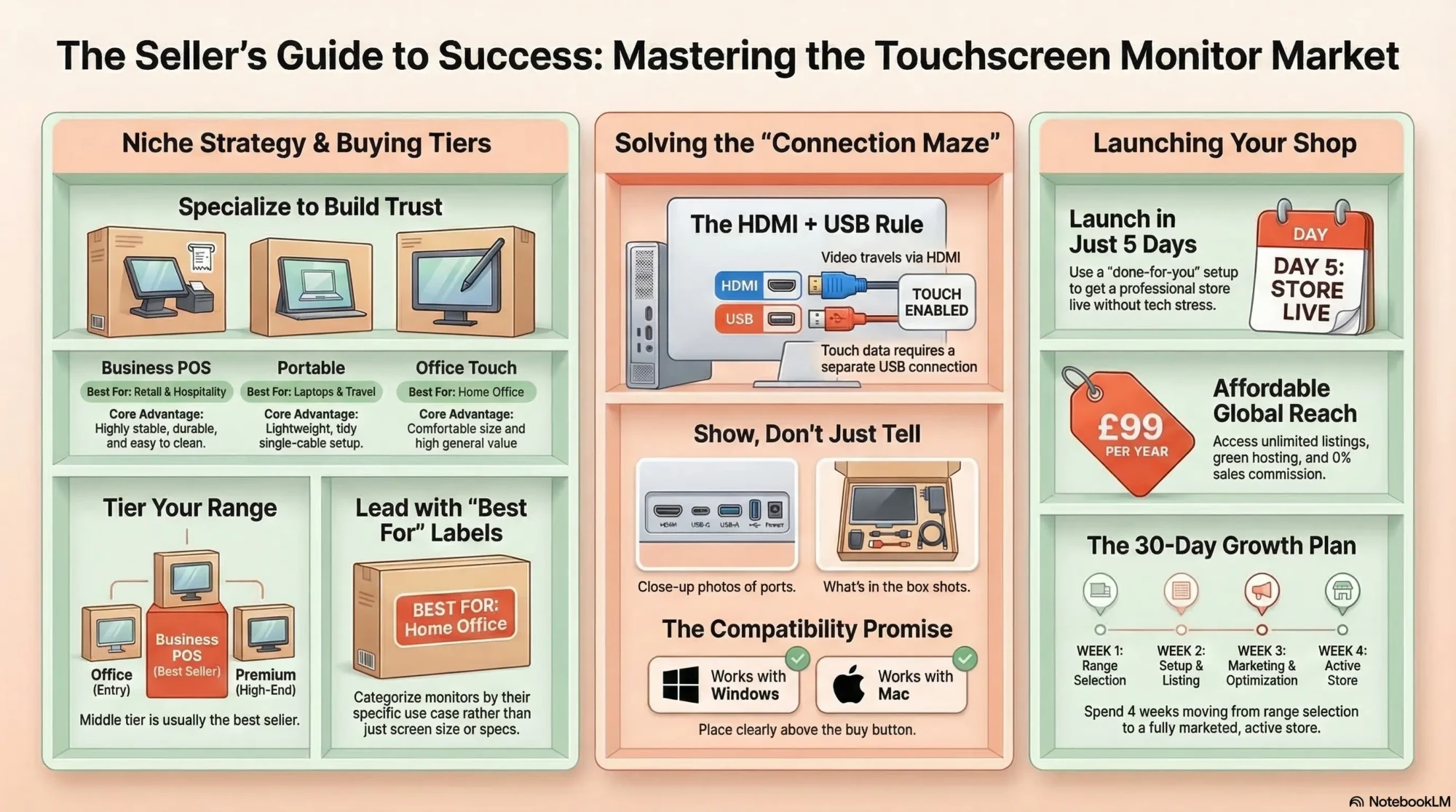
This is the number one confusion point.
Most buyers assume HDMI alone makes touch work.
It doesn’t.
Put this explanation on every product page and you will reduce returns immediately.
Your shop should guide customers to the right cables and adapters as part of the purchase.
Touchscreen monitors can be overwhelming if you stock too many similar models.
A curated range sells better.
Your middle tier will often be the best seller because it balances price and reliability.
People buy touch monitors by space and use.
Lead with “best for” labels rather than leaving buyers to decode inches.
Many business buyers need specific mounting.
Be clear about:
If a monitor is awkward to touch, it doesn’t matter how good the screen is.
| Type | Best for | Pros | Common mistake to prevent |
|---|---|---|---|
| Portable USB-C touch monitor | Laptops, travel, hybrid work | Lightweight, tidy setup | Assuming all USB-C ports support video |
| Office touch monitor | Home office and general use | Comfortable size, good value | Not plugging in the USB touch cable |
| POS touch monitor | Retail and hospitality | Stable, durable, easy to clean | Ignoring mount and stand requirements |
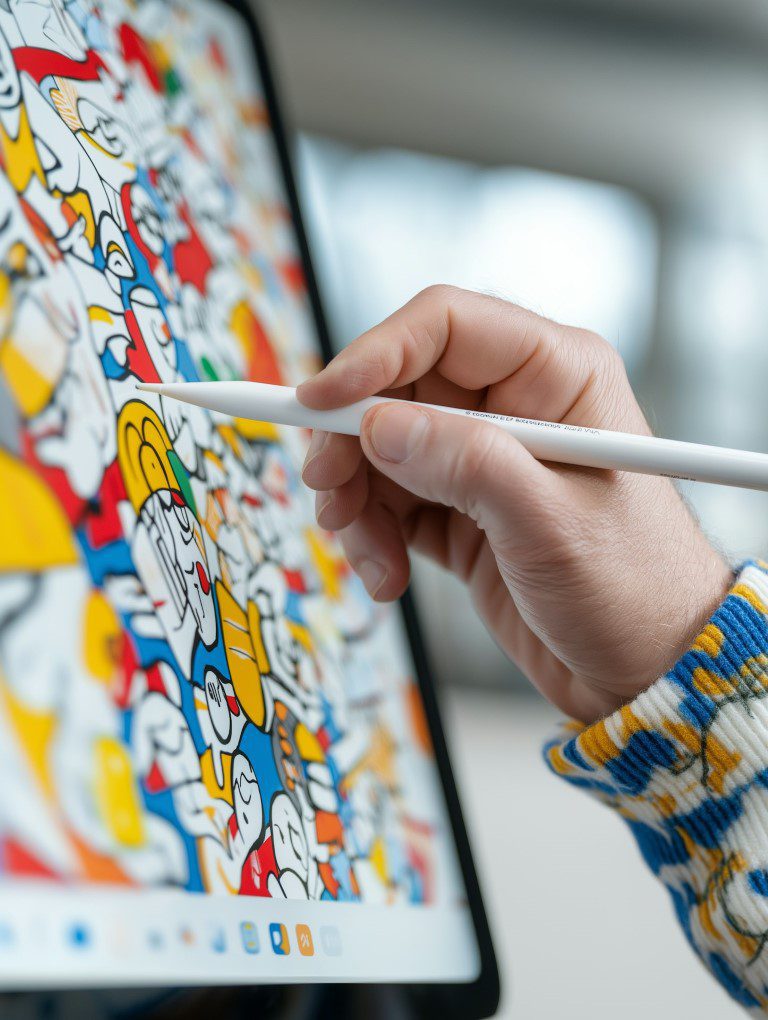
| Creative touch display | Design work and on-screen controls | Better display quality, stylus options | Assuming it behaves like a drawing tablet |
Touchscreen monitors can be return-heavy if you don’t manage expectations.
That means your pricing needs to cover support, warranty handling, and shipping risk.
If your listings are vague, buyers assume you’re hiding something.
Make specs clear and earn the price.
Your product pages should answer the questions buyers always ask.
Especially the connection questions.
In this category, “ports and cables” photos sell more than lifestyle shots.
Buyers search with very specific questions.
That’s good news: you can rank with genuinely helpful content.
Each topic leads naturally to your products and bundles.
Use them naturally in headings and FAQs.
Touchscreen monitors sell best when the shop helps customers self-select the right product and accessories.
Compatibility tools and bundles matter.
If you’re selling tech products that require clear compatibility guidance, your site structure matters a lot.
Make Local for Global offers a done-for-you ecommerce setup that’s simple, affordable, and built for small sellers who want a professional store without wrestling with tech.
If you want help structuring categories and product pages, you can book a free consultation.
If you’re ready to get your shop live, you can Get your website for £99/year.
Yes, because demand is steady from businesses and home offices, but success depends on clear connection and compatibility guidance to prevent returns.
Office-sized touch monitors and portable USB-C touch monitors often sell best because they suit common use cases, while POS monitors can sell well when you provide clear mounting and compatibility information.
Explain that touch usually requires a USB connection in addition to video, list included cables clearly, provide compatibility notes for Windows and Mac, and offer bundles with the right cables and adapters.
Many work easily with Windows, but the exact setup depends on ports and operating system support, so the most responsible approach is to provide a clear “how to connect” guide and a compatibility checklist for each monitor.
Yes, because missing cables and wrong adapters are the biggest cause of “it doesn’t work” complaints, and bundles also increase order value in a way that feels genuinely helpful.
If you want to launch cleanly, build around compatibility clarity and a curated range.
Touchscreen monitors sell when the buyer feels confident it’ll work with their setup.
Make connections idiot-proof, bundle the right cables, and your returns will stay low while sales climb.
PREFERRED SOURCE
Like what you’re reading? Add Make Local for Global as a preferred source on Google to see more of our articles when you search.

Build your online presence without having to figure out everything yourself.