

READY TO SELL Baby Monitors ONLINE?
Get a store built for you in 5 days, plus training and support to help you start, run, and grow your Alternative business.

Learn how to sell baby monitors online in the UK: choose an audio, video or Wi-Fi range, check product safety, test samples, price the full order and build clearer product pages.

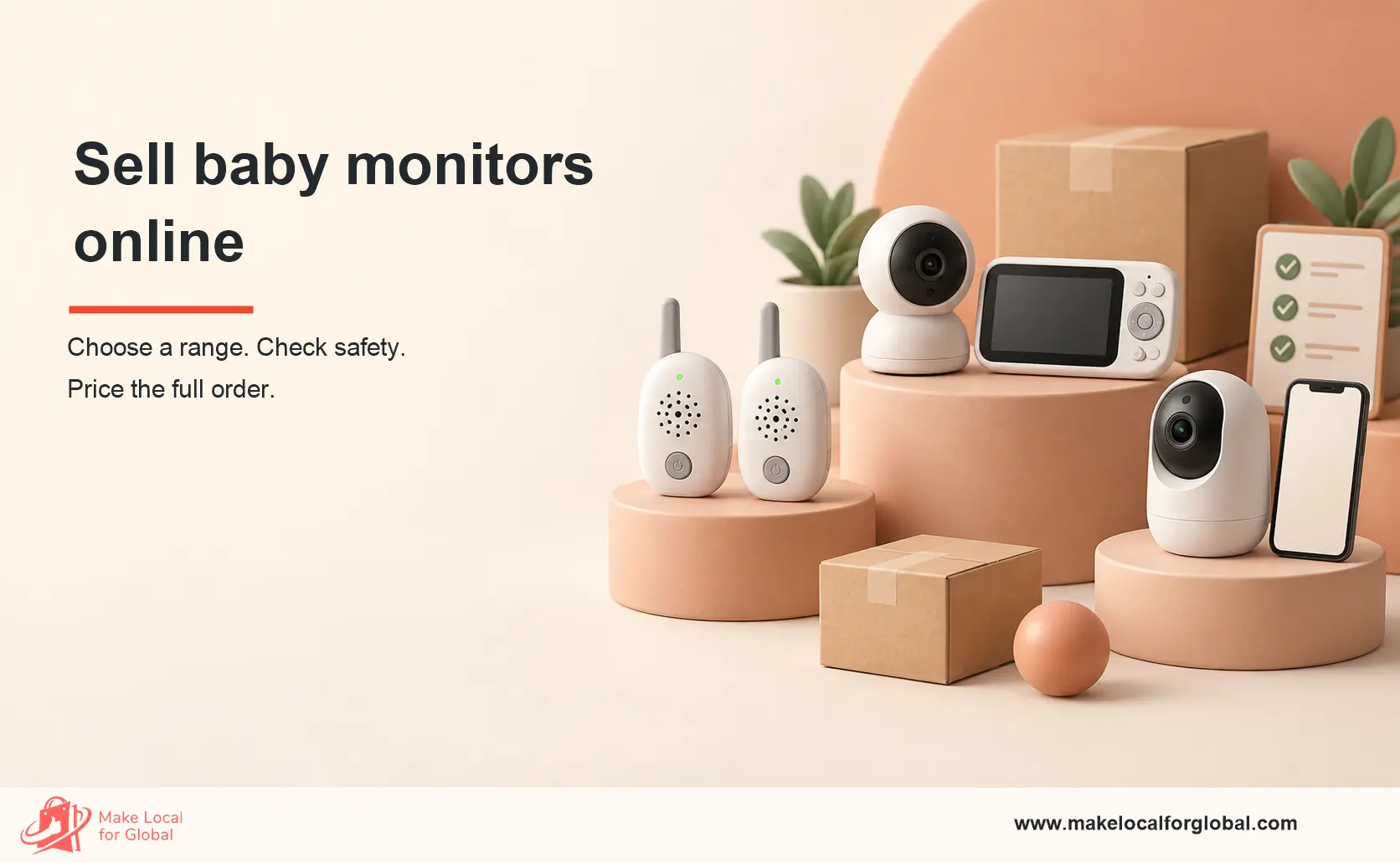
A parent looking for a baby monitor is buying more than a camera or speaker. They want to hear a cry clearly, check the room without waking the baby, and know what happens when a battery runs low or a connection drops. A seller who answers those questions plainly has a better starting point than one who lists the longest set of features.
To sell baby monitors online, start with a small range that serves distinct needs: a simple audio monitor, a video monitor with a dedicated parent screen, and a Wi-Fi model only if you can support its setup and security needs. Test samples in a real home, check the supplier’s safety and compliance records, price the full order, and show exactly what each customer receives.
Make Local for Global helps small businesses present product ranges clearly and give shoppers a straightforward way to enquire. Start with the models, checks and support details your buyers need to see.
A first-time parent may want a simple parent unit that works without a phone. A family in a larger home may ask about signal loss through several walls. A gift buyer may need clear packaging, an easy setup guide and a sensible returns process. Those are different buying jobs, so one headline price will not serve them all.
Before placing an order, collect ten to twenty real questions from prospective customers, nursery retailers and product reviews. Record the question, the buyer’s intended room setup and the feature they think will solve it. Group similar questions. If most people ask for a dedicated screen, test that model before adding app-only cameras.
| Range | Buyer fit | Sample test | Main trade-off |
|---|---|---|---|
| Audio-only | Parent who wants sound alerts without a camera or app | Hear a quiet cry, check static, test through walls | No visual check |
| Video with parent screen | Parent who wants a separate screen and simple daily use | Check night view, screen battery, connection-loss alert | Screen and camera both need careful charging or mains placement |
| Wi-Fi video | Customer who wants phone access and accepts setup steps | Check app setup, updates, account recovery and home-network behaviour | More support and product-security work |
These are range-planning examples, not claims about a particular model.

Keep the first order narrow. One tested model in each chosen tier is easier to photograph, explain and support than six similar cameras with small specification changes. If you plan a bundle, use useful items such as a compatible spare adapter only after checking the maker’s approved accessories. Do not add a mounting part or cable route that puts a cord near the cot.
Ask each supplier for the exact model number, manufacturer identity, UK importer details where relevant, instructions, warranty process, batch traceability and the documents that support its UK market route. Match documents to the precise model on the box. A certificate for a different device does not establish that your stock is compliant.
Get a sample from the supply route you intend to use, then repeat a short test on stock from the first delivered batch. A polished demo unit says little about later production. Keep dated notes and photos of packaging labels, serial or batch details, supplied adapters and instructions.

Write down each result in customer language: “Screen alerted after the camera lost its connection in our test” is useful. “Never lose touch” is not. If a sample falls short, ask the supplier to explain the fault and decide whether to reject the model. Do not hide a defect in a small-print note.
Baby monitors sit close to a sensitive part of family life. Product claims, electrical parts, radio features and any connected software need attention. The precise obligations depend on what the device does and where you place it on the market. Start with the UK government’s product safety advice for businesses, then check the rules for the actual model and your role as seller, importer or manufacturer.
A standard audio or video monitor lets a caregiver listen or look. A breathing or movement monitor may fall into medical-device rules, depending on its intended purpose and claims. The MHRA’s guidance on baby breathing and movement monitors explains this distinction. If a supplier suggests health alerts or medical benefits, get specialist regulatory advice before listing the product. A disclaimer does not settle the classification.
Do not claim that a monitor prevents sudden infant death syndrome. The Lullaby Trust says there is no evidence that baby monitors prevent SIDS. It notes that monitoring does not replace safer-sleep practice or adult care. Keep the camera, control unit and cords out of a baby’s reach, and make the maker’s placement instructions easy to find.
Wireless models can fall under the Radio Equipment Regulations 2017. Ask the supplier for the relevant declaration of conformity, labelling and instructions, then check the route for Great Britain or Northern Ireland before sale. A Wi-Fi model sold to consumers may need to meet the UK’s consumer connectable product security requirements, including its statement of compliance and information on security updates. Those rules do not apply identically to every monitor, so classify the actual product first.
For a connected camera, explain how buyers can set a strong password and obtain updates. The National Cyber Security Centre’s smart-camera advice offers practical consumer steps. Do not publish default credentials in your listing or promise security that the maker cannot support. Check the adapter, instructions, electrical markings and any product-specific obligations with a competent adviser when documentation is unclear.
Electrical retailers should check the WEEE responsibilities for producers and suppliers, including take-back arrangements. Keep a record of what applies to your selling model. This is a business check, not a reason to improvise a recycling promise on the product page.
Customers should be able to compare models, see what is in the box and find a way to ask about setup. Make Local for Global can help shape those details into a site built for enquiries.
The supplier price is only one line. A parent unit, adapter and printed guide can add weight. A return may need testing before it can be sold again, and a missing cable can make a returned set incomplete. Put these costs in the calculation before setting a public price.
Suppose a non-VAT-registered UK seller offers one parent-screen video monitor for £89 delivered. The figures below are illustrative, not a market price or a promise of margin. They assume the seller cannot reclaim input VAT and has put each payable amount into the relevant line.
| Per-order item | Illustrative amount | What to check |
|---|---|---|
| Sale including delivery | £89.00 | Actual collected selling price |
| Monitor and supplied kit | £34.00 | Supplier invoice for this model |
| Inbound freight | £3.00 | Freight divided across saleable units |
| Protective packaging | £2.00 | Box, padding and label |
| Customer delivery | £5.00 | Tracked service and parcel size |
| Payment and selling fees | £2.50 | Provider’s current fee schedule |
| Return and defect allowance | £4.00 | Replace with your own return rate |
| Customer acquisition | £8.00 | Actual spend per order |
| Customer support time | £3.00 | Setup and after-sale questions |
| Total variable costs | £61.50 | Sum of the eight cost lines |
| Contribution | £27.50 | £89.00 minus £61.50 |
Illustration only. Contribution is not net profit: rent, software, wages, tax and other overheads still need funding. VAT treatment changes the calculation for VAT-registered businesses.
If the real cost of finding one buyer rises from £8 to £18, contribution drops to £17.50. If one in ten orders needs a full replacement, the £4 allowance may be too low. Test both numbers against early orders before repeating a bulk purchase. A cheaper device with a higher fault rate can cost more to sell.
Write for the buyer’s room and routine, not a feature list copied from a carton. A useful title might be “Video baby monitor with parent screen and night view | Model AB12”. Use the real model and tested features in place of the example. Put the screen size, camera resolution if documented, sound alert, operating mode and kit contents in a short specification area.
A short “Which monitor suits me?” comparison can help a buyer pick between an audio model and a video model. A clear answer to “Does it need Wi-Fi?” can prevent a return. If you sell other nursery products, link carefully to relevant advice such as MLFG’s guide to selling infant toys; it reinforces the habit of checking product-specific safety duties rather than treating all baby goods alike. For another example of explaining wireless product features, see selling Bluetooth speakers online.

Keep camera and screen paired as the maker requires, protect the lens and display, and check the adapter and instructions before sealing the parcel. Photograph the packed kit and record the serial or batch number. Use a tracked service that fits the parcel’s value and delivery promise. A single missing mains adapter can turn a smooth order into a support case.
For a return, record whether the item is unopened, complete, damaged or faulty. Check the returned monitor’s account and personal-data handling process before resale; follow the maker’s reset instructions and assess whether resale is suitable. Keep faulty stock separate until the supplier’s remedy is agreed.
UK online sellers must provide clear pre-contract details and cancellation information. Read the government’s distance-selling guidance and returns and refunds guidance. Most distance purchases give consumers a 14-day cancellation period after delivery, with further time to send goods back after notifying you; faulty goods have separate rights. Check the full rules for the sale and avoid a blanket “no returns” statement.
A small own-site catalogue gives you room to explain the setup and compare models. Marketplaces can provide additional discovery, though their fees, listing rules and support expectations must be checked before pricing. Local baby shops may offer useful buyer questions or a retail partnership. Pick one or two channels you can serve well at first.
Build pages around genuine searches such as “baby monitor with parent screen”, “audio baby monitor without Wi-Fi” and “baby monitor connection alert”. Match each phrase to a real model and its verified features. A short demonstration can show a parent screen in daylight and low light, but should avoid showing an unsafe cord placement or suggesting that a device replaces supervision.
Track more than clicks. Note which page led to an enquiry, the question asked, the model bought, delivery issues and reasons for return. If five buyers ask whether the Wi-Fi camera works without a subscription, add the answer to the page. If several ask for longer screen battery life, use that finding when choosing the next sample.

| Week | Action | Decision signal |
|---|---|---|
| 1 | Collect buyer questions, pick two or three distinct models, request exact-model documents | Can you explain who each model serves and obtain the needed records? |
| 2 | Run and record sample tests; reject unclear claims or weak units | Which model meets your test standard with acceptable support needs? |
| 3 | Build product pages, photographs, safe-placement notes, shipping and returns information | Can a new visitor understand the kit, setup and total price without asking? |
| 4 | Launch a small batch, test one acquisition channel, log every question and return reason | Does contribution remain sensible after real fees, support and returns? |
Adjust the pace if product evidence, testing or support arrangements are not ready.
Only if your buyers want phone viewing and you can explain setup, updates, account access and what happens when the internet fails. A non-Wi-Fi parent-screen model may be simpler to support. Test both with people who have not seen the product before.
Do not assume so. Intended use and claims can make such a device a medical device. Review the MHRA guidance, get the manufacturer’s classification and seek qualified regulatory advice for the exact product before making a listing.
No. The Lullaby Trust reports no evidence that baby monitors prevent SIDS. Describe verified device functions without a prevention or safety guarantee.
Ask for exact-model conformity records, instructions, labels, manufacturer and importer details, batch traceability, warranty route and relevant connected-device information. The set depends on the model and your role in the supply chain. Check gaps before listing, not after a customer complaint.
Show the kit contents, real setup steps, Wi-Fi needs, screen and battery details, safe placement, delivery terms and support route. Keep records of the questions that come before returns, then improve the product page or choose a better model.
Bring your model list, sample findings and common buyer questions. Make Local for Global can discuss a website that explains the range and gives customers a clear route to enquire.
PREFERRED SOURCE
Like what you’re reading? Add Make Local for Global as a preferred source on Google to see more of our articles when you search.

Build your online presence without having to figure out everything yourself.