
READY TO SELL gaming mice ONLINE?
Get a store built for you in 5 days, plus training and support to help you start, run, and grow your Alternative business.

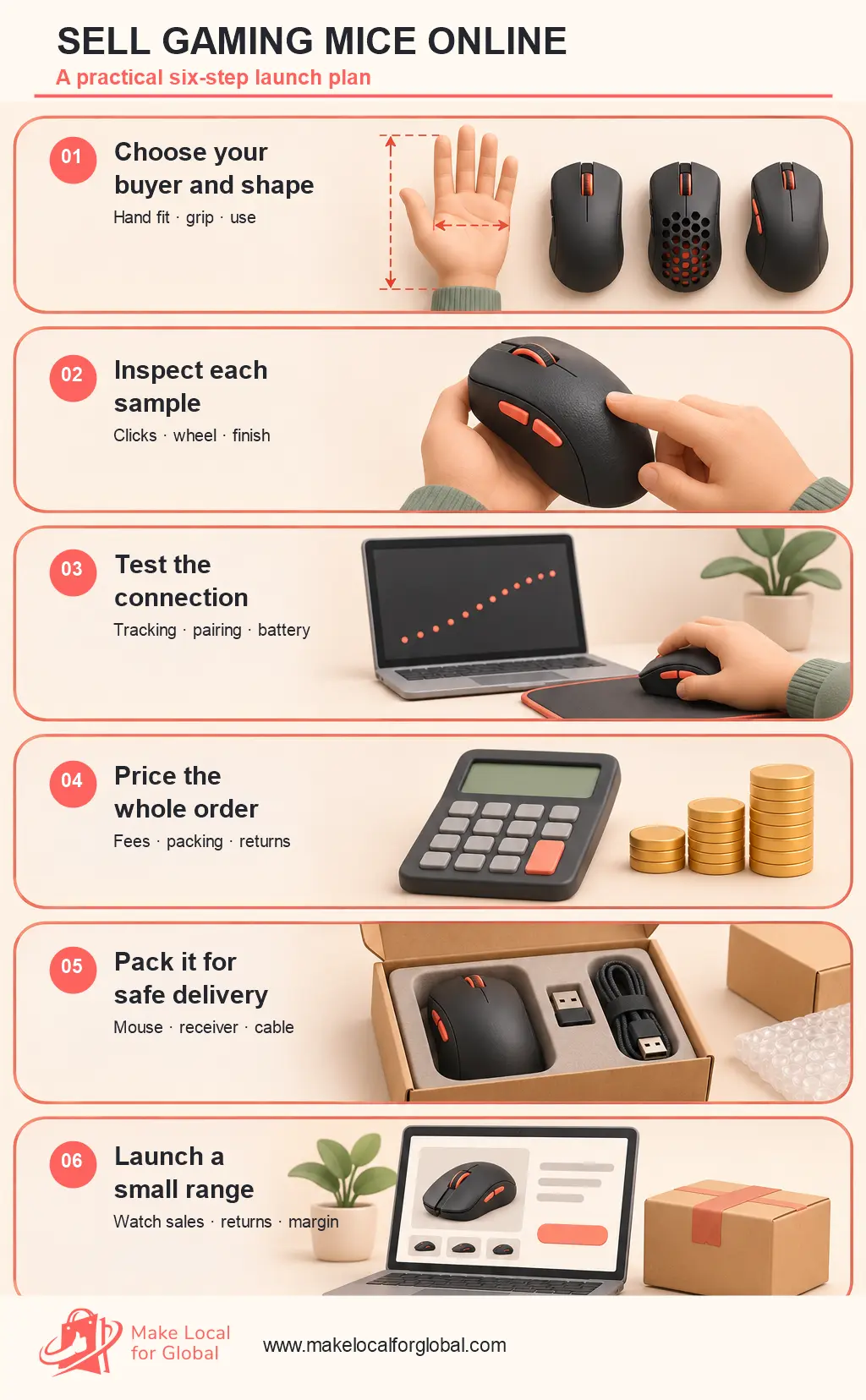
Selling gaming mice starts with a clear buyer and a range that is easy to compare. Learn how to source samples, check fit and connection, calculate costs, manage returns and test a first launch.

Gaming mice look simple on a product grid, but small differences change who will buy them. Shape, weight, button layout, connection type and software support all affect whether a mouse feels right on a player’s desk. A new seller can lose money by stocking several nearly identical models, making claims that are hard to verify, or overlooking the cost of a return.
The safer starting point is a small range built around a defined buyer. Pick a few products with real differences, inspect working samples, record what each model does and does not support, and price the full order rather than the mouse alone. Then use product pages to help the buyer choose without guessing.
This article is for founders and first-time sellers who want to sell gaming mice online through a small web shop or marketplace. It covers product choices, sourcing, testing, pricing, presentation, shipping, customer service and a first-month launch plan. It does not promise a particular sales result. Your own costs, supplier terms, product obligations and customer response decide whether the idea is viable.
If you are still deciding how a small product business could work, use the Make Local for Global tools and support pages to map the idea, then set a spending limit for your first tests.
“Gamers” is too broad to guide a first order. A competitive player who wants a light, symmetrical mouse has different priorities from someone who plays strategy games and wants extra side buttons. A student buying a first gaming set-up may care more about simple connection, a clear warranty and a moderate price. People who share a home computer may want a shape that works for more than one hand.
Choose one main buying situation for the first range. You can support adjacent users later, once you see which product questions and sales come in. A focused offer is easier to explain, photograph and compare. It helps keep the first purchase from becoming a shelf of products that solve the same problem.
Start with a one-sentence buyer note. For example: “PC players replacing a worn everyday mouse who want a reliable wired option and clear compatibility details.” That statement rules out products that do not fit the promise. It suggests what to ask a supplier and what information the product page must contain.
Write down a few testable assumptions rather than treating them as facts. You may think buyers want a mouse under a particular weight, a certain number of buttons or a wireless model. Check those ideas with five to ten people who match the buyer note. Ask what they use now, what annoys them, which specification they understand and what would make them return a mouse. Ask about their last purchase rather than whether they “like” an idea in theory.
Use the answers to shape a short list of product attributes. One buyer may name hand size and grip style; another may name the games they play, the number of side buttons, whether they use Bluetooth, or whether the mouse must work on a console. Record the exact phrases people use. These words can later shape filters and product-page explanations.
Do not let a high specification number decide the range by itself. A larger DPI/CPI figure or a higher polling-rate claim may look impressive in a listing, but it does not tell you whether the shape suits someone’s hand, whether the software works on their system, or whether the wireless connection remains stable at their desk. Test claims against actual use and explain what a number means in plain English.
Before committing to stock, build a simple evidence sheet. Include the buyer group, the job the mouse needs to do, the price band people accept, the options they compare and the reasons they switch. Add the date and how many people you spoke with. Keep positive and negative answers; removing the awkward answers makes the sheet less useful.
You can test demand without selling a product you do not yet have. Publish a short comparison page marked clearly as a product range in development, collect email interest with consent, or show a small product survey to a relevant community where promotion is allowed. Do not present a preorder as available stock when you cannot meet its delivery terms. A waitlist count is a signal, not proof that each person will buy.
Watch for actions that cost a person something: a request to be notified, a question about delivery to their postcode, a return visit to the same product page or a request for a specific version. These are stronger signals than an emoji reaction. Keep the test modest and set a stop point. For example, decide in advance how many replies or qualified sign-ups would justify ordering samples, rather than changing the target after seeing a weak result.
Separate curiosity from a viable customer. Someone may want to try a mouse for free but would not pay the price you need. Ask what they currently use, what they paid, what would make them replace it and which trade-off they would accept. If price is the only point of interest, compare your full landed and fulfilment costs before trying to match a large retailer.
Shape is one of the hardest parts of the online purchase. A person cannot feel the hump, width, length or side slope through a screen. Photos can help, but a top-down image alone hides the part of the mouse that rests against the palm. Your description should explain the shape without declaring it “comfortable for everyone”.
Common forms include symmetrical low-profile bodies, sculpted right-hand shapes, compact designs and larger palm-supporting shapes. Some symmetrical bodies have side buttons on one side only, so “ambidextrous” can mean a body shape rather than equal controls for left- and right-handed users. Confirm the precise design with the maker. Photograph both sides and state whether side buttons are present on each side.
Hand length and width are useful context, but they do not create a universal fit chart. Grip habits matter too. A fingertip grip puts less of the palm on the body; a claw grip arches the fingers; a palm grip rests more of the hand on the shell. A model’s contour, hump location and button reach can feel different across these grips. Present measurements as a guide to compare models, not as a guarantee of fit.
Ask the supplier for the mouse’s length, width and height, with a diagram showing where width is measured. Ask for weight with and without the cable or receiver if the number changes. Record whether the figure includes a battery, removable weights or a wireless receiver. A buyer comparing two listings needs to know that the figures were measured on the same basis.
Try samples with hands of different sizes and grip habits. A useful sample session has people click the main buttons, reach the side controls, scroll both directions, lift the mouse and return it to the pad. Ask which part felt awkward and where the hand touched the shell. These observations help describe a product honestly, even when the sample group is small.
A first range should give buyers a real choice without creating needless overlap. One possible structure is:
| Range role | Product shape | Buyer question it answers | Check before listing |
|---|---|---|---|
| Entry | Wired, symmetrical body, standard side buttons | “Can I get started without charging or pairing?” | Cable length, connector, software need |
| Core | Wireless, medium body, two side buttons | “Can I use a clean desk set-up for everyday PC play?” | Radio connection, receiver storage, battery type |
| Specialist | Larger sculpted body or extra programmable controls | “Do I need more palm support or more commands?” | Handedness, software support, button mapping |
Treat this as a structure, not a fixed recipe. If your buyer interviews show a left-handed audience or a strong preference for a compact mouse, choose products that address that. Avoid ordering three variants that differ only by colour until you have evidence that customers want each one and you can manage the extra stock.
Set a clear reason for each product to exist. If two models share the same size, connection, controls and price, a buyer may not understand why both are on your site. Give each one a decision point: wired or wireless; smaller or larger body; fewer or more controls; lighter or more palm support. A short side-by-side comparison can then help a buyer choose without implying that one is best for everyone.
Keep the first assortment shallow. One or two units per model may be enough for a sample and demand test, depending on supplier terms and your budget. A supplier’s minimum order may force a larger quantity, so include that amount in the decision before paying a deposit. Ask whether mixed models count towards a minimum, whether a repeat order can use the same price, and what happens if a supplied sample does not match production stock.
Track variants with a clean stock-keeping unit (SKU) system. Include a short model code, connection type and colour when those attributes distinguish saleable versions. The SKU should help you pick the right box and fulfil an order; it should not depend on a long free-text product title. Keep a note for each product showing its package contents, supplier item code, barcode and return status.
Wired mice avoid charging and pairing steps. They can suit buyers who want to plug in and start, and they remove battery replacement from fulfilment. The cord still matters: its length, flexibility, strain relief and connector can affect use. A very short cable may be awkward on a desktop tower under a desk. A stiff cable can tug when a player moves the mouse. Test the actual cable rather than assuming every USB cable feels alike.
Wireless products may use a USB receiver, Bluetooth, or more than one connection method. A receiver-based model may need its small dongle to be stored safely and plugged into a compatible port. Bluetooth can be useful for a laptop or a device where a spare USB port is limited, but the buyer must check that their system and game set-up support the mode they intend to use. If a model offers multiple modes, test each separately and list the switching steps.
Battery claims require careful wording. Ask whether the battery is built in or replaceable, how it charges, what cable is included, and what conditions were used for the maker’s runtime estimate. Lighting, polling rate, connection mode and sleep settings can change runtime. Quote a published estimate only with its test conditions and a source, and avoid turning a manufacturer’s maximum figure into a guarantee for every buyer.
For a rechargeable product, confirm that the charging cable fits the port and that it works with a normal supported power source. Record any restrictions in the product instructions. Do not include charging advice that goes beyond the manufacturer’s documentation. If the mouse has a replaceable battery, state the size and whether it is supplied. Make battery disposal information easy to find where relevant.
Bluetooth and receiver modes may have different performance or compatibility characteristics. Avoid broad claims such as “works with all consoles” or “zero delay”. Ask the supplier for a precise compatibility list, test the listed systems you can access, and describe any tested set-up. When testing a PC, record the operating-system version and the connection type. For a console, record the model, USB port or supported Bluetooth method and any settings the user must change.
If you stock a wired and wireless version of a similar mouse, make the differences visible near the add-to-cart control. A hidden note in a long paragraph can lead to the wrong item being ordered. Use a comparison table with a row for connection, power, included receiver and software requirement. Keep each variation’s images and package contents tied to the correct product selection.
Mouse controls are personal. A basic model may have a left and right click, scroll wheel and two side buttons. Other models add a DPI switch, a tilt wheel or extra programmable buttons. The product page should show the button layout from above and from the side. Count the controls the supplier calls programmable, then check that a buyer can map them using supported software.
Mechanical or optical switch descriptions can sound technical. Use the supplier’s exact terminology, identify the source, and explain a practical point such as the documented click type or claimed rated life. Do not suggest that a switch will last for a particular period of ownership based only on a click-count rating. That rating is a test claim, not a promise about every unit.
Test the left and right buttons for consistent travel and response. Listen for rattling, double clicks or a different feel between sides. Try the scroll wheel one step at a time and in a longer spin; note whether it skips, feels loose or activates a click when you do not intend it. Press each side button while holding the mouse normally. If the controls are easy to hit by mistake, mention their position rather than describing them as a universal benefit.
Software support can make a product more useful, but it can add friction. Check the official download page, supported operating systems, whether an account is required, and whether settings remain on the mouse after the program closes. Ask whether profiles are stored in onboard memory and how many are supported. Test if the seller can do so. If you cannot verify a claim, write “the maker lists support for…” and link the official page rather than saying “we tested” it.
Do not bundle software with a product in a way that hides a recurring charge, account requirement or third-party download. If a buyer needs software for lighting or button remapping, link to the maker’s download page and explain that it is supplied by the manufacturer. Do not host installers unless you have the right to distribute them and a safe update process.
You can source finished mice from a UK wholesaler, an authorised brand distributor, an overseas manufacturer, or create a product under your own label. Each route changes control, minimum order, evidence and responsibility. A branded retail unit from an authorised UK distributor may be simpler to validate, though it can leave less room for a distinct offer. An overseas manufacturer may discuss custom colours or packaging, but a low factory price does not make compliance or after-sales questions disappear.
Begin with suppliers who can identify the legal business supplying you, the manufacturer, the product model and the factory or distribution route. Ask for a current product specification, package contents, operating instructions, warranty process and the exact model number. If the product is wireless, ask for the radio-equipment documentation and the market-specific compliance information relevant to where you will sell. A photo of a logo or a generic certificate is not enough to connect a document to the model you plan to stock.
Ask about minimum quantities by model and colour, sample cost, lead time, production changes, packaging dimensions, replacement parts and fault handling. Ask how the supplier handles a batch with a different finish, cable, receiver or weight from the sample. Confirm who pays freight, duties and import charges; which Incoterm is used; who owns the goods in transit; and what evidence you receive when goods ship.
Use a short supplier scorecard. Give each area a note rather than a vague “good/bad”: product match, sample quality, documentation, response time, minimum order, landed cost, delivery consistency, defect route and payment terms. Keep screenshots and dated written replies in the supplier folder. If a contact answers every question by sending a badge image or a sales brochure, request the missing model-specific documents before placing an order.
Buy samples from the same source and version that you may later sell. Check the box seal, serial or model label, included receiver, cable, manual, feet, spare parts and warranty card. Photograph the contents before first use. Compare the unit with the listing and supplier specification, including dimensions and weight. A sample that looks correct but ships with a different receiver or undocumented software is not a complete check.
Keep a sample test sheet with a date, model, firmware or software version, computer used, connection method and observed result. Give each test a pass, fail or “not tested” result with a note. “Works fine” is too vague for a future product page. “Receiver paired after the maker’s documented reset, cursor moved across two pads without skipping, side button 1 activated the expected function” is more useful.
If a sample fails, repeat the check once with the maker’s documented troubleshooting steps, then record what happened. Do not keep trying random firmware or undocumented fixes on a sale unit. Send the supplier the evidence and ask whether the issue is expected, how to identify affected stock and what remedy they offer. A supplier’s response becomes part of your sourcing decision.
When a bulk delivery arrives, inspect a sensible portion of each carton and record the checks. If units show the same issue, pause listing or dispatch and speak to the supplier. For small stock levels, checking each unit may be practical. Match the effort to the number of units and the consequences of a failure. Maintain traceability by recording the supplier batch or delivery reference against your SKU.
Testing should cover the parts a customer will notice and the claims in the product description. Use a clean pad and a working computer with known settings. Begin with the maker’s instructions. Do not treat a single quick click as proof of reliability.
Keep the results with the sample. Use the evidence to decide whether a model deserves a place in the range, which claims are safe to make and which questions remain. A failed sample can prevent a costly run of returns. A passed sample only supports the checks you actually performed; it is not a substitute for compliance evidence or a long-term durability test.

Specifications help buyers compare when the terms are consistent. Explain the size in millimetres, the mass in grams and whether a cable or receiver is included in the mass. State the connection options precisely. For wireless products, distinguish 2.4 GHz receiver mode from Bluetooth. If the product supports a USB cable while charging, say so only when verified.
Sensitivity is often presented as DPI or CPI. Use the term shown by the manufacturer, list selectable levels if confirmed, and explain that the setting changes how far the pointer moves for a hand movement. A high maximum number does not automatically suit every player. Avoid claiming that a higher figure makes someone more accurate or better at a game.
Polling rate describes how often the device reports position to the host, usually expressed in hertz. Buyers comparing this specification should check which connection and settings apply; high settings may affect power use on some wireless devices. Use only the maker’s stated options and do not infer a practical advantage that you have not tested.
Weight can be relevant to movement feel and fatigue, but a lighter mouse is not an automatic fit for every person. State the exact measured or published weight and whether it includes the receiver or battery. If the supplier’s number conflicts with your sample, measure using the same method on several units and ask the supplier to resolve the discrepancy before making a claim.
Name the supported operating systems and connection types as the maker lists them. For “console compatible”, identify the exact console models and whether the product requires a wired link, receiver, Bluetooth pairing, a game setting or a software setup on a PC first. If compatibility is limited or you have not checked it, disclose that close to the claim.
The first image should show the full mouse clearly, at an angle that reveals its height and hump. Add a top view, side views, a close view of the buttons, a cable or receiver photo, and an image of the complete box contents. Use consistent lighting and a plain background. A bright light strip or RGB effect can be an additional photo, but do not let it obscure the shape or surface texture.
Show scale with a ruler or a hand only when the comparison is honest and easy to understand. A hand photo is not a universal fit guarantee. Ask permission from anyone whose hand or face appears, and make sure the image represents the unit being sold. Do not use a picture of a different model because the shell looks similar.
For variation listings, show the selected colour or version in the main image. If the mouse is available in wired and wireless form, do not use the same cover photo if the cable and receiver differ. Match the image set to the selected SKU and package contents. Clear photos reduce uncertainty and make it less likely that the buyer receives a surprise.
Write a product page that answers questions in the order a buyer asks them: is this the right shape, how does it connect, what does the box include, what systems work with it, what does it cost to receive, and how can a problem be resolved? Put the short answer and key differences near the top. Put detailed specifications below. Avoid burying a limitation in a footer.
Use bullets for dimensions, weight, buttons, connection and package contents. Define technical terms briefly or link to the maker’s explanation. Use a comparison table only if it helps buyers select among products. Tables should work on a phone and be labelled in plain language. Keep product names, model numbers and colour labels consistent across the page, checkout and dispatch slip.
The item cost is only one part of the order. A seller may pay inbound freight, import charges, protective packaging, pick-and-pack labour, delivery, payment processing, customer acquisition and a reserve for refunds or replacements. Add these before deciding whether a price leaves enough contribution for overhead and the owner’s time.
The example below is illustrative, not a market quotation. It assumes a UK-based seller and a single £59.99 consumer order for a mouse. It uses a 20% VAT calculation as a planning example for a standard-rated sale; confirm your own VAT status and treatment with HMRC or an accountant. Costs are shown net of recoverable VAT where relevant. The seller’s actual supplier, postage, fees and returns will differ.
| Cost per delivered order | Illustrative amount |
|---|---|
| Mouse purchase price | £24.00 |
| Inbound freight and import allocation | £2.50 |
| Outer carton, cushioning and label | £0.85 |
| Pick-and-pack time | £2.00 |
| Tracked delivery paid by seller | £3.45 |
| Payment and platform allowance | £2.00 |
| Advertising cost attributed to the order | £4.00 |
| Returns, defects and support reserve | £1.50 |
| Total variable cost before overhead | £40.30 |
At a VAT-inclusive price of £59.99, the net sale value at 20% VAT is £49.99 after rounding. Subtracting the illustrative £40.30 variable cost leaves £9.69 contribution before fixed costs, income or corporation tax, and the seller’s own time. This is not net profit. If the order came from an unpaid referral, the advertising allocation might be lower; if a marketplace fee or delivery cost were higher, the contribution could fall.
The arithmetic is: £59.99 ÷ 1.20 = £49.9916, rounded to £49.99 net sale value; £49.99 − £40.30 = £9.69 contribution before fixed costs and tax. If you are not VAT registered, do not simply reuse this calculation: VAT treatment changes the customer price and cost recovery. Check current HMRC rules before setting a consumer price.
Build a sensitivity check. If the return reserve rises by £2, contribution falls by £2. If advertising costs £7 rather than £4, the example leaves £6.69. If free delivery is offered without changing the price, contribution may shrink. Write three scenarios in a sheet: expected, cautious and worst plausible. Use supplier quotes and carrier rates for your own amounts rather than carrying the example figures into a live price list.
A margin calculation does not show when cash leaves the account. A supplier may require payment before production, with the balance due before dispatch. Freight, customs charges and delivery can arrive before a customer order. Keep enough cash for a replacement or refund and avoid spending the full budget on the first stock order.
Track stock by unit and value. Include samples, damaged goods, open-box returns and saleable stock separately. A returned mouse may have been paired to a device or missing a receiver. Do not sell it as new if the box has been opened or the condition differs from the listing. Decide how to grade and describe open-box items before the first return arrives.
Product requirements depend on the type of mouse, where it is placed on the market and the seller’s role. A wired low-voltage mouse and a wireless model may engage different rules. A seller importing products, applying a private label, or changing the product may take on responsibilities that do not apply in the same way to a domestic retailer reselling a compliant item.
Start with the Office for Product Safety and Standards advice for businesses, which says businesses that make, import, distribute or sell consumer products are responsible for product safety and related labelling requirements. The guidance distinguishes Great Britain from Northern Ireland for some product rules. If you buy from outside the UK, ask a qualified adviser or Trading Standards how your exact model and supply route should be treated.
For wireless mice, check the Radio Equipment Regulations guidance for Great Britain and the separate Northern Ireland guidance linked from the official overview. Ask the manufacturer or importer for model-specific evidence, instructions and market information. Do not accept a logo image as proof that the exact model meets the applicable requirements.
The Electrical Equipment (Safety) Regulations guide for Great Britain describes a voltage scope for those regulations and sets out manufacturer and importer obligations. A typical USB mouse may sit below the voltage range in that guide, but that does not mean “no rules apply”: electromagnetic compatibility, radio, general product safety, materials and waste obligations may still be relevant. Confirm the specific product and role before relying on an exemption.
The Electromagnetic Compatibility Regulations guide covers equipment that may generate electromagnetic disturbance. If the mouse is wired, wireless, rechargeable or sold with a receiver, ask which conformity documents and test reports cover the model and the market. Keep those documents with the purchase and batch records.
Electrical equipment sellers may have WEEE duties. GOV.UK states that retailers must provide a way for customers to dispose of old household electrical and electronic equipment when selling a new version of the same type, and must provide written recycling information online. Read the current retailer responsibilities and check whether you use take-back or the Distributor Take Back Scheme. Eligibility and scheme arrangements can change; check the current position before relying on an exemption or fee.
Online consumer information matters too. The GOV.UK distance-selling guidance describes pre-contract details, delivery information and the 14-day cancellation period for many online purchases. The Consumer Contracts Regulations set out the cancellation period and related rules; see regulation 30. Give customers accurate cancellation instructions and do not imply that a faulty product is covered only by a change-of-mind return window.
Before publishing the shop, check that the seller name, contact details, total delivery charge, estimated dispatch time, product condition, returns process, cancellation information and warranty terms are visible. Keep a record of the product batch and your supplier. If a fault creates a safety concern, stop selling the affected stock and follow current product-safety reporting guidance. This section is a signpost to official sources, not a substitute for advice on your business and product.
A standalone shop gives you control over product descriptions, email capture and comparisons, but it requires a plan for discovery and customer service. A marketplace can bring shoppers who already search for products, but its rules, fees, listing formats and dispute process can change. Read the current terms directly before pricing. Social channels can help demonstrate a product, but a post does not replace accurate product details or a dependable returns path.
Do not launch on every channel at once. Choose one main buying route and one low-cost way to learn what questions buyers ask. A small web shop plus a few demonstrations may be enough for a test. If a marketplace is the first route, use its current product category, fee calculator and seller policies. Keep a copy of the listing text and product IDs outside the platform so you can track changes.
Make delivery promises conservative. State when the order is expected to leave, the available service, tracking and how a customer can report a parcel problem. If the mouse is backordered or made to order, show the expected lead time before checkout. Do not display “in stock” merely because a supplier has a unit available somewhere; your dispatch promise depends on access, processing and transport.
Build a brief support script for common questions: “Does it work with my console?”, “Where is the USB receiver?”, “Can I remap the buttons on macOS?”, “Is the battery replaceable?”, “Does it come with a cable?” and “How do I return a mouse that does not fit?” Use verified information and ask the manufacturer when a detail is missing. A prompt, accurate answer is a better trust signal than a claim that every product is perfect.
Use the phrases your buyer uses, then check actual search suggestions and marketplace autocomplete. Specific searches may include “lightweight wired gaming mouse for small hands”, “left-handed gaming mouse”, “wireless gaming mouse with side buttons”, or a model number. Treat these as examples to validate, not guaranteed-volume keywords. Avoid repeating the same phrase in every heading. Write for someone comparing the item rather than a crawler.
Make the page title distinct and informative: product type, meaningful model or shape difference, and a buyer-relevant detail. The meta description should accurately summarise what the page offers. Do not use unsupported claims such as “best gaming mouse”, “pro-level accuracy” or “lag-free” unless the exact comparison and evidence justify them. Search snippets can change, so treat title and description as useful summaries rather than a promise of placement.
Describe what a buyer receives. A concise opening can state the body shape, connection, handedness, button count and included items. Then show the specifications, system support, software requirements, delivery, warranty route and returns. Where several models are offered, explain the choice in a small comparison table. Do not force the visitor to infer the difference from a colour swatch.
Plan packaging by measuring the retail box and the parcel after cushioning. A mouse is small, but the scroll wheel, cable connector, receiver and feet can be damaged or lost. Use a fitted inner box or paper protection that stops the retail carton moving. Secure a loose receiver in its supplied compartment or pouch. Avoid putting adhesive directly on the retail box if customers expect a clean giftable package.
Run a pack test with the actual parcel. Close it, shake it gently, and check that the mouse cannot move into a hard edge. Confirm the parcel size and weight using the service you intend to buy. Compare the tracked and untracked options, delivery zones, surcharge rules and claim process. Recheck prices before launch because carrier rates and service limits can change.
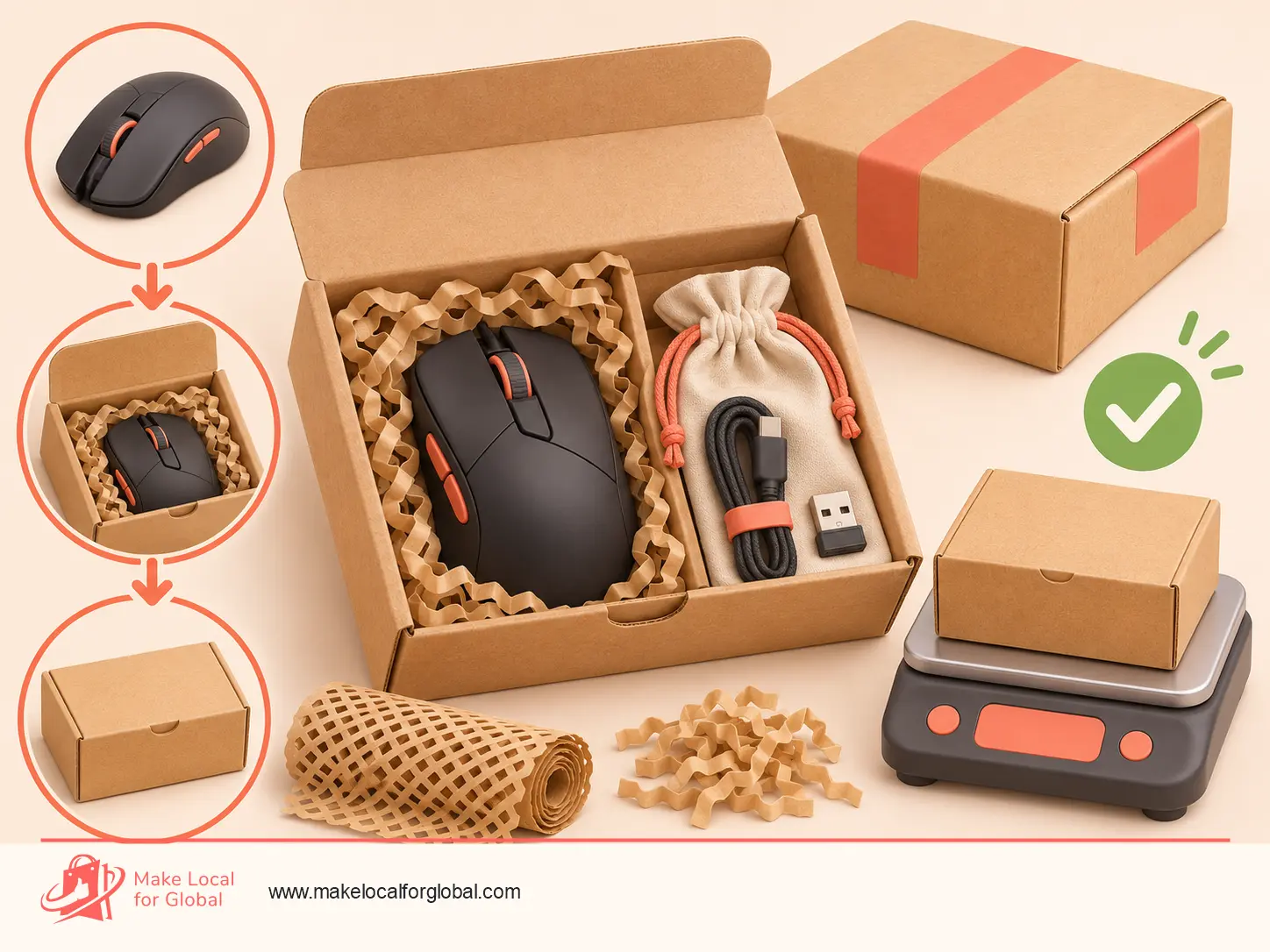
Include a packing slip or digital order note with the SKU, support email and return instructions. If the package includes a battery, check the carrier’s current conditions. Keep required paperwork and declarations where the specific route calls for them. Do not invent a battery symbol or safety claim for the parcel.
On receipt of a return, record the reason, date, product condition, serial or batch where available, included receiver and cable, and whether the item powers on. Separate a change-of-mind return from a reported fault. Follow consumer rights and your published policy; do not tell customers that opening the box removes all rights. If an item is faulty, investigate the batch and supplier route rather than treating each case as unrelated.
Watch return reasons in a simple log: too small, too large, wrong connection, software issue, missing receiver, battery concern, unexpected button layout, or fault. Review the log monthly. If buyers repeatedly misunderstand a particular detail, change the page and image before ordering more stock. If faults cluster around a model or batch, pause sale and ask the supplier for an investigation.
Content should answer a buying question rather than repeat the product listing. A short photo sequence can show the body from above, how the side buttons sit under the thumb, and the receiver next to the mouse. A video can demonstrate pairing, the scroll wheel, cable movement or profile changes. State the computer and software used; do not call a demonstration a laboratory test.
A comparison guide can explain the difference between symmetrical and sculpted shapes, wired and receiver wireless, or a standard button layout and extra programmable controls. Keep the advice balanced. Explain who might prefer each option and what to verify. Link to the maker’s specification when a fact depends on a specific model.
Publish support notes for setup and returns: where the receiver is stored, how to switch connection modes, how to find the official software download, what to do if pairing fails, and how to contact you. Keep the steps aligned with the maker’s latest instructions. When software updates change steps, revise the page and mark the update date within the relevant support content rather than in a removed “sources checked” block.
You can connect related product guides to give a customer a broader set-up view. Someone comparing mice may be planning a keyboard, mouse pad or headset. Link only when the second topic answers a natural next question. MLFG has related guides on gaming keyboards, gaming headsets, gaming monitors, gaming mouse pads and gaming chairs. Do not add all links to every product page; choose the two or three that help the reader’s current decision.
Begin with an audience you can reach and a question you can answer. A local gaming group may allow a short request for feedback. A small creator may show the actual product in a disclosed review. A search page can reach buyers looking for a particular connection or shape. Each route has a different cost and level of trust. Ask before posting in someone else’s community and follow its rules.
Use a small test budget. Give each activity a tracking label and a stopping rule. If an advert gets clicks but no one looks at the specifications or adds the item to a basket, revisit the product page and audience. If people save the page and ask about a specific model, answer the question and log it. A click alone does not establish demand.
Offer a clear reason to buy from a new shop: accurate photos, tested package contents, readable compatibility, a fair delivery promise and an accessible support route. Avoid a discount that erases the contribution needed to pay for returns and service. A coupon can measure interest, but compare contribution after the discount as well as the number of orders.
Use email only when a person has agreed to receive it and you can honour the message frequency. A setup checklist or comparison sheet can be more useful than a generic “join our newsletter” offer. Describe what the person will receive and give an easy way to unsubscribe. Do not add customers to a marketing list just because they completed an order.
If you have two or three models, rotate which one leads each demonstration. Keep the rest of the page and campaign stable, then compare qualified actions over the same period. Small tests can be noisy; do not draw a strong conclusion from a single sale. Note the audience, dates, creative and spend so you can repeat or stop the test with a reason.
A useful product page can explain the shape, connection and box contents before a buyer reaches checkout. If you need support planning your selling route, review the relevant MLFG services and tools, then ask a clear question about the next step.
Choose a short set of numbers you can act on: visits from the intended audience, product-page views, add-to-basket rate, completed orders, average order value, return reasons, support questions and contribution after variable costs. Record the date range, channel and model. Separate a stock-out from weak demand; a product that was unavailable cannot be compared fairly with one that was in stock.
Check unit economics after the first few orders. Replace assumptions with invoices and actual postage. If your true payment fee or packing time is higher than planned, revise the model. Count replacement units and refunds. Do not call gross sales “profit”. Subtract costs that change with orders first, then review fixed charges such as shop software, insurance, accounting and storage.
Do not order deeper stock just because a few friends bought. Ask whether they were typical buyers, whether they paid the intended price, and how they found the product. Repeat the demand test with people who do not know you. A second small batch can confirm whether the first signal holds and give you a chance to correct the page.
Set a review date before the launch. If you have not reached the agreed evidence by that date, decide whether to change the buyer, model, price or channel, or to stop. A clear stop condition protects cash and makes the next decision less emotional. Keep the learning even if the range does not proceed.
Write the one-sentence buyer note and list the assumptions that could break the idea: preferred shape, useful price band, connection, compatibility, and reason to switch. Speak to five to ten suitable people. Note their current model, frustrations and exact product questions. Check search suggestions and relevant community rules, then choose a focused opening range that reflects what you heard.
Do not place a bulk order in this first week. Make a comparison sheet of products from several suppliers with the same fields: model, dimensions, weight, connection, controls, battery, software, package contents, warranty, minimum quantity, lead time and quoted cost. Request missing information in writing. If you cannot tell what differs, keep researching rather than buying by the lowest price alone.
Order sample units where terms and budget allow. When they arrive, record package contents and run the sample checklist. Ask at least two people in the target group to try each relevant shape and describe what felt awkward. Do not lead them with your preferred answer. Photograph the product, compare it with the supplier specification and resolve inconsistencies before deciding on stock.
Check the product-safety and waste guidance that applies to your model, market and role. Request relevant compliance documents before paying for commercial quantities. Decide how you will handle returns, replacement units, support requests and open-box products. If a supplier cannot answer a basic model-specific question, count that as a sourcing concern.
Choose the smallest range that gives buyers meaningful differences. Calculate the cost per delivered order using supplier and carrier quotes, and check cautious and expected cases. Set a maximum stock amount you can afford to hold. Create the product page with clear photos, dimensions, connection, controls, compatibility, software details, package contents, delivery and returns.
Ask someone unfamiliar with the product to read the page and choose between the models. Note what they still need to ask. If they cannot identify which mouse is wired, which one has more buttons, or whether the receiver is included, revise the page. Check that variation selections show the correct image and fulfilment SKU.
Make a modest quantity available or collect clearly labelled interest while stock is on the way. Choose one discovery route and one demonstration format. Use a small budget with a stop point. Answer product questions with the evidence you have, and write down questions that expose a missing specification.
Review visits, qualified questions, baskets, orders, actual costs, delivery times and return reasons. Do not compare numbers across different dates or channels without noting the difference. Decide whether to repeat the test, refine the range, change the page, or pause. Write the reason in one paragraph and set the next review date.
Buying on one headline specification. A large DPI figure or low weight does not settle hand fit, software support, buttons, cable feel or actual connection. Compare the full product and test a sample.
Listing claims without model evidence. Reused supplier copy can describe a different colour or revision. Match each statement and photo to the exact SKU, then keep the source document.
Selling wireless as universal. A mouse may not connect to every console, tablet or computer in the same way. Name supported systems and modes, and record what you tested.
Ignoring the small parts. A missing USB receiver can make a wireless unit difficult to use. Include it in package-content photos and check it during packing and returns.
Starting with too many variants. Colour, connection and size variations multiply inventory decisions. Start with differences buyers can understand and review demand before adding further options.
Pricing from supplier cost alone. Freight, fulfilment, fees, customer acquisition, returns, support and tax treatment can leave little contribution. Use actual quotes and update the model after orders.
Treating a sample as compliance proof. A sample check helps identify product and listing issues. It does not establish that all legal requirements for a model, importer or market are satisfied.
Writing “comfortable for everyone”. Hand shapes and grip preferences vary. Explain dimensions, body shape and observed fit feedback without guaranteeing a universal feel.
Making a vague return policy. State the process and contact route clearly, then follow consumer obligations. A change-of-mind return and a reported fault are not the same issue.
Changing the range before reading the data. One slow week or one enthusiastic comment does not settle demand. Set a test period, collect comparable evidence and decide against the original criteria.
The mechanics of listing a mouse are straightforward; choosing stock and describing it correctly take more work. Start with a defined buyer, a small number of models, working samples and a complete cost calculation. A first-time seller can begin with a small demand test, but supplier minimums, product requirements and customer returns still need planning.
Ask for the exact model and revision, dimensions, weight basis, package contents, connection details, software support, warranty process, lead time and minimum order. For wireless or imported products, request model-specific compliance and market documents. Confirm what happens if commercial stock differs from the sample or a unit is faulty.
That depends on the buyer you selected. A wired model removes charging and pairing questions but its cable length and feel matter. A wireless model may offer receiver or Bluetooth modes, yet compatibility, battery, receiver storage and setup need clear explanations. Test before deciding which option belongs in the first range.
Not by itself. A sensitivity range is one specification among shape, weight, buttons, connection and software. Verify the maker’s stated options, explain the setting plainly, and ask whether your intended buyers value it. Do not imply that a larger number guarantees better play or accuracy.
There is no universal quantity. Consider the supplier minimum, cash available, expected delivery time, the number of meaningful range choices and the cost of unsold stock. Samples and a small demand test can narrow the decision. Keep money available for support, returns and a replacement order.
Potentially, but importing can give you extra responsibilities for safety, documentation, labelling and market access. The rules depend on the product, technology, supply route and whether you sell in Great Britain, Northern Ireland or elsewhere. Check current official guidance and get product-specific advice before placing a commercial order.
Retailers of electrical and electronic equipment can have take-back and customer-information duties. GOV.UK sets out the retailer route and the Distributor Take Back Scheme, including conditions that can apply to online-only sellers. Check the current scheme and rules for your business rather than assuming a small shop has no duties.
Show the mouse from the top and sides, list dimensions with the measurement points, explain the shape and give the buyer a clear comparison. State that hand fit varies. If you invite people to try samples, describe what you observed without promising that every buyer will feel the same.
Include the exact model, shape, dimensions, weight basis, connection, controls, supported systems, software needs, battery or cable details, included accessories, delivery and returns. Match every claim to the right model and variation. Use clear images of the mouse, receiver and box contents.
Use the success criteria you set before launch. Review qualified interest, product-page actions, orders at the intended price, actual contribution, support questions, delivery performance and return reasons. A few sales can suggest a next test, but they do not predict a sustainable business by themselves.
Pick a buyer you can reach this week and write down the product choice you think they need. Speak to a few people who match that description before ordering. Ask what they use, why they might replace it, and which specification would make them choose a different mouse. Then source samples, check the evidence and calculate the full order cost.
Keep your first range narrow enough to explain in one comparison. If the buyer cannot understand the difference between two models, simplify the choice or improve the page. If a supplier cannot document a feature or answer a compatibility question, do not repeat the claim as your own.
Make Local for Global offers support and tools for people planning small businesses. Review the relevant option for your stage and ask about the exact problem you are trying to solve.
Use a focused test to decide whether the range deserves more stock, a better explanation or a different buyer. Get support if you need help planning the next business step.
PREFERRED SOURCE
Like what you’re reading? Add Make Local for Global as a preferred source on Google to see more of our articles when you search.

Build your online presence without having to figure out everything yourself.