

READY TO SELL Digital Notebooks ONLINE?
Get a store built for you in 5 days, plus training and support to help you start, run, and grow your Alternative business.

Plan a digital notebook business with a clear buyer, tested PDF pages, honest app compatibility, secure delivery, a full-cost price and accurate digital-download terms.

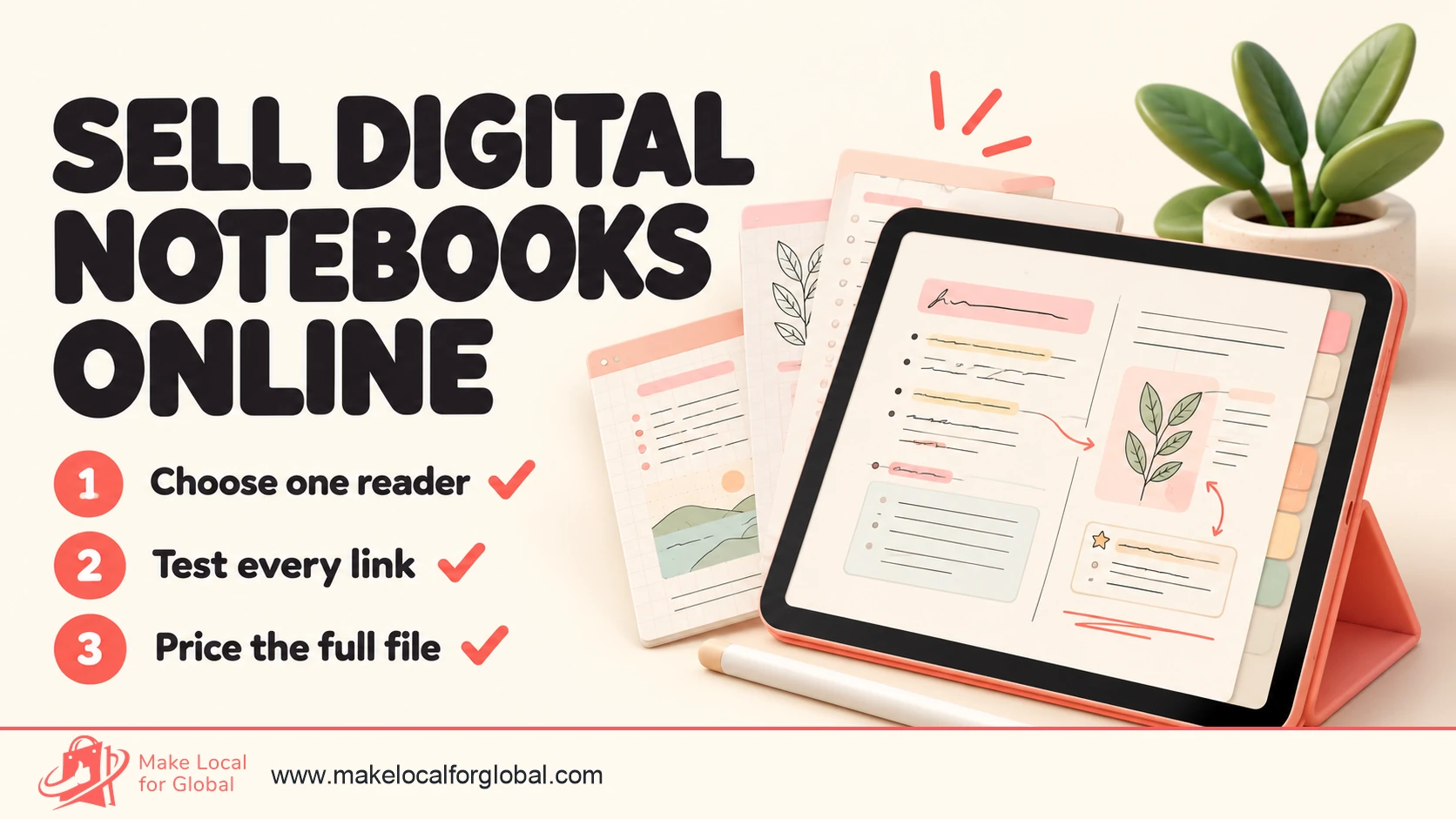
A digital notebook is a file a customer can download and write in on a tablet or computer. If you want to sell digital notebooks online, show what makes the file useful: its intended app, device, page size, file format and tested navigation. The product is the notebook design and its tested file, not a tablet.
The strongest first product is rarely a huge bundle of generic lined pages. Start with one clearly defined user, create a notebook that solves a repeated note-taking task, and test the exported PDF in the apps your buyers already use. Then price the complete offer, explain its limits and make the download simple to find after checkout.
This article is about downloadable notebooks, usually interactive PDF files made for handwriting or typing in note-taking software. An e-ink tablet is a different, physical product with stock, electrical safety, battery and recycling obligations. Printable journals are related too, though buyers use them on paper. Say which product you sell in every title, image and listing.
Test the notebook idea before drawing a full range
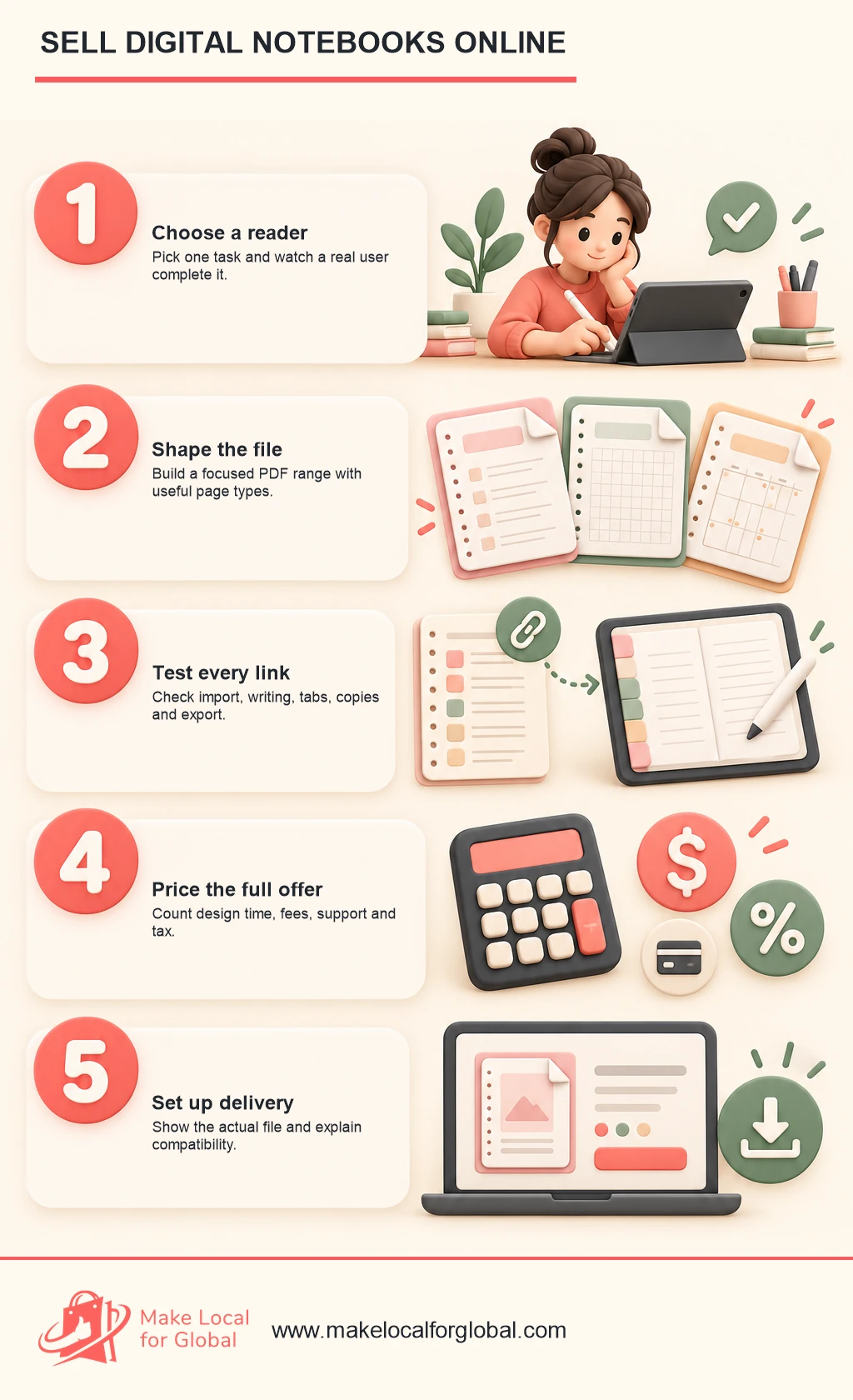
Choose one reader, observe a real note-taking task and check whether a short sample solves it.
“A digital notebook for everyone” is hard to design and difficult to describe. A student taking lecture notes, a self-employed designer recording client feedback and a reader tracking books may all want a notebook, but their page layouts and search phrases are not the same.
Choose a buyer by watching a task. Ask what they write down, where notes become hard to find, which pages they repeat and what they currently use. If you already know people in the group, ask them to show you a real, non-private example of the workflow. Do not ask only whether they would buy a notebook. Polite approval does not show that the pages will fit a real habit.
Look for a task that happens often enough to justify a dedicated product. A weekly seminar note can be more useful than an elaborate yearly dashboard if the buyer needs to capture a lecture, mark up a reading and review the next action every week. A client meeting notebook might need a project index, agenda, decision log and follow-up list. Those needs give you a specific design brief.
| Buyer and task | Useful first notebook | What to test before launch |
|---|---|---|
| College or university student | Subject notebook with lecture, reading and revision pages | Can a student find a lecture page quickly and fit diagrams beside notes? |
| Tutor or teacher | Lesson notes with class, date, objective and follow-up fields | Does the layout work across different subjects and repeated sessions? |
| Freelancer or consultant | Client meeting notebook with brief, decisions and actions | Can users separate clients without exposing one client's notes to another? |
| Reader | Reading log with title, notes, quotes and review prompts | Are there enough blank areas for different book lengths and reading styles? |
| Creative hobbyist | Project notebook with sketches, materials and progress notes | Are the drawing area and labels useful on the buyer's screen? |
| Small team lead | One-to-one or project meeting notes with action tracking | Is the notebook a personal tool, or does the buyer expect shared collaboration? |
Keep the promise narrow. A “lecture notebook for science students” can show a lab observation page, formula space and a revision summary. A “student notebook” with no subject or use case gives shoppers little reason to choose it over the blank notebook already included in their app.
Interview five to ten people from one group before investing in a large library. Ask them to complete a real task using a rough sample. Notice where they tap, what they skip and what they ask you to explain. Record the words they use for sections and navigation. Those phrases can inform the product, the preview images and the product page.
Offer a short sample with a cover, index and two representative page types. Ask testers to import it, write on it, follow a link and export a marked-up page. A useful test includes a device and app list, a short task and a question about what failed. A download count alone does not tell you whether the notebook was useful.
You can collect email interest with a clear opt-in and a sample, then ask subscribers whether they want a finished version. If you take payment before the final file is ready, describe the delivery date, what is included and the cancellation route accurately. A presale is a real contract, not just a vote on an idea.
Most downloadable digital notebooks are PDFs. Some include internal links from an index or tab to other pages. Others are plain, unlinked PDFs that can be duplicated inside a notes app. Editable source templates, image stickers and app-specific notebook formats may be useful additions, but each extra file brings more testing and support.
Start with a small range that shares one visual system. For a student niche, three initial products might be a lecture notebook, a reading-notes notebook and a revision notebook. The pages can share typography, colours and navigation, yet each should have a clear use. Do not make three near-identical covers the only distinction between the products.
An entry product can be a compact notebook with one purpose and a small page set. A core product can add section dividers, reusable page types and linked navigation. A bundle can combine products only when the buyer would reasonably use them together. State the bundle contents and the saving against separate purchases; do not disguise a duplicate file as added value.
Limit the first edition to the features you can check. A focused release lets you learn whether users prefer portrait or wide pages, light or dark paper, dated or undated pages, and a compact or extensive index. You can publish a second version after testing rather than draw hundreds of pages on a hunch.
Spell out whether the customer receives a PDF download, a paper book, an e-ink device or access to a hosted service. Do not use product photos that suggest hardware when the purchase is a file. If a notebook is meant to work in note-taking apps, name the apps you tested and say that customers need their own compatible device and app.
State whether the pages are undated, dated, reusable, printable or intended only for on-screen annotation. A dated academic notebook should identify its academic year and week-start convention. An undated notebook may be a better evergreen product, though buyers still need a clear answer on page duplication and navigation.
If you sell templates for note-taking software, distinguish them from application licences. Do not suggest that an app company endorses your product without permission. A phrase such as “PDF tested for import into Goodnotes on iPad” describes your test; it does not mean the product is an official Goodnotes product.
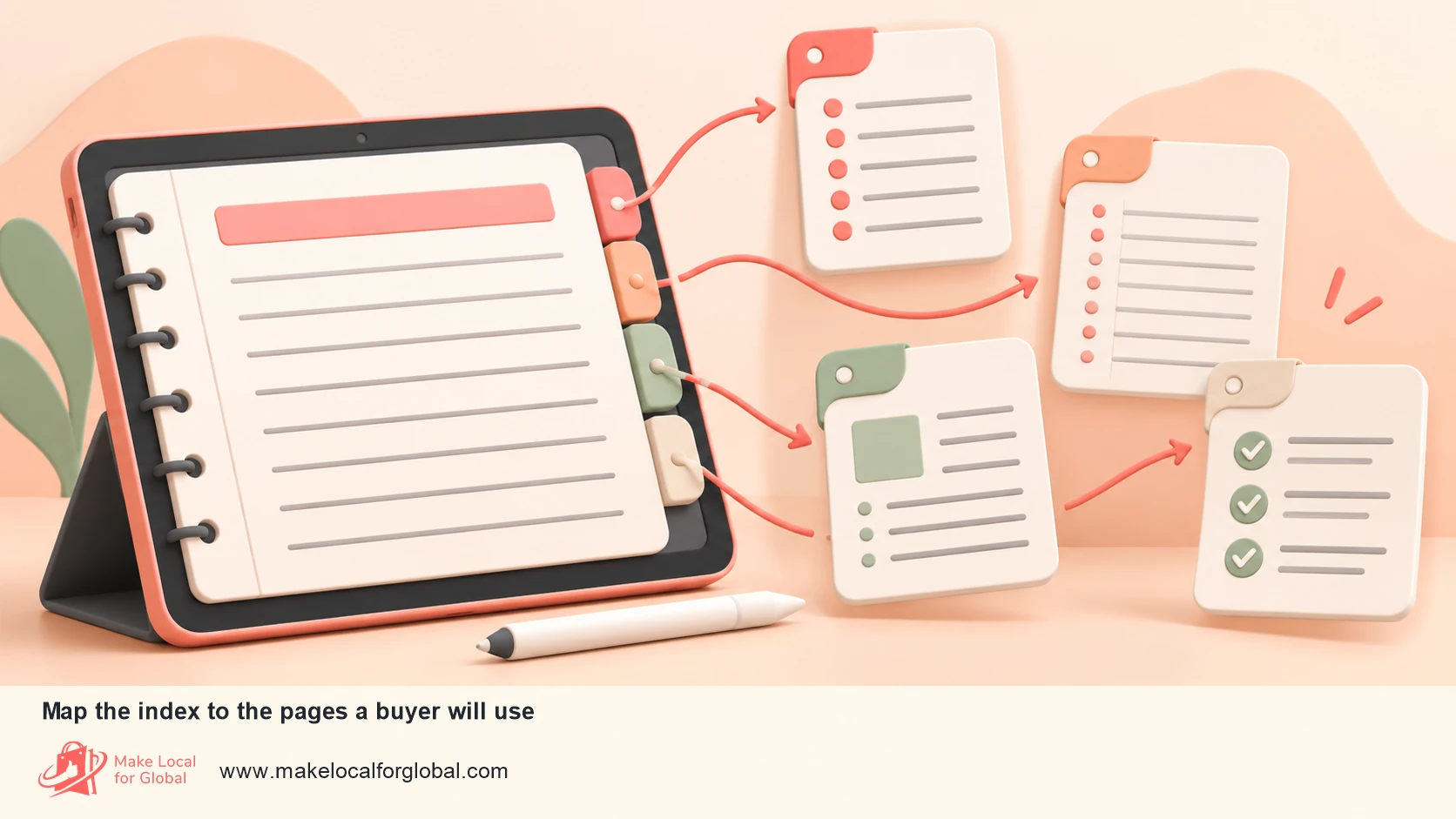
Plan the page system before styling it. List each page type, its purpose and the link that takes a user there. Draw a simple map: cover to index, index to section, section to notes page, and a clear route back. Decide whether a page repeats as a linked template or whether users duplicate it through the app's own controls.
Use a consistent page size and orientation within each product. A portrait notebook can suit written notes; a wide notebook may provide more room for timelines, planning or diagrams. The decision affects how much screen space is available beside app toolbars. Export at the intended proportions and test the file at normal zoom on the smallest device you plan to support.
Reserve margins for handwriting and app controls. A narrow gutter can be lost beneath a toolbar or the user's palm. Leave space around clickable tabs so that they are easy to select with a stylus or finger. Do not make navigation depend on colour alone: label each tab and use strong contrast between its text and background.
Use readable type and restrained decoration. The point of a notebook is to hold a user's notes, not compete with them. Test labels at typical screen size, not only on a large monitor. If a light grey cue disappears on a dim screen, darken it. If a background texture makes handwriting harder to read, remove it.
An index should explain the notebook's structure. A lecture notebook might group pages by module and topic. A client notebook could start with a client index, then offer meeting records and an action log. A reading notebook may group by book or reading status. Give users a way to return to the index from every major section.
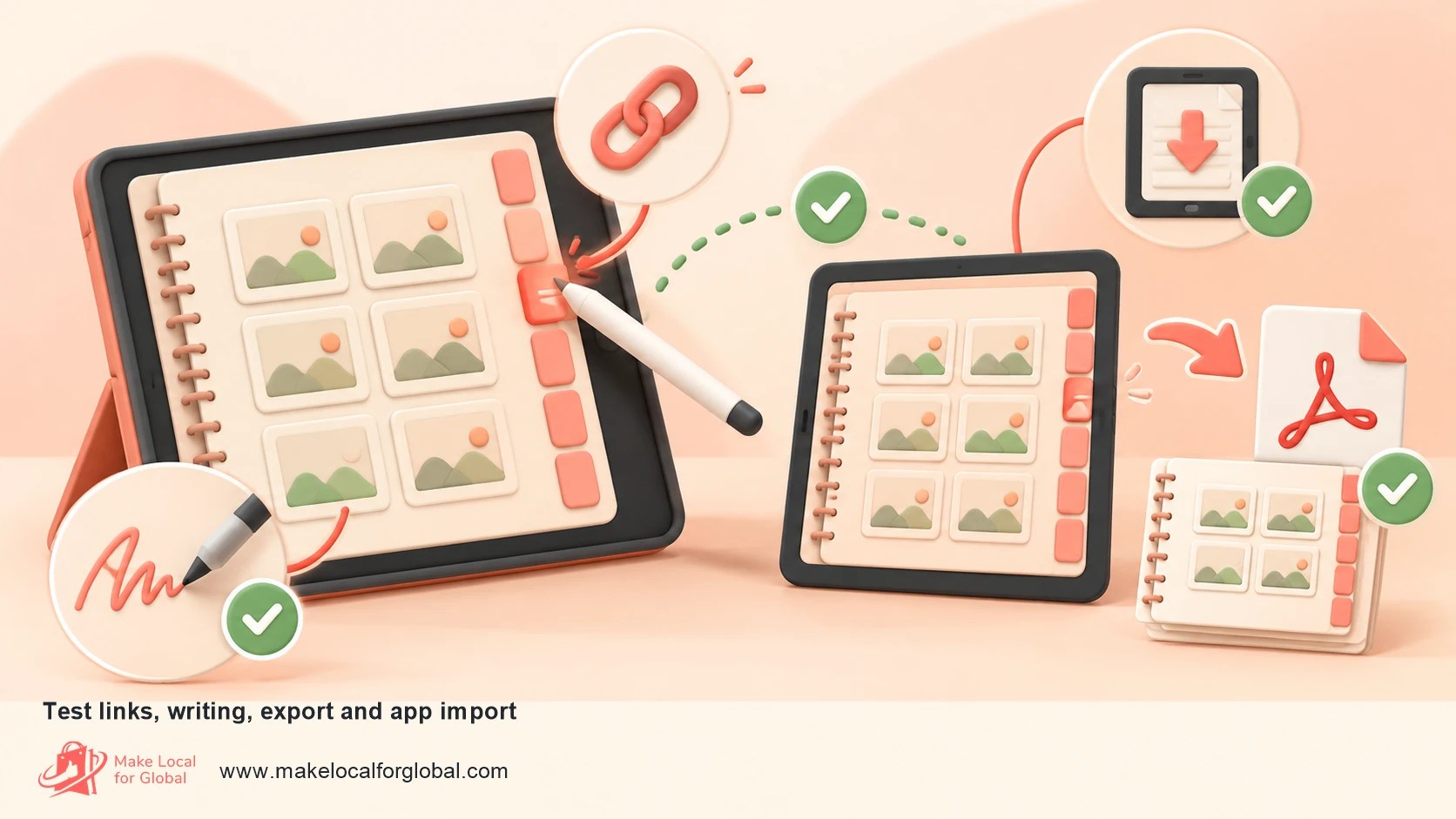
Hyperlinks are a product feature that needs functional testing. Check each navigation destination after export. Confirm the link rectangle is over the label, not an invisible area beside it. Test page numbers after you add or remove content. Verify that the app can open links in its normal reading mode and that the file does not rely on a link feature that works only in your design software.
Use blank and lightly guided pages in proportion to the product. A structured template can help a new user get started, but every extra instruction takes space away from their writing. A useful set might include a guided lecture outline, a blank notes page, a lined page, a grid page and a review sheet. Explain the differences in the listing so a buyer can see what they are receiving.
If you add stickers, icons or illustrations, check the licence for commercial redistribution inside a product. Permission to use a graphic in your own design does not always mean permission to sell that graphic as a downloadable asset. Keep a record of source, licence, purchase date and any restrictions. Draw original assets or use assets with terms that explicitly cover your intended resale format.
Maintain an editable source file and a release copy. Name files with product, version and date, such as lecture-notebook-v1-2.pdf, and keep a short change log. If a customer reports a broken tab, you need to identify which version they downloaded. Do not overwrite the only copy of a paid file and lose the version tied to an order.
Treat the PDF as software that needs a release check. Test the file on the devices and apps you name in the product listing. Goodnotes documents that PDFs can be imported and that users can import a PDF or image as a custom notebook cover or paper template. Platform features and import limits differ, so check the current documentation for the apps you support before writing compatibility claims.
Make a test checklist and run it on a fresh copy of the exported file:
Use more than one compatible app where your product page names multiple apps. If a feature behaves differently, narrow the claim to the apps and versions you actually tested. A buyer needs honest compatibility information more than a long badge list.
Check that the file is not damaged by compression. Thin lines, small labels and pale colours can become hard to read after export. Review links, page order, crop area and text at screen size. Keep a second test on a different display, as colour and brightness vary. Print samples on a home printer only if printing is one of the promised uses; digital layouts can have different margins from paper layouts.
Consider accessibility during the design. Use text labels that can be read without relying on icons alone. Keep sufficient contrast, avoid very small type and do not put key directions only in a decorative image. A PDF made from a flat image can be harder to search and use with assistive technology than a file with selectable text. Explain any limitations honestly and test accessible elements where your authoring software allows it.
Write a short instruction sheet for the buyer. It can show how to download, import, use the hyperlinks, duplicate pages and contact you. Keep instructions separate from the notebook so a customer does not need to navigate through a long help section before writing. Include the app names and platforms you tested, the file format and any account or subscription needed from third parties.
Package files with clear names. For example, meeting-notebook-undated-a4-wide.pdf is more informative than final2-new.pdf. If you include a compressed folder, state its contents and make sure the customer can open it on common devices. Require an account on an unrelated cloud service only when it is part of the offer and disclosed before purchase.
Use a delivery system that provides the purchased file reliably. Shopify's Digital Downloads documentation describes attaching a file to a product and delivering a download link after purchase. Other storefronts and marketplaces may manage delivery differently. Test a complete purchase flow in a permitted test mode or with a non-public product before launch. Confirm the receipt email, link expiry, download access and customer support route.
Back up the current release, the editable source and the instruction file. Keep order references or fulfilment logs according to your data and legal policies. Restrict access to customer data and do not collect personal information that is not needed to deliver support or an order.
Decide whether the purchase includes future updates. If it does, say what kind of correction or upgrade is included and how buyers will receive it. If it does not, customers should know whether a future edition is a separate purchase. Do not imply permanent updates if you have no plan to maintain the file.
Create a simple support path for common problems: the link did not arrive, the file will not open, the notebook imported at the wrong size, or a tab did not work. Ask which device, app, app version and file version the customer used. A screenshot can help diagnose a broken link, but remind customers not to send private notes or sensitive work.
Keep a copy of every released version. When you fix an error, record the date and change, test the replacement and update the delivery file. If a platform continues to serve an old link, check its behaviour before promising that past buyers have received the new version. Notify customers through a channel they agreed to receive and follow the platform's communication rules.
Make a clear record of authorship for page layouts, text, illustrations, icons, fonts and templates. A commercial licence for a font or graphic may restrict embedding, redistribution or use in a downloadable template. Read the licence and keep a copy. If a design asset is not cleared for resale inside a PDF, replace it before release.
Do not copy a competitor's notebook, page layout, illustrations, text or distinctive branding. Studying what buyers need is different from reproducing another seller's files. Build from your own brief and create a recognisable system through useful page choices, navigation and visual treatment.
Choose a product name that describes the intended user or task without implying affiliation with an app or school. Search the proposed name before committing to a domain, logo or large advertising spend. Avoid using a third party's registered marks as though they belong to you. If a compatibility phrase is needed, keep it factual and secondary to your product name.
Add a plain licence page or separate terms file. State whether the buyer may use the notebook personally, print pages, use it for a small team or share it. Make clear whether resale, redistribution, upload to a shared drive or inclusion in another product is prohibited. A licence cannot remove statutory consumer rights. Keep the scope understandable instead of hiding it in a dense legal document.
A digital file has no per-order parcel charge, but it is not cost-free to create or sell. Count design time, software, fonts and licensed assets, sample testing, product photography, platform charges, payment processing, advertising, refunds, chargebacks, tax administration and customer support. If you bundle several notebooks, record its cost and support load along with each individual item.
Use a worked example to understand the arithmetic. The figures below are illustrative, not a claim about typical platform fees or achieved sales. Suppose a notebook sells for £8.00 and you estimate a £0.40 payment processing charge, a £0.52 marketplace transaction fee at 6.5% of the order, £0.20 listing cost converted to £0.16 for the example, and £0.35 allocated to customer acquisition and support. The amount left before tax and fixed overhead is:
| Order item | Example amount |
|---|---|
| Customer price | £8.00 |
| Payment processing assumption | -£0.40 |
| Marketplace fee assumption (6.5% of £8.00) | -£0.52 |
| Listing fee allowance | -£0.16 |
| Support and acquisition allowance | -£0.35 |
| Contribution before tax and fixed overhead | £6.57 |
This is contribution, not net profit. It excludes the creator's design time, annual software subscriptions, income tax and any VAT obligations. The payment fee and listing conversion are made-up planning assumptions; replace them with the actual current amounts shown in your seller account. Etsy's current help page describes a transaction fee calculated on the order amount and a separate listing fee in US dollars. Check all payment processing, VAT on fees and advertising charges for your own country and account before setting a price.
Estimate how many sales it takes to cover development. If a product takes 18 hours to design and test, assign an hourly value to that time. At an illustrative £20 per hour, the initial work represents £360. Divide this by the £6.57 example contribution to estimate the number of orders needed to recover that design allocation, then account for fixed costs and tax. If the product needs regular support, reserve time and money for each sale rather than assuming the first export is the only cost.
Digital notebooks can be offered as a single product, a themed pack or a bundle. Compare the bundle price with its individual components, but avoid a steep discount that makes every future sale dependent on a promotion. A small add-on such as a reading log or project index is useful only if customers understand why they would use it.
For VAT, monitor taxable turnover across your business and check the current registration rules. HMRC's published registration threshold is based on taxable turnover, not profit or digital notebook sales alone. Cross-border sales can involve different VAT rules, especially for digital services and customers in other countries. Get current advice for the countries and selling model you choose rather than copying another seller's setup.
Price tests should change one thing at a time. Compare conversion, refund requests, support contacts and bundle uptake over a defined period. A lower price may produce more orders but less contribution, and a higher price may need stronger preview images or clearer proof of compatibility. Do not declare a winner after a handful of visits; record the number of qualified product-page views and the time period for each test.

Use a product title that names the item, target user and format. For example: “Digital Lecture Notebook for Biology Students, Hyperlinked PDF for iPad Notes Apps”. If compatibility is limited to apps you tested, name them lower on the page. Avoid repeating the same keyword in every heading; write for someone deciding whether to purchase.
The first paragraph should say what the buyer receives and what they can do with it. A clear example might be: “Download a 42-page portrait PDF with a module index, lecture notes, reading log and revision review pages. Tested for PDF import into Goodnotes on iPad; the tablet and app are not included.” Replace the page count and test claim with facts about your actual product.
Show the notebook itself in listing images. Include a cover, an index, at least two page types, a close-up of a linkable tab and a short sequence showing how pages connect. Make the labels readable at thumbnail size. Do not show a physical tablet if it could make a file purchase look like hardware. If you use a device mock-up, add a clear “PDF download” label to the image and explain the file in the first line.
Describe the details buyers use to decide:
Use a specification table if the information is easier to scan in rows. Keep descriptions precise. “Works on all tablets” is difficult to substantiate. “PDF import tested in Goodnotes 6 on iPadOS on 27 October 2026; other apps may display links differently” is a bounded statement. Keep a record of the version and test device behind the claim.
Add a short preview or sample that shows the real file, not only a polished cover. Mask any personal information in sample notes. If the sample is a reduced file, label it as a preview and state what the full product adds. Let a potential buyer see the page structure, writing space and visual density before paying.
Answer common questions near the product description. Buyers may ask whether they need an iPad, whether the file works with a particular app, whether links can be edited, whether pages can be duplicated, or whether the notebook is printed and posted. Each answer should match the current file and test evidence. If you cannot confirm an app, say so and invite the customer to check its PDF import support before purchase.
Use original, descriptive image names and alt text. For example, biology-lecture-notebook-index-preview.webp is more useful to the team than image-5-final.webp. Describe what the image shows without turning alt text into a list of search terms. Use a short caption when it helps explain a feature such as linked sections or a printable page.
Make the checkout and delivery promise visible. Explain when a download is available, where the customer will find it and what to do if the email is delayed. State the total price and any recurring payment clearly. A one-time notebook download should not be presented in a way that suggests an ongoing subscription.
You can compare the structure of a notebook product with a day planner range and product-page example. A notebook is not a planner, but both need a clear page format, relevant previews and an honest explanation of what a buyer receives. For a related digital product model, the digital planner business page explains a downloadable product offer. Link to it only when it genuinely helps the reader compare formats.
Plan a focused digital product launch
Turn the notebook brief, test notes and first price into a clear launch checklist.
A marketplace can bring product discovery; your own store can give you more control over the product page, brand and checkout path. Each route has fees, rules, search competition and customer expectations. Choose one primary channel for the first launch and one supporting route you can manage, rather than opening several shops and leaving each product page incomplete.
On a marketplace, read its current digital-product rules, fees, file limits, customer data terms and delivery process. Check whether the platform allows your specific file type and whether the listing fee applies even when a product does not sell. Etsy publishes separate fees for listings, transactions, payment processing and advertising; the amount and tax treatment can vary by seller location and service. Build the full fee schedule into your cost sheet.
On your own storefront, decide how the customer receives the file and which app, extension or service manages downloads. Shopify's Digital Products help page describes attaching files or links to a product and sending a download link after purchase. Confirm current file limits, email behaviour, digital delivery settings and refund workflow in your account. A customer should not have to email you for a link that the checkout promised automatically.
If you want to sell in a note-taking app's marketplace, read its current creator rules. Goodnotes describes an application process for creators and says the commission terms are set in the creator agreement. Treat this as a possible channel after you have a tested product and have reviewed current terms. Do not build a cash-flow forecast on an assumed approval date or commission rate.
Create a simple channel comparison:
| Route | Useful for | Questions to check before listing |
|---|---|---|
| Established marketplace | Testing product discovery among people searching for templates | Listing and transaction fees, digital-file rules, refund workflow, competition and data access |
| Own website | Building a branded product page and collecting first-party customer information with consent | Store fees, download delivery, payment setup, privacy notices, security and support workload |
| App marketplace | Reaching users inside a relevant note-taking product | Creator approval, accepted formats, commission, payout timing, update requirements and exclusivity |
| Direct business sales | Custom notebooks for a team, course or organisation | Licence scope, invoicing, accessibility, support, delivery and who may use the files |
Start with one buyer and one landing page. Publish a sample page, a short video that demonstrates the links, and a plain explanation of the download. Share in a community only when its rules allow promotion. A useful post can explain how to organise revision notes or record client actions, then link to the product where readers expect it.
Search traffic starts with the words your buyer uses. A student may search for “digital lecture notes template” whereas a project lead may search “meeting notes PDF notebook”. Use those phrases naturally in the product title, page headings and image descriptions where relevant. Separate products by real use case, not by near-duplicate pages targeting slight keyword variations. Search engines do not promise a position as a phrase appears several times.
Build helpful content that demonstrates the notebook's use. A short article might show how a student turns a lecture into a revision page, or how a freelancer tracks decisions between client meetings. Include screenshots from the actual file. Connect related pages such as your digital planner guide and custom sticker product guide only where the link helps a buyer understand a companion product or format.
Set up a small measurement sheet: visits to the product page, sample downloads, checkout starts, purchases, refund contacts, app compatibility questions and bundle selection. Review the numbers once a week. If a page gets visits but few sample downloads, check the message and preview. If many people download the sample but few buy, ask whether the full product solves a distinct task. If support requests cluster around one app, improve the instructions or narrow the compatibility claim.
Use email only with suitable consent and a clear opt-out. A sample-delivery email can contain the requested file and a short note about the paid product, but follow privacy and electronic marketing rules for your audience. Do not add a buyer to a newsletter on the basis of a purchase alone; check that your sign-up and legal basis cover that use.
Digital downloads are still consumer products. A product page should describe its functionality, compatibility and limits accurately. The Consumer Rights Act 2015 sets standards for digital content, including satisfactory quality, fitness for purpose and matching its description. If the file has a defect, your legal duties are not removed by a “no refunds on downloads” sentence. See the legislation on digital content contracts.
Online distance selling requires clear pre-purchase information. GOV.UK says businesses need to tell customers about the seller, product, total price, payment, delivery, cancellation and other required terms, and provide a copy of the contract in a durable format. Read the current online and distance selling guidance for your market and business type.
Digital content supplied immediately can have a different cancellation process from a physical item. The customer must give express consent for supply to begin within the cancellation period and acknowledge that this means losing the cancellation right. Present this clearly at checkout and keep evidence of the consent mechanism. Do not assume a download platform has configured this correctly for your country; ask the platform or a qualified adviser if the setting is unclear.
Keep support and refunds separate from a voluntary “goodwill” policy. State how customers report a broken file, missing download or purchase made by mistake. Explain that a customer can contact you if the notebook is not as described or does not work as promised. Do not make legal claims such as “all digital purchases are final” before checking the specific law, jurisdiction and contract setup.
HMRC's current VAT guidance lists the UK registration threshold at more than £90,000 in taxable turnover. The threshold is not a target profit, and taxable turnover covers the relevant business sales, not just one notebook. VAT treatment of digital sales can depend on where the customer lives, whether the customer is a consumer or business, and which platform is the seller of record. Check current HMRC guidance or obtain accounting advice before you sell across borders.
The Consumer Rights Act source and consumer guidance primarily address UK consumer contracts. Requirements can differ in Northern Ireland and in overseas markets. If your store accepts orders from outside Great Britain, determine which consumer, VAT, accessibility, privacy and digital tax rules apply before enabling those sales. You can start by limiting delivery to the market whose requirements you understand.
Keep a record of your product files, licence evidence, testing, listing copy, consent settings, orders, complaints and refunds. Use a version log rather than relying on memory. A record makes it easier to correct a file, answer a platform review or explain what a customer purchased.
Most confusion can be prevented by showing the file clearly. Put “digital PDF download” near the start of the listing. Show the actual cover and pages, state whether the customer receives a link or attachment, and make the “no printed notebook or tablet included” message easy to see. Do not rely on a small line at the bottom of the page to correct a misleading hero image.
Keep a compatibility matrix with device, operating system, app, app version, PDF version and test date. Record whether the import, links, writing, export and duplication steps worked. When an app updates, retest the key actions before changing your claims. You do not need to support every product on the market; you do need to communicate the scope of your tests.
Use a short pre-purchase FAQ and download instructions. An FAQ can answer whether a stylus is required, which apps were tested, how to import the PDF, whether the notebook can be printed, and whether users can duplicate pages. An answer should be concrete. “Yes, it works on tablets” is not enough if the file has only been checked on one device.
Set an expected response time that you can meet. Ask for the order number, app and device details if a customer reports a problem. Do not ask for a copy of private notes. If the issue is a broken link or file, send a tested replacement through the platform's approved route and preserve the original order record.
Treat refunds and disputes as product evidence. Look for patterns across several purchases. A refund after a customer expected a printed book suggests the title or hero image needs revision. A complaint that the tabs do not work suggests a real file defect. A question about app setup may mean the guide is too short. Fix the cause and update the listing rather than sending the same explanation indefinitely.
| Week | Actions | Evidence to collect |
|---|---|---|
| 1: Pick the task | Interview five to ten potential buyers, choose one use case and sketch the page map | Repeated buyer phrases, must-have pages, preferred orientation and app list |
| 2: Make a sample | Build the cover, index and two representative pages; export and test the PDF | Broken links, readability issues, writing space and import steps |
| 3: Complete the product | Create the focused range, instruction file, licence and final release; calculate price | Product hours, file contents, actual platform fee schedule and test record |
| 4: Publish and learn | Write the listing, upload images, test checkout and delivery, then share the sample | Visits, sample downloads, orders, questions, refunds and first support issues |
At the end of each week, choose one change from evidence. If testers cannot find the index, revise the navigation. If a page is consistently skipped, ask whether it belongs in the first product. If a buyer needs an app feature you did not test, either test it or remove the unsupported claim. Record the decision and repeat the test with the revised release.
Do not judge the month only by sales. A small set of clear findings can justify a stronger product: one buyer group, a preferred orientation, a working import guide and a price that covers fees and support. If the evidence is weak, pause the larger catalogue and run another test before making more pages.
After the first release, review the support log and buyer feedback at a planned interval. Decide whether the next effort should improve the existing notebook, create a companion file, test another sales channel or stop the product. A catalogue can grow when each new item has a clear audience and a documented reason to exist.
A polished collection still fails if the links are hard to use or the page format is wrong for the device. Build a sample, watch someone import it and revise the navigation before creating a large catalogue. This limits design time spent on pages nobody uses.
PDF readers and note-taking apps handle imports, hyperlinks, page duplication and annotation differently. Name the platforms you tested and keep the claim narrow. Retest after a major app update or a product file change.
A dated academic planner or notebook can look outdated as soon as the year changes. Put the year, school calendar or week-start choice in the title and images. Offer an undated version only if the pages still make sense without dates.
A mock-up can make a download look like a physical book. Show the real PDF pages, label the format and explain that hardware is not included. A shopper should be able to tell what they will receive before checkout.
An icon, font or template may have limits on redistribution; check whether personal-design permission covers your commercial use. Check permissions for embedding and resale, retain records and replace anything you cannot clear. A commercial file should not depend on an asset whose licence you cannot explain.
A store policy does not replace statutory rights. Describe the file honestly, use the correct digital-content consent process where applicable and respond to faults. Check consumer law for each market rather than copying a line from another seller.
Competitor prices do not reveal their fee structure, design hours or support burden. Build your own cost sheet, check current platform charges and calculate the contribution from each product. Use market comparisons as context, not as your whole pricing method.
A replacement may fix one issue and create another. Keep a release copy, editable source and change log. Test the replacement, document the new version and check how previous customers receive it before promising automatic updates.
A digital notebook is a file or app-based notebook used on a phone, tablet or computer. This article covers downloadable PDF notebooks for writing, drawing or typing in compatible software. It does not cover selling e-ink hardware or a physical paper notebook.
No. A seller can create a downloadable PDF notebook and sell it through a marketplace or a storefront that supports digital file delivery. A custom app is a separate product with software development, maintenance and support needs.
PDF is a common starting point for a notebook intended for handwriting and annotation. Some note-taking apps accept other formats, though compatibility varies. Test your actual file in the apps you plan to name and describe the supported workflow on the product page.
Start with pages that support one task. A lecture notebook might include an index, lecture notes, reading notes and revision review. Add blank or lightly structured pages when they help buyers reuse the product. Test the page set before adding more pages.
You can sell your own work if the platform's terms and the licences for each included asset permit that use. Check whether fonts, graphics and templates may be redistributed inside a downloadable product. Keep permission records and do not sell third-party assets as your own.
That depends on each platform's terms, file delivery rules and any exclusivity agreement you accepted. Check the current seller terms for your chosen channels. Keep product names, versions, prices and support routes consistent across listings.
Add design and testing time, software, licences, platform fees, payment processing, advertising, refunds and support. Use a worked cost model, then compare the resulting offer with buyer alternatives. The price should leave a contribution after per-order charges, but that contribution is not the same as net profit.
State how a buyer can contact you about a missing or faulty file and explain the platform's process. Digital content can have specific cancellation rules when delivery begins immediately, and consumer rights still apply. Confirm your checkout settings and policy against current UK rules and the markets you serve.
Import the exported PDF on the supported devices and apps, write on each page type, tap every navigation link, duplicate pages and export a marked-up page. Check the file name and download instructions. Ask a tester who did not create the notebook to follow the setup without your help.
They may be able to print a PDF, but the layout can differ from a notebook designed for paper. Test a printed sample before promising print quality. State the page dimensions, orientation and intended use so a buyer can decide whether printing will suit them.
They overlap, but a planner usually centres on dates, tasks or schedules; a notebook may be organised around notes, subjects, projects or reference material. The product page should explain its actual structure. See the related day planner selling article for a date-led product range.
Show the actual pages, state the format and tested apps, provide import instructions and explain what is not included. Keep a version record and use one support route. Track repeated questions and improve the listing or file when the same confusion appears more than once.
Choose one buyer and one note-taking task. Make a short sample, test it in the intended app, and ask a potential customer to use it without coaching. If the file works and the buyer understands what they receive, complete the first product page and cost model before building more pages.
Review the product page before launch
Check the product promise, file details, previews, delivery and questions a first-time buyer may have.
PREFERRED SOURCE
Like what you’re reading? Add Make Local for Global as a preferred source on Google to see more of our articles when you search.