

Compare Halloween discounts, coupons, bundles and delivery offers. Use worked examples to calculate what remains after the costs of an order.

Useful Halloween promotion ideas do more than attract orders. A discount can still leave too little money to cover the work behind each one. The fix starts before you choose a code: pick one clear offer, list every order cost and check what remains.
You do not need to match a competitor’s 20% discount. A bundle, free-delivery threshold or small gift may suit your products better. The right offer is one a customer can understand and your business can afford.
Still setting up your online shop?
See what an MLFG store plan includes, including coupon features and checkout setup.
Start with the result you want. You might want to introduce a seasonal product, sell a set of related items, lift the average basket or clear a small amount of end-of-season stock.
Choose one main goal and one offer to support it. Running several discounts at once can make the checkout hard to follow and the final cost hard to predict.
Pick products that are available, ready to dispatch and relevant to a Halloween occasion. If only two products fit, promote those two. A small, well-explained offer is easier to manage than a store-wide discount on items with different costs.
Discounting is one type of promotion, not the whole plan. Choose a format that matches the customer’s order and state the rules beside the offer.

A code is useful when you want to limit an offer to selected products or a particular group of customers. Test the code on a phone before sharing it. Check the discount, delivery total and confirmation email from a customer’s point of view.
For a weekend sale, pick the start and end times before writing the post or email. The offer should stop when its stated period ends. The Competition and Markets Authority warns online sellers against misleading price reductions and false urgency, including countdown claims that pressure shoppers. Read its advice on online urgency and price reduction claims.
Work out a simple contribution for each example basket before launching the offer:
| Order and offer | Customer pays | Illustrative variable costs | Contribution left |
|---|---|---|---|
| £20 item, 10% coupon | £18 item price + £3.50 delivery = £21.50 | £7 landed item + £0.80 packing + £4.50 postage + £0.60 payment fee + £0.50 returns allowance + £2 marketing = £15.40 | £6.10 |
| £45 basket, £5 off over £40 | £40 item total + £3.50 delivery = £43.50 | £17 landed items + £1 packing + £4.50 postage + £0.80 payment fee + £0.75 returns allowance + £1.50 marketing = £25.55 | £17.95 |
| Two £30 items, save 10%, free delivery over £50 | £54 after discount, delivery included | £22 landed items + £1.40 packing + £5.25 postage + £1.10 payment fee + £1.20 returns allowance + £3 marketing = £33.95 | £20.05 |
Illustrations only. They assume a non-VAT-registered seller and sample per-order costs, including an estimated marketing cost. Replace every figure with your own. Fixed overheads, tax and owner pay are not included, so contribution is not net profit.
For the first row, the customer saves £2 on the item. After the order costs, £6.10 remains to cover rent, software, your time and other business costs. The £2 discount reduced the amount left. The order still has a positive contribution.
Use this calculation for each offer: money collected from the customer, including delivery they pay, minus the product cost, inbound freight, packing, delivery you pay, payment fees, expected returns and any paid marketing cost per order.
Payment fees and returns vary by business. Use the amounts from your own statements and past orders, not a fee copied from another seller. If a discount makes the remaining contribution too small, lower the discount, change the basket threshold or choose a different offer.

Choose the smallest contribution you are willing to accept on an order. This gives you a limit for the discount, free delivery cost or gift cost.
Then check several realistic baskets: one item, the minimum-spend basket and a larger bundle. Make sure the offer works on the products customers are likely to choose, not just on the example with the highest price.
A competitor’s offer does not tell you what their products, delivery or fees cost. Do not set a 20% discount just to match a headline. Your offer can be smaller, apply to fewer products or add value without lowering every price.
Need a clearer product and checkout setup?
See how Make Local for Global sets up an online store and helps sellers prepare products, payments and delivery details.

Write the offer in one sentence before creating a banner. For example: “Use HALLOWEEN10 for 10% off selected Halloween gifts until 27 October. Standard delivery is £3.50.”
List the products, minimum spend, code, end date, delivery area and any exclusions. State whether customers can combine the code with another offer. Make the final price and any required delivery charge clear before checkout.
UK pricing rules cover promotional messages, product pages, emails and social posts. Mandatory charges such as delivery or VAT may need to appear in the total price shown to the customer. See the CMA’s summary of price transparency guidance and check current requirements for your business.
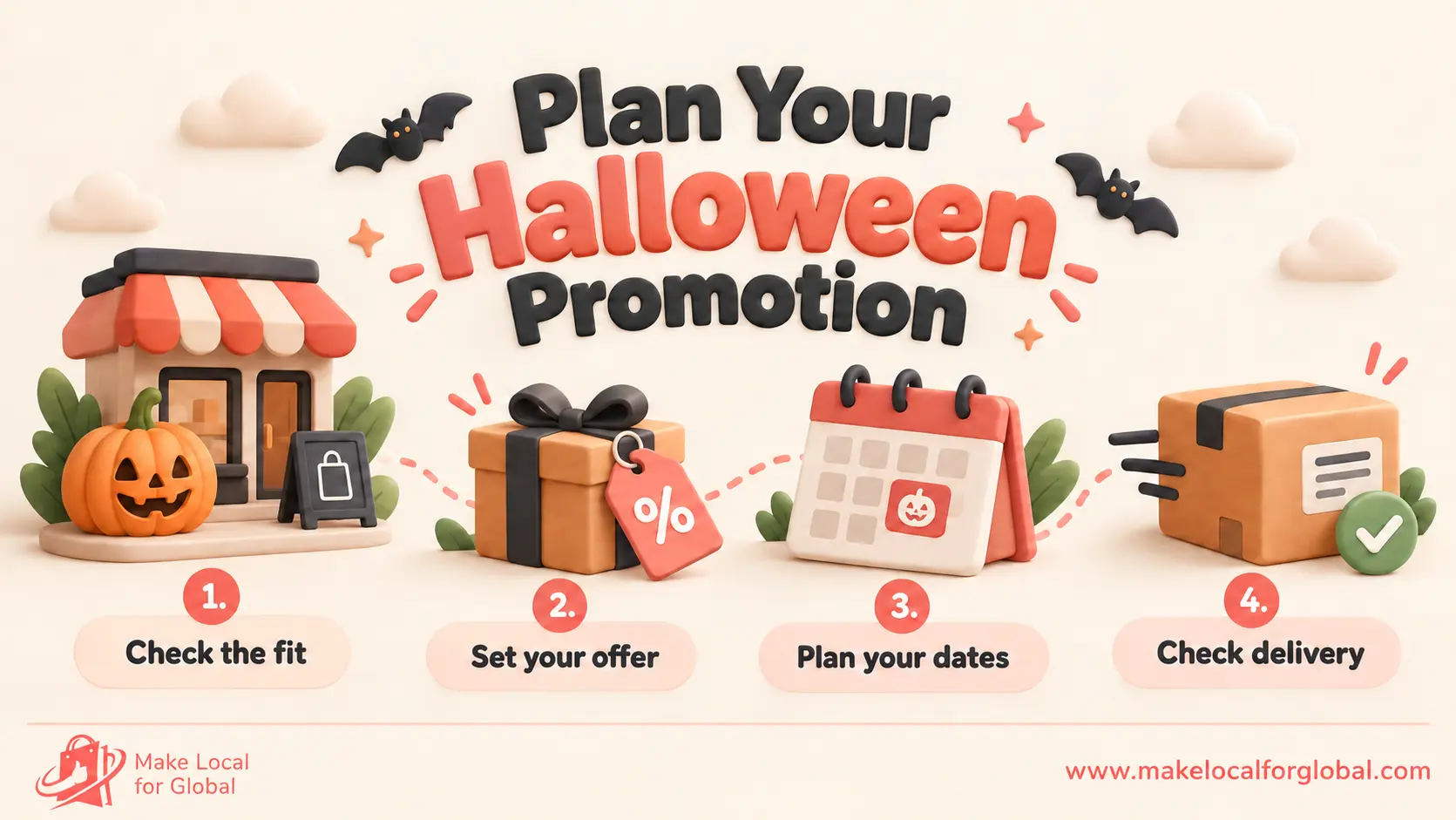
Pick the customer, products and result you want. Check stock, supplier timing, delivery cutoffs and normal order values. Record the usual product and delivery costs before adding a discount.
Choose one offer and test it on a small, medium and larger basket. Set the minimum contribution you will accept, then adjust the offer until the figures work.
Add the code, threshold or bundle to your shop. Test eligible and excluded items, delivery totals and the checkout on a phone. Prepare an email and social posts with the same terms and end date.
Watch eligible orders, redemptions, stock, delivery questions and contribution. End the offer at the time shown and remove expired codes or banners.
If you are starting with about 22 days until Halloween, combine the first two stages. Keep the product range small, test the checkout and leave enough time to meet your delivery promise.

After the offer ends, compare the results with a normal week or a similar product period. Record how many eligible orders used the offer, average basket value, contribution per order, delivery issues and returns.
A higher order count does not tell the full story if each sale leaves less money or creates extra packing work. Keep the offer only if the result supports your goal and the numbers make sense for your business.
There is no single discount that fits every shop. Start with your costs and the result you want, then choose a rate that leaves enough contribution on the orders you expect.
Compare the delivery cost you would cover with the discount cost on likely baskets. Test both against a minimum contribution target, then show the customer the full price and delivery terms clearly.
Limit it to the intended products in your store settings. Before sharing it, test an eligible item, an excluded item and a basket that is just below any minimum spend.
No. Contribution is what remains after the variable costs included in your calculation. You still need to cover fixed costs, tax, owner pay and any costs left out of the example.
Pick a clear offer for products you can fulfil. Add up product, delivery, payment, return and marketing costs for the orders it may attract.
Then test the code, show the terms and set a real end date. If the money left is too small, change the offer before customers see it.
Planning your Halloween store offer?
Explore Make Local for Global’s store setup and training for product businesses.
PREFERRED SOURCE
Like what you’re reading? Add Make Local for Global as a preferred source on Google to see more of our articles when you search.














Build your online presence without having to figure out everything yourself.