
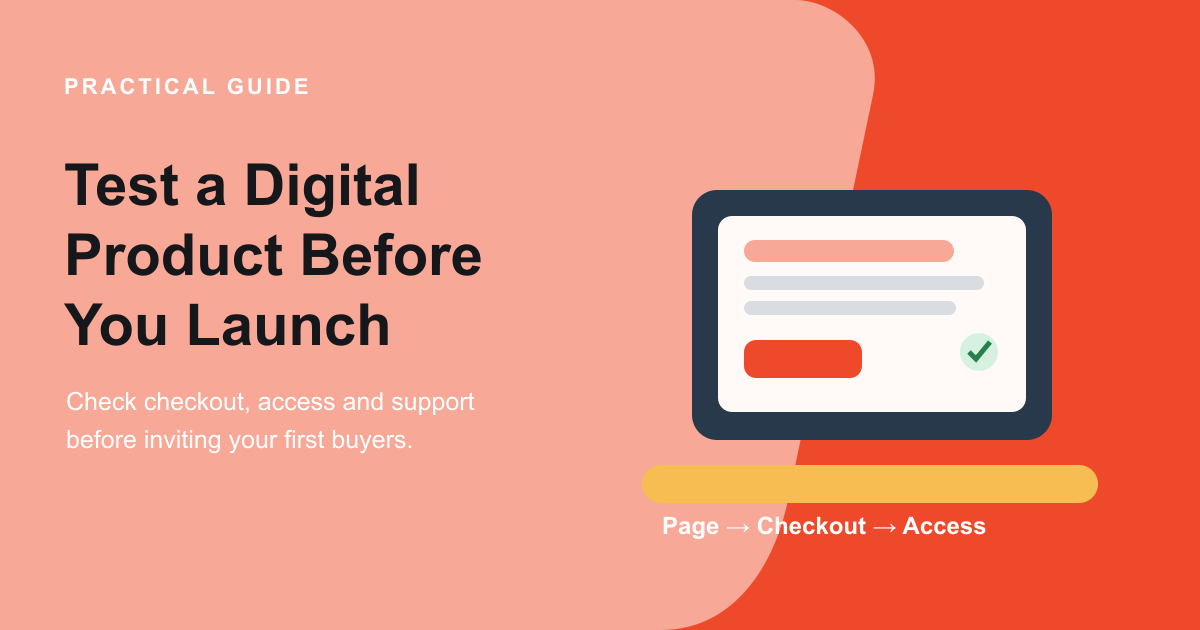
A digital product can be beautifully made and still be difficult to buy, access or use. Before you announce a launch, follow the route a customer will take: understand the offer, pay, receive access, open the files and get help if something goes wrong. Testing that journey can reveal practical problems while they are still small and easy to fix.
This guide focuses on checking the buyer experience, not predicting demand. If you are still shaping the product itself, start with the Digital Products Planner. When the offer is defined, use the free Digital Products Launch Assessment to review its contents, delivery, checkout, support, price assumptions and first test.
Check your digital product before you launch
Review the buyer-facing essentials and get a practical next-step plan. The assessment is a planning aid, not a sales forecast.

1. Make the offer understandable before checkout
Ask someone unfamiliar with the product to read the page and explain what they think they will receive. Can they identify the file types, number of templates or lessons, intended use and any software they need? Does the preview show the real product rather than a generic mock-up? If the offer includes updates, personal feedback or a period of access, say so plainly. Also name important exclusions so a customer does not have to guess.
Look for mismatches across the page, checkout and confirmation. A product called a “complete kit” on the page should not become a single worksheet in the order summary. Check that the product title, description, price in £, tax treatment where applicable and access details agree at each step. A clear description supports informed decisions; it does not replace the consumer information or terms you are responsible for providing.
2. Use a safe test order to follow the real journey
Whenever your platform offers a test mode or simulated payment, use it to exercise the customer route without creating a live charge. Check the order summary, required fields, payment response, confirmation page, email and download or account access. Shopify, for example, explains how to place a test order to review checkout and order-processing settings, including notifications and taxes. Other platforms have their own testing steps, so follow the instructions for yours and switch out of test mode before opening live sales.
Test on a phone as well as a desktop. Confirm that the price and product name remain visible, buttons are easy to use, form labels make sense and validation errors tell the customer what to do. Try the route with a keyboard, too: you should be able to move through the page and checkout controls without getting stuck. If the platform supports assistive-technology checks, include those in your release routine.
Do not treat a screenshot of the checkout as a test. The goal is to confirm that each step works and that the next step is clear. Keep a brief note of the date, device, test mode used and anything you changed, so a later platform or theme update can trigger a sensible retest.
3. Check access from the buyer’s point of view
Open the delivery email or confirmation as if you had just purchased. Does the link go to the correct files? Can a buyer use it without signing into an unexpected account? Do permissions allow access to the intended customer but not expose private working documents? If access expires, requires an account or is limited to a particular device, explain that before payment.
Open the actual files on a common phone and desktop setup. Check that text is readable, links work, worksheets can be printed or edited as promised and course media can be played. A PDF that looks polished on your own large monitor may be difficult to read on a phone. A template may rely on a specific software version. State requirements clearly and offer a sensible contact route if access fails.
Make one recovery test where practical: what does the buyer see if a link is expired, an email is delayed or a download is attempted twice? The precise answer depends on your platform, but the customer should not be left with a dead end. Provide a way to request help and give a realistic idea of what happens next.
Turn your answers into a focused launch check
Work through six practical readiness areas and identify one issue to resolve before widening your launch.
4. Prepare support and policy information
Tell buyers how to contact you about a missing file, access problem or question about what is included. Check that the contact route works and that messages reach the right inbox. Set an honest expectation for response times that you can maintain. If customers need software or a particular account, make that visible before they buy.
Digital downloads have specific consumer information and cancellation considerations in the UK. Government guidance on online selling and digital downloads describes information businesses must give and steps relating to immediate digital supply. Consumer rights also apply to digital content, including remedies for faulty content. Read the current rules that apply to your offer and get qualified advice when needed; this article and the assessment are not legal advice.
Make sure the terms shown near purchase match what your product and delivery system actually do. A policy cannot make a broken file or unclear promise acceptable. Treat it as one part of a reliable customer experience, alongside accurate product information and a working help route.
5. Check the price and cost assumptions in pounds
Before publication, review the amount a buyer sees and the total shown at checkout. Make sure the currency is clear and that any delivery, tax or other charges are presented as required for your selling situation. Compare the total with your own cost assumptions: creation time, platform or payment fees, customer support and future updates can all affect whether an offer is workable.
A price that resembles another seller’s does not prove that your scope, audience or costs are the same. Record why you chose the figure and what would make you revisit it. Use the Digital Products Pricing Lab to compare a few price and cost scenarios in £, then keep the assumptions visible while you learn.

6. Start with a small, measurable customer test
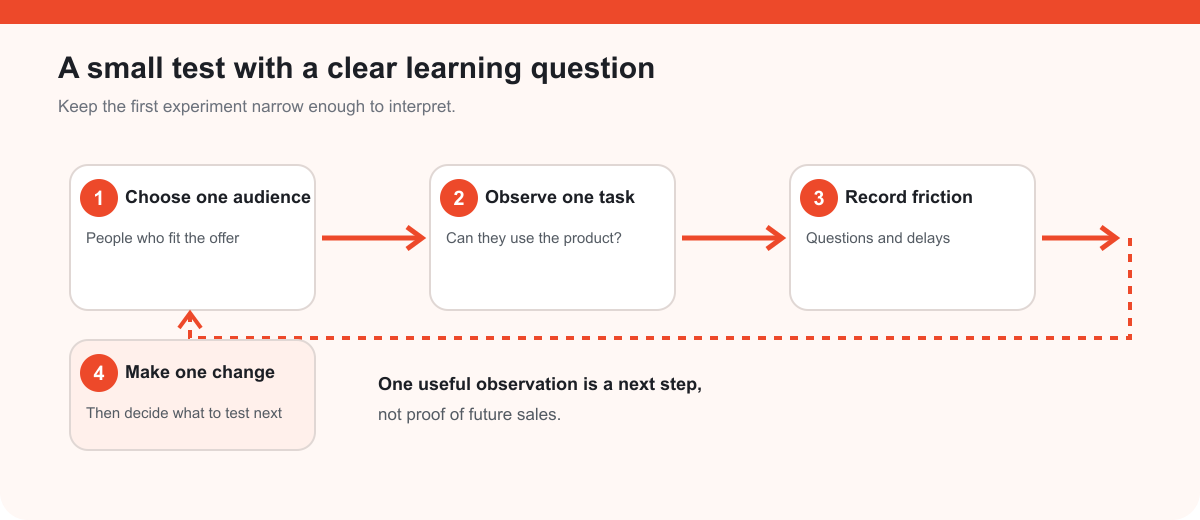
A controlled first release can help you learn without treating a handful of responses as a market forecast. Choose one relevant audience, one question you need answered and a modest limit on time or promotion spend. For example, you might ask whether a defined group understands the contents and can complete the first task using the included guide.
Record what people do and where they hesitate, not just whether they say they like the idea. If a buyer expects a different file, cannot find the download or asks the same support question as others, that is useful evidence about what needs attention. Note who saw the offer and which version they used. Then make one change and decide whether another test is needed.
Keep the boundary clear: early feedback can improve the product and journey, but it cannot guarantee wider demand or future sales. Broader release decisions should use more evidence over time.
A practical digital product launch test checklist
- The page accurately explains the digital files, access, requirements and limits.
- The name, contents and price in £ match between the product page, checkout and confirmation.
- A safe test order reaches the correct confirmation and delivery route.
- The files open and work on a phone and desktop, and any software requirements are clear.
- The checkout is usable with a keyboard and has clear labels and error messages.
- A buyer can find a real support route if access fails.
- Relevant UK consumer information and platform requirements have been checked for this offer.
- The first customer test has one audience, one learning question and a sensible limit.
For a wider sequence covering product decisions and promotion, read the Digital Product Launch Checklist. To create or refine the offer itself, use the Digital Products Planner before moving into the final checks.
Frequently asked questions
Do I need to take a real payment to test a digital product?
Use a platform’s test mode or simulated payment where available. It can let you check checkout, confirmation and delivery without charging a customer. Read the platform’s own instructions, and verify that test mode is off before you accept live orders.
What should I test after I change my checkout?
Repeat the parts that could have changed: product details, total price, payment, confirmation, email and access. If you changed the theme or page layout, also check mobile and keyboard usability. Keep a dated test note so the team can see what was verified.
What if my download link stops working?
Provide a clear route for customers to ask for help, check how your platform can restore access and explain any account or expiry requirements before purchase. Test your recovery steps so your support message matches what you can actually do.
Can an assessment tell me whether my digital product will sell?
No. It helps organise readiness checks and identify uncertainties. Actual customer behaviour over time provides evidence, but early results still depend on the audience, offer, timing and how the product is presented.
Find the next issue before your buyers do
Review your offer, checkout, access and support, then choose one practical next test. The free assessment turns your answers into a focused readiness plan.